
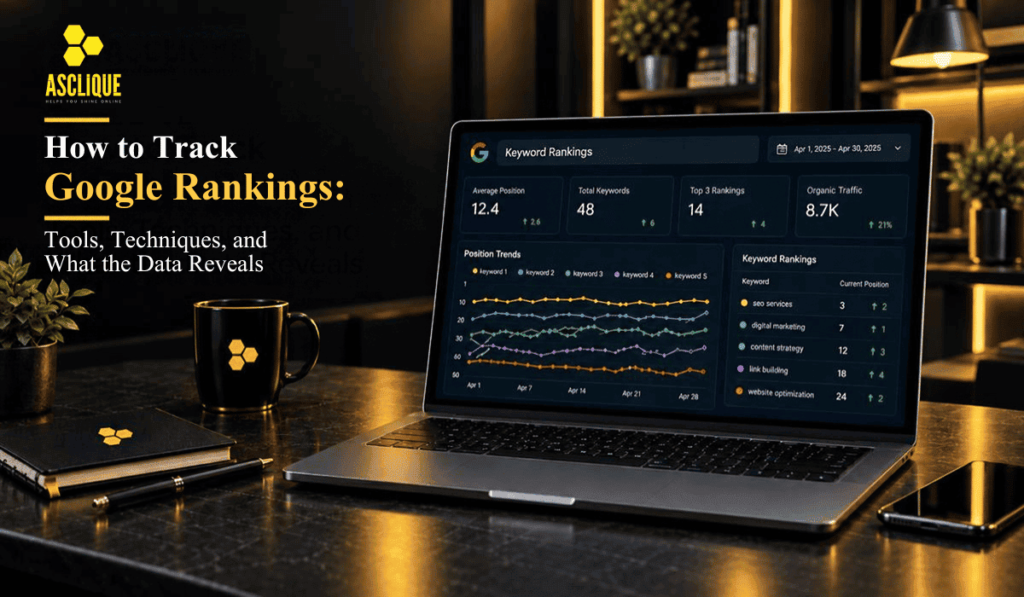
Tracking keyword rankings tells you whether your SEO efforts are moving the needle — which positions are improving, which have dropped, and where there are opportunities to capture more organic traffic.
But rankings data is also easy to misread. This guide covers how to track rankings accurately, which tools to use, and how to interpret ranking data in the context of your broader SEO performance.
Why Ranking Tracking Matters
Ranking position is a leading indicator of organic performance. If rankings are rising, traffic typically follows. If rankings drop, traffic drops soon after.
Tracking rankings allows you to:
- Confirm that SEO work (new content, technical fixes, link building) is producing the intended ranking improvements
- Catch ranking drops early and investigate before traffic loss compounds
- Identify pages approaching page 1 (positions 6–15) that are close to meaningful traffic with additional optimization
- Monitor competitor ranking changes on your target keywords
- Track progress toward specific ranking goals
What Ranking Tracking Tools Do
Ranking tracking tools check a site’s position for specific keywords across a defined set of search engines, locations, and devices and display the results in a dashboard with historical trend data.
Most tools:
- Check positions daily, weekly, or on demand
- Track multiple locations and languages simultaneously
- Show ranking history over time (so you can see trends, not just snapshots)
- Alert on significant position changes
- Compare rankings against competitor domains on the same keywords
- Show SERP features present for each keyword (featured snippets, local pack, AI Overview, etc.)
The Main Google Ranking Tracking Tools
Ahrefs Rank Tracker
Ahrefs’ rank tracking module is part of its paid subscription (from approximately $129/month for the Lite plan). It tracks keyword positions across multiple locations and devices, updates daily, and integrates with the rest of Ahrefs’ SEO tools.
Strengths: Integration with backlink analysis, keyword research, and competitor data; clean historical trend visualization; traffic value estimates per keyword.
Limitations: Rank tracking is not the core focus of Ahrefs — dedicated rank tracking tools may offer more granular local tracking options.
Semrush Position Tracking
Semrush offers position tracking as part of its paid plans (from approximately $140/month). It tracks rankings for target keywords and shows SERP feature visibility alongside position data.
Strengths: Detailed SERP feature tracking (featured snippets, local pack, People Also Ask); visibility score for overall performance; competitor comparison.
Limitations: Similar to Ahrefs — a comprehensive platform rather than a dedicated rank tracking tool.
SE Ranking
SE Ranking is a more affordable alternative (from approximately $65/month) with a strong rank tracking module as a central feature. It tracks daily rankings across search engines, locations, and devices.
Strengths: Price-to-feature ratio; accurate and frequent rank updates; strong local rank tracking; white-label reporting options for agencies.
Limitations: Less comprehensive backlink analysis than Ahrefs or Semrush.
Nightwatch
Nightwatch (from approximately $32/month for basic plans) is a dedicated rank tracking tool with an emphasis on local and hyperlocal tracking.
Strengths: Very granular local tracking (city level, neighborhood level); strong segment organization for large keyword sets; clean reporting.
Limitations: Less comprehensive as a full SEO platform — primarily a rank tracker.
Google Search Console
GSC provides free ranking data for all keywords a site ranks for, but in a different format than dedicated rank trackers:
- GSC shows the average position across all impressions for a keyword — not the position for a specific location or device
- Data is available for the last 16 months
- Impressions and clicks are included, which is more useful than position alone
- You cannot set up custom tracking for specific keywords — GSC shows all keywords the site generates impressions for
Best use for: Understanding the full scope of organic keyword performance, identifying impression-rich keywords with low CTR (optimization opportunity), and supplementing dedicated rank tracker data with actual Google first-party data.
How to Set Up Accurate Rank Tracking
Define the Right Keywords
Start by identifying the specific keywords you want to track:
- Primary commercial keywords (the terms you are actively trying to rank for)
- Secondary and long-tail keywords (variations and related terms)
- Competitor keywords (terms where you want to monitor competitive movement)
- Brand keywords (your business name and variations)
Do not track hundreds of keywords if you are not actively targeting them. A focused list of 50–150 keywords for your priority pages is more actionable than 2,000 keywords in a dashboard nobody reads.
Choose the Right Location
Google rankings are location-specific. A keyword like “plumber near me” produces completely different results in Chicago and London. Set your tracking to the specific location(s) relevant to your target audience.
Most rank trackers allow tracking by country, city, or even neighborhood (for hyperlocal businesses). For service businesses with a local service area, city-level tracking is essential.
Track Desktop and Mobile Separately
Google’s mobile-first indexing means mobile and desktop rankings can differ. For businesses where a significant portion of searches happen on mobile (most local searches, consumer products), tracking both separately reveals discrepancies that warrant investigation.
Establish a Baseline
Before any major SEO changes, record current ranking positions. This gives you a clear before/after comparison to measure the impact of specific work.
Understanding Ranking Data
Rankings Fluctuate Daily
Rankings are not static. Position changes of 1–3 places day-to-day are normal. Track trends over weeks and months, not daily movements. A keyword that has consistently moved from position 18 to position 9 over three months is trending in the right direction, even if it sits at 11 today.
Position and Traffic Are Not Linear
Position 1 earns roughly 25–30% of clicks for a given keyword. Position 3 earns roughly 10%. Position 10 earns 2–3%. Moving from position 20 to position 10 produces minimal traffic. Moving from position 10 to position 5 produces meaningful traffic. Moving from position 5 to position 1 produces the largest jump in clicks.
Focus optimization effort on keywords in positions 5–15, where improvements translate to meaningful traffic gains.
SERP Features Reduce Organic Click Rates
A keyword with an AI Overview, featured snippet, or map pack above the organic results has lower click rates to organic positions even at rank 1. When tracking a keyword, check what SERP features are present — they affect the traffic value of each position.
GSC Impressions Can Signal Opportunity
In Google Search Console, a keyword generating 500+ monthly impressions at an average position of 12–25 is a signal that the page is close to ranking well. These keywords deserve content improvement, internal link reinforcement, or link building to push them from page 2 to page 1.
What to Do When Rankings Drop
Sudden drop (immediate, steep): Often indicates a technical issue — pages accidentally noindexed, a sitemap problem, a server downtime event, or a manual action. Check Google Search Console immediately for coverage errors and manual action reports.
Gradual decline over weeks/months: Usually indicates a competitor has improved or a Google algorithm update has reduced the page’s relevance score. Review the pages that outranked you, assess their content quality vs. yours, and audit whether any recent on-page changes could have affected performance.
Position 1 drop to page 2: Often caused by a new competitor page or an algorithm reranking update. Compare the current top 10 to previous top 10 using Ahrefs’ “SERP history” feature to see what changed and who displaced you.
Frequently Asked Questions
How often should I check my Google rankings?
Weekly review is sufficient for most businesses. Daily fluctuations add noise without actionable signal. A weekly or monthly trend view is more meaningful. Set up alerts in your rank tracking tool for significant drops (more than 10 positions on high-priority keywords) so you are notified about issues without needing to check daily.
Why do my rankings look different when I search in Google vs. my rank tracker?
Your personal Google search results are personalized based on your location, search history, and logged-in account. Rank trackers check from specific, clean IP addresses in defined locations without personalization. The rank tracker result is more representative of what a typical searcher sees.
Is it worth tracking keywords I rank for on page 2?
Yes — page-2 keywords are often more valuable targets than new keywords. A keyword you rank for at position 15–20 is close enough to page 1 that additional content improvement or link acquisition could push it to the first page. These are often faster wins than ranking for brand-new keywords from scratch.
Can I track local rankings by neighborhood?
Yes. Tools like Nightwatch, BrightLocal, and Local Falcon provide hyperlocal rank tracking — tracking how a business appears for a search from different physical locations within a city. This is particularly useful for local service businesses wanting to understand their map pack visibility across their service area.
How do AI Overviews affect ranking data?
AI Overviews appear above organic search results and reduce the click-through rate to organic positions. Rank trackers report your position in the traditional organic results — but if an AI Overview is present for that keyword, your actual traffic from that position will be lower than historical click-rate curves suggest. Track impressions and clicks in GSC alongside positions to understand the actual traffic impact.
Asclique’s SEO services include ranking monitoring and monthly performance reporting as standard. If you want to understand how your rankings are trending and what the data means for your business, contact us.