
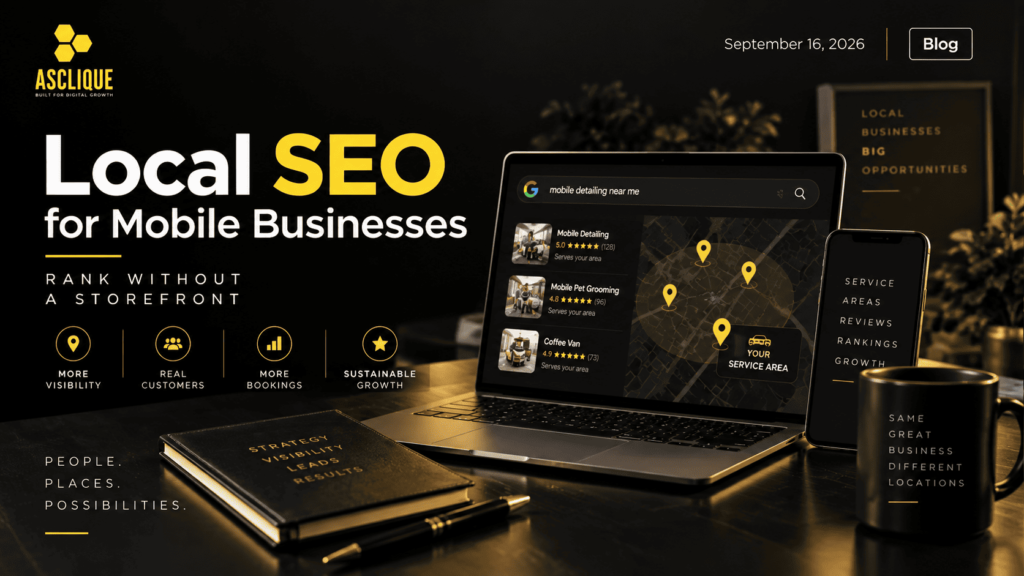
Mobile groomers, detailers, coffee vans, and on-site clinics all run into the same wall in search. Google built its local results around addresses, but these businesses don’t have a physical location customers can walk into. Many owners assume their lack of a physical location locks them out of the map pack, so they fall back on word of mouth. It doesn’t. Local SEO for mobile businesses runs on a different set of signals, and this guide covers which ones matter and how to build them.
How Google Ranks Local Businesses Without a Front Door
Google keeps the details of its local algorithm private, but its guidance on improving your local ranking names three factors: relevance, distance, and prominence. Relevance is how well your profile matches the search. Distance is how far you are from the person searching. Prominence reflects how well-known the business is, based partly on links from other websites and on reviews.
A storefront gets a fixed point for the distance calculation, and customers see that pin on the map. A mobile business still has a base location in Google’s system, but it hides that address and can’t use it to win searches across the whole area it covers.
That shifts the weight onto relevance and prominence, which happen to be the two factors an owner can actually build. Every strategy below does one of two things: it tells Google exactly what you do and where, or it shows that real customers in those areas trust you.
Set Up Your Google Business Profile as a Service-Area Business
How you classify the business is the most consequential setup decision you’ll make. Google’s Business Profile guidelines say that businesses serving customers at the customer’s location should hide their address and set a service area instead. The same guidelines say that the service area shouldn’t extend much beyond about two hours of driving time from where the business is based.
A real business base is still required. Google applies the same rules to a converted van for business, a towable trailer, or a pickup loaded with equipment. The vehicle is where the work happens, but the profile still needs a real base address for verification. For most owners, that’s where the van is garaged or where the admin work gets done. The address stays hidden, and customers see the service area instead.
Common setup mistakes that lead to suspensions:
- Using a P.O. box or a virtual office as the business location. Google’s guidelines rule out both.
- Leaving a home address visible when customers never visit it.
- Creating a separate profile for every town you cover. One business with one base gets one profile.
One exception applies to mobile bars and wine vans. Businesses tied to minimum-age products like alcohol or cannabis aren’t allowed to be service-area businesses without a storefront, so they need a physical location that meets Google’s storefront rules.
Choose the Primary Category Before Anything Else
The primary category decides which searches your profile is even eligible for. A mobile barber set to “Hair salon” competes on a different relevance signal than one set to “Barber shop,” and that gap won’t close no matter how many reviews come in.
Search your main service the way a customer would, open the top three map results, and note the primary category each one uses. Pick the category that most precisely describes your core service, and add secondary categories only for work you genuinely deliver.
The rest of the profile should reinforce the same service. Most of the Google Business Profile optimizations that improve local rankings come down to completing fields that owners skip, such as the services list, attributes, business description, and regular photo uploads.
Treat the Vehicle as Your Premises
For a storefront, photos of the building and interior help customers decide whether to visit. For a mobile business, the vehicle is the premises, so it deserves the same attention.
Upload photos of the exterior, the branding, and the workspace customers will step into. Retail operators running custom mobile boutiques out of converted Sprinters, for example, get far more from interior shots of the fitting area and product displays than from another exterior photo, because that space is what the customer is actually booking.
Vehicle branding also feeds search. A wrap that shows the business name and a short web address turns parking time into branded searches, and people searching your exact name are the easiest clicks you’ll ever win.
Plan for Growth Before You Add a Second Vehicle
More vehicles do not necessarily mean more profiles. Operators who scale into a fleet of mobile business vehicles often assume each van should get its own profile. Google’s rules tie profiles to business locations, not vehicles. A second van working out of the same base doesn’t justify a second profile.
A separate profile becomes legitimate only when you open a genuinely separate location, with its own staff and its own service area. Until then, growth shows up in local search through wider service-area coverage, more area pages, and a faster pace of reviews, not through extra listings.
Build One Page for Each Area You Actually Serve
Without an address anchoring the business to one spot, your website has to carry more of the location signal. The standard fix is a dedicated page for each real service area, but mobile businesses can make these pages far more useful than the typical “plumber in [city]” template.
A strong service-area page for a mobile operator answers the questions customers in that area actually have:
- Where you set up: driveway, office parking lot, street parking, or a customer’s garage.
- What you need from the customer: a power outlet, water access, a level surface, or parking permits in dense neighborhoods.
- Travel details: typical arrival windows, any travel fee, and how far out you’ll go.
- Local proof: photos from real jobs in that area and short write-ups of the work.
Swapping the city name across ten identical pages doesn’t count. Google treats that as low-value duplicate content, and customers can tell. If you can’t write something specific about an area, it probably doesn’t deserve its own page yet.
Match Your Strategy to How Your Business Moves
“Mobile business” covers very different operating models, and the right local SEO priorities depend on which one you run.
| Operating model | Examples | Main local SEO priority | Watch out for |
| Radius-based | Detailers, groomers, mobile vets | Service-area pages and reviews that mention real towns | Stretching the service area wider than you can rank |
| Route-based | Laundry pickup, grocery or produce vans | A schedule page with recurring stops, kept current | Outdated schedules that send customers to empty lots |
| Event and pop-up | Coffee vans, mobile boutiques, photo booths | Profile posts announcing locations, event listings, local press | No stable area signal between events |
| Contract and B2B | Mobile clinics, on-site shredding, fleet washing | Industry directories, case study pages, B2B citations | Chasing consumer “near me” traffic that won’t convert |
Many businesses sit in two rows at once. A mobile coffee van might book corporate events (contract) and also park at weekend markets (pop-up). In that case, build the pages and listings for both, and keep the messaging on each page tied to that specific type of customer.
Make Reviews Part of Every Job
Google states plainly that more reviews and positive ratings can help local ranking. For a business that can’t lean on a visible address, reviews also carry much of the trust a storefront would normally provide.
Build the request into the end of every job. A QR code on the van door, on the invoice, or on a card handed over with the finished work removes the friction of finding your profile. Ask while the customer is still pleased with the result, not three days later by email.
Two rules keep this safe. Never offer a discount or freebie in exchange for a review, since Google prohibits incentivized reviews. And reply to every review, good or bad, so future customers can see how you handle problems.
Keep Your Business Details Consistent Everywhere
Your business name, phone number, and website should match exactly across every directory, social profile, and industry listing. Inconsistent details make it harder for search engines to confirm that all those mentions belong to the same business.
Directories that force an address field are the tricky part for mobile operators. The fundamentals of building local citations still apply, but look for a “hide address” or “service area” option on each platform before publishing, and avoid listing a street address on some sites and not others.
Use one main phone number across all listings. Multiple numbers for different towns may help you sort calls internally, but they fragment the signals that tie your listings together.
Add Structured Data That Describes Where You Work
Structured data gives search engines a machine-readable summary of the business. LocalBusiness markup covers the core properties, such as name, phone number, URL, and opening hours, and the schema.org vocabulary also includes an areaServed property for listing the cities or regions you cover.
Keep the markup consistent with your profile and your service-area pages. If the schema lists twelve cities but your website only has pages for four, you’re sending mixed signals about where you really operate.
How to Measure Local SEO Without a Fixed Location
Rank tracking is misleading for mobile businesses. Your position changes depending on where the searcher is standing, so a single ranking check from your office tells you very little. Grid-based rank trackers, which check positions across a map of points, give a far more accurate picture of where you show up and where you disappear.
Direction requests, a standard storefront metric, also mean little when the address is hidden. Focus on calls, website clicks, and booking requests from your profile instead. Adding UTM parameters to the website link on your profile lets you separate profile traffic from other organic visits in your analytics.
Compare those numbers against your service-area pages. If an area page gets traffic but no calls, the page isn’t converting. If it gets neither, the relevance signal for that area is too weak, and the page needs more local detail.
FAQ’s
Can a business without a storefront show up on Google Maps?
Yes. Service-area businesses appear in Google Maps and the local pack, even with their address hidden. They compete mainly on relevance and prominence rather than on proximity to a visible pin. A well-chosen category, a complete profile, and steady reviews do most of the work.
Should a mobile business hide its address on Google Business Profile?
Yes, if customers don’t visit that address. Google’s guidelines say service-area businesses should hide their address, and keeping a home address visible can lead to suspension. The address is still used for verification, but customers only see your service area.
How far can my service area extend?
Google’s guidelines say the service area generally shouldn’t extend beyond about two hours of driving time from your base. Some businesses may justify a larger area, but most won’t rank well at the edges anyway. It’s better to list the areas you serve regularly than every town you could technically reach.
Can I use a P.O. box or virtual office to get a storefront pin?
No. Google doesn’t accept P.O. boxes or remote mailboxes as business locations, and a rented virtual office that you don’t operate from isn’t eligible either. Using one risks suspension of the entire profile. A mobile business is better off accepting the service-area setup and building strong signals around it.
Do mobile businesses need a website to rank locally?
A profile alone can appear in local results, but a website makes ranking across multiple areas much easier. Service-area pages give Google location relevance that the profile can’t provide on its own. The website also gives you a place for booking, pricing, and trust content that converts searchers into customers.
How many service-area pages should I create?
Create one for each area you serve regularly and can write about specifically. For most small mobile operators, that means somewhere between three and ten pages. Thin pages that only swap the city name tend to hurt more than they help.
Do reviews matter more for mobile businesses than for storefronts?
They carry more relative weight. Without a visible address to help with proximity, prominence signals like review count, rating, and recency make up a bigger share of what Google has to go on. Reviews that mention the service and the area in the customer’s own words also add relevance.
Can I have separate Google Business Profiles for each van?
Not if the vans share a base. Google allows one profile per business location, and vehicles don’t count as separate locations. A second profile is only appropriate when you run a genuinely separate location with its own staff and service area.
How long does local SEO take for a mobile business?
Profile fixes like category and service-area setup can show results within weeks. Rankings that depend on reviews, links, and area pages usually build over several months. Consistent effort matters more than any single burst of activity.
Winning Local Search From the Road
A missing storefront changes which local signals matter, but it doesn’t keep a business out of local search. Mobile operators who classify their profile correctly, choose a precise category, build genuinely useful area pages, and make reviews routine can outrank fixed competitors who rely on their address alone. The businesses that win are the ones that keep feeding those signals month after month, wherever the work takes them.