
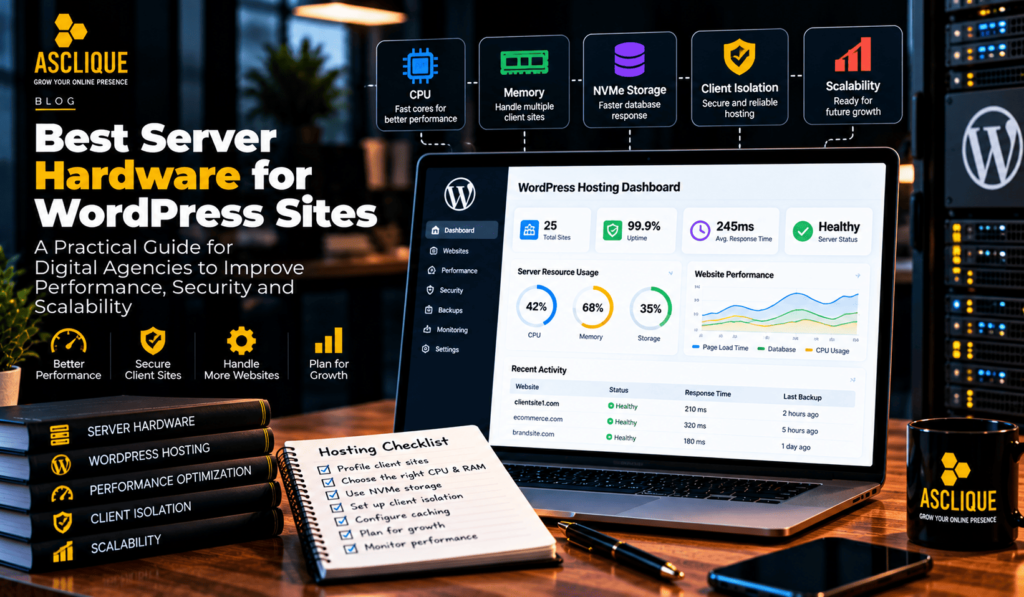
Choosing the right hardware for that mix is less about buying the most powerful server and more about understanding where WordPress sites actually spend their resources. This guide covers how to profile client sites, how to choose between many cores and fast cores, how to isolate clients and how to plan for growth.
Quick Answer: What Server Hardware Should Agencies Choose for WordPress Sites?
Agencies should choose WordPress server hardware based on actual website workloads, traffic peaks, database activity, and the number of client websites hosted.
For multiple production websites, prioritize sufficient CPU capacity, reliable memory, fast storage, and client isolation. Websites with intensive WooCommerce transactions or logged-in activity may benefit from faster individual CPU cores, while servers hosting many websites need enough cores to manage concurrent workloads.
Key Facts About WordPress Server Hardware
- WordPress requirements: The article’s baseline recommendation is PHP 8.3 or greater, MySQL 8.0 or greater or MariaDB 10.11 or greater, and HTTPS support.
- CPU performance: Faster individual cores can improve processing time for CPU-intensive PHP requests.
- Multiple websites: Higher core counts can help servers handle simultaneous workloads across client websites.
- Memory: RAM supports PHP workers, database operations, and caching systems.
- Storage: NVMe storage can improve database responsiveness for resource-intensive websites.
- Client isolation: Separate system users, PHP pools, and resource limits help reduce cross-client risks.
- Scalability: Server capacity should account for peak traffic rather than average monthly visits.
- Monitoring: CPU usage, memory consumption, database performance, and response times help identify infrastructure bottlenecks.
Table of Contents
- Profile the Sites Before Choosing Hardware
- Many Cores or Fast Cores?
- Isolation Between Clients
- Caching, PHP Workers and Databases
- Planning for Growth
- Asclique Workflow for Evaluating WordPress Hosting
- Weak Approach vs Better Approach
- Common Server Hardware Mistakes
- What Is Not Proven?
- How to Measure Hosting Performance
- WordPress Server Hardware Checklist
- Frequently Asked Questions
- Related Asclique Resources
- Conclusion
Profile the Sites Before Choosing Hardware
Not all WordPress sites are alike. A brochure site with cached pages barely touches the CPU, while a WooCommerce store with logged-in customers, a membership site or a site with heavy search behaves more like an application.
| Site Type | Typical Bottleneck | Hardware Priority |
|---|---|---|
| Brochure or portfolio site | Very little, mostly cached | Reliable storage, modest resources |
| Content site with high traffic | Cache efficiency, bandwidth | Memory for caching, network capacity |
| WooCommerce store | Uncached PHP requests, database queries | Fast cores, fast storage, database memory |
| Membership or learning platform | Logged-in sessions bypass page cache | More PHP workers, more cores |
| Sites with heavy admin use | Editor and plugin operations | Fast cores for responsive admin |
List every site you host or plan to host, with monthly visits, the share of logged-in users and any heavy plugins. That inventory tells you more about the right server than any benchmark. Gather the numbers from analytics and server logs rather than client estimates. Peak hours matter more than monthly totals, because a store that sells most of its products during a weekly email campaign needs capacity for that hour, not for the average.
WordPress itself has modest base requirements. The project’s official requirements recommend PHP 8.3 or greater, MySQL 8.0 or greater or MariaDB 10.11 or greater, and HTTPS support. The resource demands come from traffic, plugins and how much of the site can be cached.
Many Cores or Fast Cores?
Each uncached WordPress request is handled by one PHP worker on one core, so single-core speed decides how quickly an individual page is generated. That favors high-frequency processors for stores and sites with many logged-in users. On the other hand, an agency server runs many sites at once, plus databases, caches, backups and cron jobs, and that favors a high core count.
Server platforms make the trade-off explicit. For a deeper look, Unihost’s AMD EPYC vs Ryzen server comparison recommends EPYC for high-load CMS and e-commerce workloads, citing more cores, ECC memory and stability under sustained load, while Ryzen suits development, staging and tasks where single-thread speed matters most. For an agency, that often translates into a practical split: EPYC-class servers for production hosting of many client sites, and cheaper high-clock machines for staging environments.
Whichever platform you choose, insist on ECC memory for production. A memory error that corrupts a database can affect dozens of client sites at once. Keep PHP versions current as well: newer releases are generally faster and receive security fixes for longer, which makes upgrades one of the cheapest performance improvements available.
Isolation Between Clients
Hosting many clients on one server is efficient, but one compromised plugin or traffic spike should not affect everyone else. Use separate system users and PHP pools per site, so a problem in one site cannot read another’s files, and set resource limits for each pool. Control panels designed for agencies and hosting companies make this easier to manage at scale.
For larger or more sensitive clients, consider separate virtual machines or containers, or even a dedicated server of their own. The extra isolation also simplifies billing, since a client’s resources are clearly defined.
Keep updates under control as well. Outdated plugins are the most common way into WordPress sites, so apply updates on a schedule, test major ones on staging first and remove plugins that clients no longer use. File integrity checks, a web application firewall and alerts for unusual login activity help catch a compromised site before it causes problems for others on the same server.
Caching, PHP Workers and Databases
Caching is the cheapest performance upgrade. Full-page caching serves most anonymous visitors without touching PHP at all, and an object cache such as Redis reduces database load for logged-in users and stores. Tune the number of PHP workers per site to its traffic, because too few workers cause queues and too many exhaust memory.
The database is often the hidden bottleneck. Give MySQL or MariaDB enough memory for its buffer pool, monitor slow queries and clean up plugin tables that grow without limit. NVMe storage makes a clear difference for database-heavy sites such as stores. Measure the effect of each change with real page timings for anonymous visitors and for logged-in users, because a cache that looks perfect in a quick test can still leave checkout pages slow.
Replace the default WordPress cron, which runs on page visits, with a real system cron job on busy servers. It makes scheduled tasks predictable and stops them from slowing down random visitors.
Is Your WordPress Website Slowing Down Your Business?
Asclique helps businesses identify technical SEO issues, improve website performance, and strengthen their online presence through practical optimization strategies.
Planning for Growth
Agency hosting grows in steps, usually when a new large client signs. Plan for those steps before they arrive:
- Keep average CPU and memory utilization low enough to absorb a sudden traffic spike from a client’s campaign.
- Document which sites run on which server, with contacts and renewal dates.
- Automate backups for every site to storage outside the server, and test restores.
- Decide in advance when a client moves to its own server, for example above a certain traffic level or revenue.
- Review the hardware every year as sites, plugins and PHP versions change.
A tested procedure for moving a site to another server, with staging, DNS changes and a rollback option, turns a stressful move into a routine task.
The right server for client WordPress sites is the one that matches how those sites behave. Profile them first, balance core count against core speed, isolate clients from each other, cache aggressively and plan the next step before a big client forces it.
Asclique Workflow: How to Evaluate WordPress Hosting Requirements
Choosing server hardware should be part of a broader website performance and technical optimization strategy. Agencies can follow a structured workflow to identify infrastructure requirements and prioritize improvements.
Step 1: Audit Existing Websites
Document every hosted website, including its traffic volume, peak traffic periods, database size, active plugins, caching configuration, and hosting resources.
Step 2: Identify Performance Bottlenecks
Review CPU usage, memory consumption, PHP worker availability, database response times, and server response times. Determine whether performance issues originate from hardware limitations or inefficient website configurations.
Step 3: Match Hardware to Workloads
Compare processor performance, memory capacity, storage speed, and scalability. Consider both single-core performance and total processing capacity when evaluating hosting options.
Step 4: Implement Client Isolation
Configure separate system users, PHP pools, resource limits, and access permissions for individual websites. Evaluate stronger isolation for business-critical applications.
Step 5: Optimize Website Performance
Configure appropriate caching, review database queries, optimize images, and remove unnecessary plugin overhead.
Step 6: Monitor and Improve
Track server resource utilization, website availability, response times, and user experience metrics. Review performance following major website updates or significant traffic increases.
Weak Approach vs Better Approach
| Weak Approach | Better Approach |
|---|---|
| Choose hardware based only on advertised CPU specifications. | Evaluate actual WordPress workloads and performance benchmarks. |
| Host every client without resource restrictions. | Configure separate PHP pools and appropriate resource limits. |
| Purchase the server with the highest core count. | Balance core count, single-core speed, memory, and storage performance. |
| Measure only average monthly website traffic. | Analyze peak traffic, concurrent users, and uncached requests. |
| Store backups on the same production server. | Maintain independent backups and test restoration procedures. |
| Upgrade hardware whenever a website becomes slow. | Diagnose caching, database, PHP, and application bottlenecks first. |
Common Mistakes Agencies Make When Choosing WordPress Server Hardware
- Ignoring workload differences: Treating brochure websites, e-commerce stores, and membership platforms as identical hosting workloads.
- Overlooking single-core performance: Selecting high-core-count processors without evaluating individual request performance.
- Insufficient RAM: Allocating too little memory for PHP workers, databases, and caching.
- Poor client isolation: Allowing websites to share resources and permissions without appropriate safeguards.
- Ignoring storage performance: Choosing storage based only on capacity instead of latency and database requirements.
- Skipping restore testing: Assuming automated backups are sufficient without verifying that websites can be recovered.
- Planning around averages: Failing to account for promotional campaigns, seasonal traffic, and simultaneous requests.
What Is Not Proven About WordPress Server Hardware?
Server specifications alone cannot guarantee faster WordPress websites, better search rankings, or improved conversions.
Several claims should be evaluated carefully:
- A processor with more cores is not automatically faster for every WordPress workload.
- Higher CPU clock speeds do not guarantee better performance across all applications.
- Moving to dedicated hardware does not automatically resolve inefficient database queries or poorly optimized plugins.
- Installing additional caching layers does not guarantee faster performance without appropriate configuration.
- There is no universal server configuration that is optimal for every agency or WordPress website.
Asclique Recommendation: Use real workload testing, server monitoring, and website performance measurements before making major infrastructure investments.
How to Measure WordPress Hosting Performance
Agencies should evaluate hosting performance using technical metrics and actual website experience.
| Metric | What to Monitor | Why It Matters |
|---|---|---|
| CPU utilization | Average and peak processor usage | Identifies processing constraints. |
| Memory utilization | RAM usage and swapping | Helps prevent resource exhaustion. |
| PHP worker availability | Busy workers and request queues | Reveals application concurrency limits. |
| Database performance | Slow queries and query latency | Identifies database bottlenecks. |
| Server response time | Time to First Byte (TTFB) | Helps evaluate backend response performance. |
| Website availability | Uptime and failed requests | Measures hosting reliability. |
| Core Web Vitals | LCP, INP, and CLS | Measures important aspects of user experience. |
WordPress Server Hardware Selection Checklist
Use this checklist before purchasing or upgrading hosting infrastructure.
- ☐ Document all websites and their traffic patterns.
- ☐ Identify WooCommerce, membership, and other resource-intensive applications.
- ☐ Review peak traffic and concurrent user activity.
- ☐ Compare CPU core count and single-core performance.
- ☐ Estimate RAM requirements for PHP, databases, and caching.
- ☐ Evaluate NVMe storage capacity and performance.
- ☐ Confirm ECC memory support where required.
- ☐ Configure separate users and PHP pools for client websites.
- ☐ Establish resource limits and security controls.
- ☐ Implement page caching and object caching where appropriate.
- ☐ Configure off-server backups and test restoration.
- ☐ Establish monitoring and performance alerts.
- ☐ Document migration and rollback procedures.
- ☐ Plan additional capacity for future clients.
Frequently Asked Questions
What is the best server hardware for hosting multiple WordPress websites?
The best hardware depends on website traffic, application complexity, and concurrent workloads. Agencies hosting many production websites should evaluate processors with sufficient cores, reliable memory, fast storage, and strong isolation capabilities.
Is AMD EPYC or Ryzen better for WordPress hosting?
AMD EPYC processors are generally suitable for workloads requiring many cores, substantial memory capacity, and sustained server performance. Ryzen processors can be attractive for workloads benefiting from strong single-thread performance. The best choice depends on the specific processor model and hosting requirements.
How much RAM does an agency WordPress server need?
RAM requirements depend on the number of websites, PHP worker configuration, database size, and caching requirements. Agencies should measure actual memory consumption and maintain sufficient capacity for traffic spikes.
Are more CPU cores always better for WordPress?
No. More cores can support additional simultaneous workloads, but individual WordPress requests may benefit more from faster cores. Agencies should evaluate both core count and per-core performance.
Does NVMe storage improve WordPress performance?
NVMe storage can improve performance for database-intensive workloads and applications requiring frequent disk access. However, caching, database configuration, and application efficiency also influence overall website speed.
Should agencies host all client websites on one server?
Hosting multiple websites on one server can be cost-effective, but agencies should implement appropriate security isolation, resource limits, and backup procedures. Larger or business-critical websites may benefit from dedicated infrastructure.
How many WordPress websites can one dedicated server host?
There is no universal number. A server may support many low-traffic cached websites but significantly fewer resource-intensive stores or membership platforms. Capacity should be determined through workload testing and monitoring.
Does better server hardware improve WordPress SEO?
Better hardware can improve server responsiveness and reliability when hosting resources are the bottleneck. However, search performance also depends on content quality, technical SEO, user experience, and other factors.
When should an agency upgrade its WordPress server?
Consider upgrading when monitoring consistently shows resource saturation, slow response times, request queues, or insufficient capacity for expected traffic. Optimize software and caching before assuming additional hardware is necessary.
What is the most important factor when choosing WordPress hosting hardware?
Understanding actual website workloads is the most important starting point. Traffic patterns, application behavior, database requirements, and future growth should determine the hardware configuration.
Related Resources for WordPress Performance and Technical SEO
Server hardware is one part of maintaining a fast, reliable, and search-friendly website. The following resources explain related optimization practices.
Recommended Asclique Articles
- Page Speed Optimization: A Technical SEO Checklist
- Core Web Vitals: How to Improve LCP, INP and CLS
- AI Search Optimization: The Complete 2026 Guide
Explore Asclique Services
- Search Engine Optimization Services
- WordPress Development Services
- Website Design and Development Services
Conclusion
For agencies managing multiple WordPress websites, server hardware selection should begin with understanding actual workloads rather than comparing processor specifications alone.
Prioritize reliable infrastructure, sufficient processing capacity, fast storage, appropriate security isolation, and a clear scaling strategy.
Equally important, remember that server hardware cannot compensate for every application-level problem. Caching, database optimization, plugin management, and technical SEO should work together to support website performance.
The goal is not simply to purchase a powerful server. It is to build a reliable hosting environment that supports client websites as their traffic and business requirements grow.
Strengthen Your WordPress Website’s Performance With Asclique
Improve website visibility, technical performance, and content strategy with digital marketing support tailored to your business.