
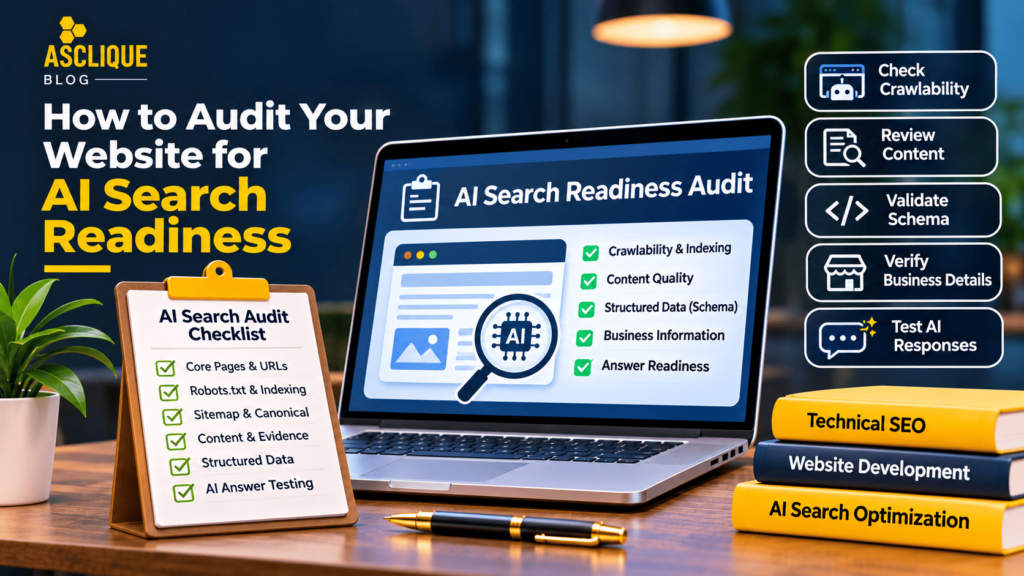
This article gives business owners, marketers, and in-house SEO teams a practical method, concrete checks, and an explanation of what the available evidence cannot establish.
Quick Answer
This audit combines conventional crawl and index checks with content evidence, entity clarity, and controlled answer observations.
Key Facts
- Google Search Central documents crawlability, indexing, canonicalization, and structured data guidance.
- A robots.txt directive can affect crawling, while a noindex directive controls indexing when encountered.
- A valid sitemap does not guarantee that a URL will be indexed.
- Schema markup does not guarantee an AI citation.
- Different AI products can use different retrieval and answer systems.
Verified reference points: Google Search Central; Google Analytics Help; Search Console URL Inspection.
Table of Contents
- What Is an AI Search Readiness Audit?
- Why AI Search Readiness Matters
- How How to Audit Your Website for AI Search Readiness Works – Step by Step
- Tools You Should Use
- Common Errors and How to Fix Them
- Weak Approach vs Better Approach
- Common Mistakes to Avoid
- What Is Not Proven
- How to Measure Success
- Checklist
- Frequently Asked Questions
- Asclique Recommendation
- Need Help With This?
What Is an AI Search Readiness Audit?
An AI search readiness audit is a structured review of the pages, facts, and technical conditions that make a website understandable to users and accessible to discovery systems. It borrows proven SEO diagnostics without assuming that all assistants operate like Google Search.
A practical audit checks whether service pages answer buyer questions, whether key URLs can be crawled, whether organization details are consistent, and whether important claims have supporting evidence.
The output should be a prioritized issue register with affected URLs, severity, owners, and verification steps, not an unexplained readiness percentage.
Why AI Search Readiness Matters
A site can publish excellent articles while hiding its most important service details behind inaccessible navigation or thin landing pages. Those problems affect customers and may also reduce discoverability.
Auditing reveals operational issues: a blocked resource, conflicting canonical tags, stale business details, or unsupported claims. These are concrete defects the team can repair.
The exercise also prevents unnecessary work. A page that is already accurate and accessible may need no additional schema or keyword repetition merely because AI search is a popular topic.
Professional technical SEO services can help businesses identify crawlability problems, indexing errors, canonical conflicts, and other technical issues affecting website accessibility.
Strengthen Your Ai Search Audit FoundationReview the specific technical and content decisions that affect this topic, with documented evidence. | Explore SEO Services |
How How to Audit Your Website for AI Search Readiness Works – Step by Step
Step 1: List the URLs that explain core services, locations, products, and expertise
List the URLs that explain core services, locations, products, and expertise. Match each URL to a customer question and business outcome.
Step 2: Run a crawl and inspect status codes, robots directives, canonical tags, and internal links
Run a crawl and inspect status codes, robots directives, canonical tags, and internal links. Confirm that essential content is present in accessible HTML or rendered output.
Understanding robots.txt optimization is essential when auditing website accessibility. Incorrect crawling directives can prevent search engines from accessing important pages and resources.
Step 3: Use Search Console URL Inspection on representative URLs
Use Search Console URL Inspection on representative URLs. Separate indexing problems from content quality questions and note when the indexed version is older than the live page.
Following XML sitemap best practices can help search engines discover important website URLs. However, submitting a sitemap does not guarantee indexing, so businesses should also verify individual page status.
Step 4: Review each important page for a direct answer, factual specificity, source evidence, author or company identity, and a clear next step
Review each important page for a direct answer, factual specificity, source evidence, author or company identity, and a clear next step.
Professional website development services can help businesses improve website structure, navigation, mobile usability, and content accessibility, creating a stronger foundation for search visibility.
Step 5: Check Organization, Breadcrumb, Product, or Article structured data where appropriate
Check Organization, Breadcrumb, Product, or Article structured data where appropriate. Validate syntax and ensure markup matches visible content.
Proper structured data validation helps identify schema errors, unsupported properties, and inconsistencies between markup and visible website content.
Step 6: Compare official business facts with major profiles and relevant third-party references
Compare official business facts with major profiles and relevant third-party references. Record contradictions without assuming all external listings are authoritative.
Step 7: Test a documented sample of buyer prompts across selected assistants
Test a documented sample of buyer prompts across selected assistants. Log observations separately from crawl findings, then prioritize fixes by customer impact and verification effort.
Tools You Should Use
Site crawler
Find inaccessible URLs, canonical conflicts, redirects, and weak internal linking.
Use this tool only for the information it actually provides. Preserve the original export, tested URL, or report settings so the result can be checked after a website or platform update.
Search Console URL Inspection
Check Google indexing information for representative pages.
Use this tool only for the information it actually provides. Preserve the original export, tested URL, or report settings so the result can be checked after a website or platform update.
Rich Results Test
Validate eligibility for supported rich result features.
Use this tool only for the information it actually provides. Preserve the original export, tested URL, or report settings so the result can be checked after a website or platform update.
Schema Markup Validator
Review broader schema syntax and vocabulary.
Use this tool only for the information it actually provides. Preserve the original export, tested URL, or report settings so the result can be checked after a website or platform update.
Prompt audit log
Document what assistants actually say under specified conditions.
Use this tool only for the information it actually provides. Preserve the original export, tested URL, or report settings so the result can be checked after a website or platform update.
Common Errors and How to Fix Them
The following issues have different causes and require different corrective actions. Diagnose the source before changing website content or analytics settings.
Weak Approach vs Better Approach
A better process makes its assumptions visible, preserves evidence, and connects the finding to a clear next action.
Common Mistakes to Avoid
Equating: Equating a valid schema test with full AI readiness. Identify the specific page, report, or decision affected before treating this as a priority.
Blocking: Blocking useful pages while trying to control bots. Identify the specific page, report, or decision affected before treating this as a priority.
Ignoring: Ignoring canonical and redirect chains. Identify the specific page, report, or decision affected before treating this as a priority.
Treating: Treating one prompt response as a complete audit. Identify the specific page, report, or decision affected before treating this as a priority.
Prioritizing: Prioritizing low-impact warnings above inaccessible service pages. Identify the specific page, report, or decision affected before treating this as a priority.
Review Your Ai Search Audit GapsGet a focused assessment of current implementation, measurement limits, and practical next steps. | Request an Audit |
What Is Not Proven
No official universal AI readiness score predicts recommendations across assistants. Fixing crawlability and factual issues improves the site, but no audit can promise an appearance in generated answers.
At Asclique, we separate documented platform behavior from practitioner observations. Avoid treating an isolated test result as proof of a universal algorithm.
How to Measure Success
Define success in terms of reliable implementation, observable changes, and useful business outcomes. Keep each metric tied to its own source and denominator.
Checklist
- Document the specific business objective and owner.
- Identify the priority pages or customer questions.
- Check official documentation for relevant requirements.
- Verify source information and publication dates.
- Review technical access and indexing where applicable.
- Confirm that visible content supports each important claim.
- Record the testing method and its limitations.
- Check for duplicate or conflicting information.
- Test analytics events before using conversion totals.
- Save baseline evidence before making changes.
- Retest after implementation and record the result.
- Schedule a review after material site or platform changes.
FAQ’s
Is there an official AI readiness score?
The answer depends on the scope of AI search audit and the source you are measuring. Begin with a clearly defined sample or URL set, then document the exact test conditions. Do not infer results for untested pages or platforms.
Should every page have schema?
Not automatically. This audit combines conventional crawl and index checks with content evidence, entity clarity, and controlled answer observations. Record the underlying source and compare it with the visible page or original report before deciding what the result means.
Does a sitemap make AI assistants find my pages?
Use the steps in this guide as a repeatable audit rather than a one-time configuration. Preserve the input, tool settings, date, and output. Recheck after significant changes because an earlier passing test does not verify the current implementation.
How do I audit JavaScript content?
Treat the result as one piece of evidence, not a guarantee. Look for supporting information in the official documentation and in your own measured business outcomes. If the evidence is incomplete, state that limitation rather than filling it with an estimate.
Which issues should I fix first?
Choose a metric that directly answers the business question and can be reproduced. Record the numerator, denominator, time window, and data source. Keep observations separate from verified website visits and customer inquiries.
Can an audit guarantee citations?
Assign an owner and revisit the process after major content, technical, or tracking changes. For ongoing programs, a monthly review can reveal recurring problems. The right cadence depends on how frequently the underlying pages and data change.
Asclique Recommendation
Prioritize defects that affect real customer tasks: inaccessible pages, inaccurate information, missing answers, and broken conversion paths. Retest the specific condition after every correction.
Start with the highest-impact pages and a documented baseline. After making changes, retest the same conditions and record what improved, what remained uncertain, and which issue needs a separate investigation.
Need Help With This?
If your team needs help with AI search audit, Asclique can review the current setup, identify practical corrections, and establish an evidence-based reporting process. The scope should be agreed before changes are made, particularly where analytics or third-party data access is involved.
Make Ai Search Audit ActionableDiscuss a prioritized plan with measurable checks and clear ownership for the next implementation cycle. | Talk to Asclique |