
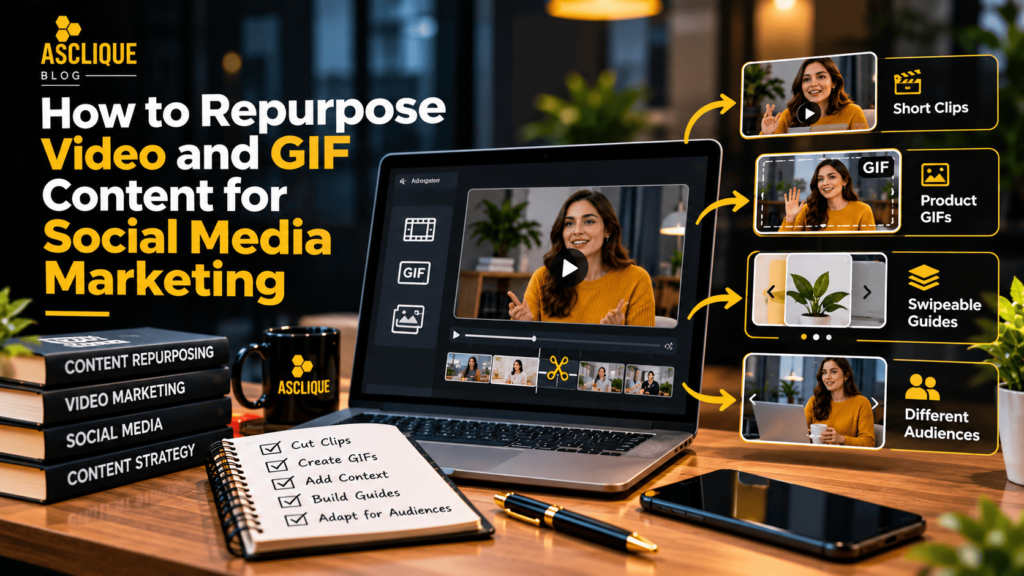
The starting point is deciding what each new post should do. You might pull a helpful answer from an interview, turn a demonstration into a GIF, or adapt an animation for a different audience.
Rather than repeating the same message in several formats, use each version to explain something useful.
Quick Answer
To repurpose video and GIF content for social media marketing, start by identifying valuable moments in existing videos, demonstrations, webinars, and animations. Turn longer recordings into standalone clips, convert short demonstrations into GIFs, expand existing GIFs into explanatory videos, and transform educational content into swipeable guides. Adapt each format to the intended audience and platform while preserving accuracy, context, and a clear purpose.
Key Facts
- Content repurposing uses existing material to create new formats or presentations for a defined audience need.
- Long-form videos can provide standalone educational clips when the original context is preserved.
- GIFs work best for short visual demonstrations that can be understood without audio.
- Converting a GIF into a video allows marketers to add narration, captions, and explanatory context.
- Swipeable guides can make multi-step video instructions easier to review at an individual pace.
- Vertical video crops should preserve important subjects, demonstrations, and on-screen information.
- Repurposed content should be checked for outdated claims, pricing, product information, and promotional offers.
- Content performance should be measured according to the purpose of each post rather than the total number of assets produced.
Important: Platform specifications, supported file formats, and distribution features can change. Check the current publishing requirements of each social media platform before exporting final assets.
Table of Contents
- What Is Video and GIF Content Repurposing?
- Why Repurpose Video and GIF Content?
- Cut Longer Videos into Standalone Clips
- Turn Product Demonstration Videos into GIFs
- Give Existing GIFs More Context as Videos
- Turn Recorded Advice into Swipeable Guides
- Repurpose Content for Different Audiences
- Give Each New Post a Useful Purpose
- How to Repurpose Video and GIF Content: Step by Step
- Tools You Should Use
- Common Errors and How to Fix Them
- Weak Approach vs. Better Approach
- Common Mistakes to Avoid
- What Is Not Proven
- How to Measure Success
- Video and GIF Repurposing Checklist
- Frequently Asked Questions
- Asclique Recommendation
- Related Asclique Resources
- Need Help With This?
What Is Video and GIF Content Repurposing?
Video and GIF content repurposing is the process of adapting existing visual material into new content formats, presentations, or messages for different marketing purposes.
Instead of producing every social media asset from scratch, businesses can use recorded interviews, webinars, product demonstrations, tutorials, and animations as source material.
For example, a 30-minute webinar might contain several useful explanations that can be edited into short educational videos. A product demonstration could become a looping GIF, while a detailed tutorial might be converted into a swipeable guide.
Effective repurposing is not simply reposting the same material repeatedly. Each adaptation should provide a useful explanation, address a customer question, or make information easier to understand.
Businesses can incorporate repurposed visual content into a broader content marketing strategy to connect educational resources, social media posts, and website content.
Why Repurpose Video and GIF Content?
Creating original video content can require planning, recording, editing, approvals, and publishing resources. Repurposing allows marketing teams to make additional use of material they have already produced.
However, the primary benefit is not simply reducing production time. It is making existing information more accessible to people who prefer different content formats.
For example, someone may not have time to watch an entire webinar but may benefit from a 45-second explanation of one specific topic.
Another person may prefer a swipeable guide that allows them to review instructions at their own pace.
Content repurposing can support:
- More efficient use of existing creative assets.
- Educational content for different audience needs.
- Consistent messaging across marketing channels.
- Additional opportunities to answer customer questions.
- Improved accessibility through captions and alternative formats.
- More structured content planning and publishing workflows.
These benefits depend on the quality and relevance of the adapted content. Repurposing does not guarantee increased engagement, reach, or conversions.
Get More Value From Your Existing ContentTurn existing videos, tutorials, and visual assets into purposeful social media content that supports your broader marketing strategy. | Explore Content Marketing |
Cut Longer Videos into Standalone Clips
If you’ve recorded interviews, webinars, or presentations, look for moments that would make sense as separate posts. A useful answer can easily get overlooked when it sits halfway through a longer recording.
For example, a photographer’s webinar might include an explanation of how to work with window light. Extract that answer for followers who want the practical tip without watching the full session.
Start with the question or the strongest piece of advice, then remove any unrelated discussion. Add captions and replace references to earlier parts of the recording with the context viewers need.
If your business already records expert advice, reviewing those recordings gives you a way to explore video posts without arranging another shoot.
Check the framing before posting, especially if you’re turning a landscape recording into a vertical clip. Keep the speaker and any relevant visuals in view, and reposition the crop if the focus shifts.
If viewers need to see a slide or demonstration alongside the speaker, adjust the layout rather than cutting that information out.
Watch the finished clip as though you’ve never seen the original recording. Replace vague references such as “the approach we discussed earlier” with a brief explanation, and make sure the ending delivers the answer promised at the start.
A standalone clip should leave viewers with a useful takeaway, even if they never watch the full video.
How to Identify Strong Moments in Long Videos
Review the recording for sections that answer a specific question or demonstrate a practical technique.
Useful moments may include:
- A direct answer to a common customer question.
- A short explanation of a technical concept.
- A product feature demonstration.
- A practical recommendation from an industry expert.
- A clear comparison between two approaches.
Choose clips based on their usefulness rather than selecting arbitrary sections simply to increase publishing volume.
Make Each Clip Understandable Without the Original Video
Remove unnecessary references to earlier discussions, provide relevant context, and confirm that the ending resolves the question introduced at the beginning.
When adapting content for social platforms, review the final version with captions enabled and audio muted.
Turn Product Demonstration Videos into GIFs
If you’re marketing a product, a GIF can give people a quick look at how it works without asking them to watch a full demonstration. You can take a useful moment from an existing video and turn it into a short, repeating animation.
For example, you might show how a backpack folds away or how a software feature changes an image. Choose an action that makes sense without the original narration, so viewers can understand what they’re seeing at a glance.
A free online GIF editor and converter lets you turn video footage into looping GIFs. Simply upload your clip and download your video in GIF format within seconds.
Use the finished GIF in a post about that feature or to answer a related customer question. If the explanation matters more than the movement, keep it as a video with captions instead.
Choose Demonstrations That Work Without Sound
GIFs are most effective when viewers can understand the action without narration.
Simple movements, short before-and-after demonstrations, and visual interface changes are often easier to communicate through a loop than complicated instructions.
Check File Quality and Platform Compatibility
Animated GIF files can become large, particularly when they contain many frames or detailed visuals.
Some social platforms may convert uploaded GIFs into video formats or handle animations differently.
Check current platform requirements and preview the published format before relying on a GIF for an important demonstration.
Give Existing GIFs More Context as Videos
If you already have useful GIFs, you don’t necessarily need to create new animations. Converting one into a video gives you room to add an introduction, narration, or a closing explanation.
Suppose you have a GIF showing how to change a setting in an app. The animation might work well inside a written guide but need more explanation when someone encounters it in their feed.
Introduce the Question It Answers
Open the video with a short question or description of the task. Follow it with the animation so viewers can connect the action to the problem they want to solve.
Keep the introduction specific, such as “Want to change your chart colors?” Avoid making viewers wait through a general introduction to your business.
Make the Result Easy to Follow
Add captions or narration where the movement alone leaves something unclear. Hold the final frame long enough for viewers to see the result.
Preview the post at phone size before publishing. Converting a GIF won’t improve its original image quality, so check that small details remain readable.
When Should You Use Video Instead of a GIF?
Use video when viewers need spoken explanations, captions, longer demonstrations, or multiple steps.
GIFs are better suited to short visual actions that can be understood immediately.
The choice should depend on the information viewers need rather than a preference for one file format.
Turn Recorded Advice into Swipeable Guides
When a video explains several steps or ideas, a swipeable guide gives people another way to use the information. They can move through the advice at their own pace instead of pausing and replaying the recording.
For example, a gardening tutorial could become a series of slides explaining how to re-pot a houseplant. Each slide would cover one step, using a still from the video where it helps explain the action.
Rewrite the advice for reading rather than copying the transcript. Spoken explanations often include repetition or side comments that make slides feel crowded.
Keep any qualifications that affect the instructions, such as when a technique is suitable. Shorter content should still give people enough information to apply the advice correctly.
Finish with a brief recap so the guide works independently of the original video.
Structure a Swipeable Guide Around One Task
A useful guide should focus on one process or closely related set of recommendations.
For example, a five-slide guide could include:
- The question or problem being addressed.
- The first practical step.
- The second practical step.
- A common mistake or important qualification.
- A final summary or next action.
Use readable text, clear visuals, and consistent branding throughout the guide.
Repurpose Video and GIF Content for Different Audiences
Sometimes the footage is still useful, but the original message doesn’t fit the people you want to reach next. Adapt the surrounding explanation when the same material genuinely addresses another audience’s needs.
A meal-preparation demonstration, for instance, could support posts about workplace lunches or planning family meals. Keep the relevant footage, but change the opening text and examples to suit each situation.
You can also test different introductions before committing to a larger series.
Whatever testing approach you use, change one main element at a time so the comparison is useful. Check that visible products, instructions, and offers are still accurate before reusing older material.
Adapt the Message Without Changing the Facts
Audience-specific content should maintain the accuracy of the original demonstration.
For example, a software tutorial may be relevant to both small business owners and marketing professionals, but the surrounding examples and terminology may need adjustment.
Changing the intended audience should not introduce unsupported product claims or misleading results.
Businesses can also connect social media content with a broader digital marketing strategy that supports different stages of the customer journey.
Give Each New Post a Useful Purpose
The best way to repurpose video and GIF content is to start with what your audience needs, not how many posts you can produce. Choose a format that makes an existing explanation easier to watch, understand, or revisit.
Pick one asset and try two approaches that serve different purposes. A demonstration might become a quick GIF and a swipeable guide, while an interview could supply answers to separate customer questions.
Has this article been useful? If so, take a moment to explore some of our other interesting and insightful posts.
Before publishing, ask whether the new version answers a question, demonstrates a process, clarifies a decision, or provides information that the audience can use.
If the adapted post does not serve a distinct purpose, reconsider whether another format is necessary.
How to Repurpose Video and GIF Content: Step by Step
Step 1: Audit Existing Video and GIF Assets
Review previously published videos, webinars, interviews, product demonstrations, tutorials, and animations.
Identify material that remains accurate, relevant, and suitable for reuse.
Step 2: Identify the Audience Question
Choose the specific question or problem each new post should address.
A clear purpose helps determine whether the content should become a short video, GIF, carousel, or another format.
Step 3: Select the Appropriate Format
Use short clips for standalone explanations, GIFs for simple visual actions, videos for demonstrations requiring context, and swipeable guides for multi-step instructions.
Step 4: Edit for Independent Understanding
Remove unnecessary references to the original recording and provide the context needed to understand the new post.
Add captions, titles, or explanatory text where appropriate.
Step 5: Adapt for the Intended Platform
Review aspect ratios, cropping, caption placement, readability, and supported file formats.
Preview the content on a mobile device before publishing.
Step 6: Verify Accuracy and Permissions
Check product information, prices, offers, usage rights, and relevant claims.
Confirm that the business has permission to reuse the original footage, music, images, and other creative elements.
Step 7: Publish and Measure Results
Publish the adapted content with a clear purpose and evaluate the metrics relevant to that objective.
Record useful observations and apply them to future repurposing decisions.
Tools You Should Use
Video Editing Software
Use video editing tools to trim recordings, adjust framing, add captions, and export videos in appropriate formats.
GIF Editor or Converter
Use a GIF editor to extract short visual sequences, adjust playback speed, and create looping animations.
Check whether the exported file maintains sufficient visual quality.
Graphic Design Software
Design swipeable guides, add approved branding, and create readable visual explanations.
Social Media Scheduling Tools
Plan publishing dates, organize content variations, and maintain a consistent editorial workflow.
Platform Analytics
Review available video engagement, audience interactions, and other platform-specific performance data.
Metrics should be interpreted according to each platform’s definitions.
Google Analytics 4
Where relevant, use GA4 to evaluate identifiable website visits and key events associated with social media campaigns.
Website analytics should not be treated as a complete measure of social media exposure.
Common Errors and How to Fix Them
| Error | Cause | Fix |
|---|---|---|
| Short clip lacks context | The original explanation was removed. | Add a clear introduction and necessary background. |
| Important visuals are cropped | Landscape footage was automatically reframed. | Adjust framing and preview the final layout. |
| GIF is difficult to understand | The action requires narration or additional steps. | Use a captioned video instead. |
| Carousel contains too much text | Transcript copied without editing. | Rewrite each slide around one clear point. |
| Outdated information reused | Older footage was not reviewed. | Verify product details, offers, and claims before publishing. |
Weak Approach vs. Better Approach
| Weak Approach | Better Approach |
|---|---|
| Post the same video repeatedly. | Create versions that answer different audience questions. |
| Cut random sections from webinars. | Select complete explanations with useful takeaways. |
| Convert every demonstration into a GIF. | Choose GIFs only when the action works without narration. |
| Copy transcripts directly into carousels. | Rewrite instructions for clear, concise reading. |
| Measure the number of posts produced. | Measure useful engagement and relevant business outcomes. |
Common Mistakes to Avoid
1. Repurposing Without a Clear Purpose
Creating multiple versions of one asset without identifying an audience need can produce repetitive content with limited value.
2. Removing Essential Context
Shortening a recording may remove important explanations or qualifications. Review each clip as an independent piece of content.
3. Ignoring Mobile Readability
Small text, poorly positioned captions, and inappropriate crops can make otherwise useful content difficult to understand.
4. Reusing Outdated Product Information
Older footage may contain expired offers, discontinued products, or outdated instructions. Verify important details before publication.
5. Using the Same Message for Every Audience
Different audiences may have different questions and priorities. Adapt the explanation only when the underlying material remains relevant and accurate.
6. Assuming More Content Means Better Results
Publishing additional assets does not guarantee greater reach, engagement, or conversions. Evaluate the usefulness and performance of each adaptation.
Improve Your Social Media Content StrategyIdentify opportunities to repurpose existing videos, improve content quality, and connect your social media activity with measurable marketing objectives. | Request a Content Review |
What Is Not Proven
Repurposing video and GIF content does not automatically increase social media reach, engagement, or sales.
No universal posting formula guarantees that a particular number of clips, GIFs, or carousels will outperform original content.
Similarly, changing a video’s aspect ratio or converting a GIF into another file format does not guarantee better distribution.
Performance depends on factors such as audience relevance, content quality, platform behavior, timing, and the clarity of the message.
Businesses should evaluate repurposed content using actual performance data rather than assuming that greater publishing volume produces better results.
How to Measure Success
Define success according to the purpose of each repurposed asset.
A short educational clip may be intended to answer a customer question, while a product demonstration may support purchase consideration.
For campaigns intended to generate inquiries, businesses should also understand how digital content contributes to lead generation and evaluate relevant conversions separately from engagement metrics.
| Metric | Source | Purpose |
|---|---|---|
| Video retention | Platform analytics | Evaluate whether viewers continue watching the content. |
| Relevant engagement | Social media analytics | Review meaningful audience interactions. |
| Website visits | GA4 | Measure identifiable traffic associated with social campaigns. |
| Qualified inquiries | CRM and verified conversion events | Evaluate relevant business outcomes. |
| Production efficiency | Editorial workflow records | Compare time and resources required to produce approved assets. |
Video and GIF Content Repurposing Checklist
- Review existing videos, GIFs, webinars, and demonstrations.
- Identify content that remains accurate and relevant.
- Confirm that reuse permissions are available.
- Define the purpose of each new post.
- Identify the intended audience and platform.
- Select the most appropriate content format.
- Extract useful moments from longer recordings.
- Remove unnecessary references to the original content.
- Add context where viewers need additional explanation.
- Include captions or narration when appropriate.
- Review aspect ratios and visual framing.
- Check text readability on mobile devices.
- Verify product claims, prices, and promotional offers.
- Maintain consistent branding and approved visual assets.
- Check platform publishing requirements.
- Preview the final content before publication.
- Define relevant performance metrics.
- Publish and record results.
- Compare useful observations with the original content.
- Apply findings to future content planning.
FAQ’s
What does repurposing video content mean?
Repurposing video content means adapting existing recordings into new formats or presentations for different marketing purposes.
For example, a webinar can provide short educational clips, a product demonstration can become a GIF, and a tutorial can be converted into a swipeable guide.
The objective is to make useful information accessible in a format that suits the audience rather than repeatedly publishing identical material.
How can businesses repurpose long videos for social media?
Businesses can review interviews, webinars, and presentations to identify sections that answer specific questions or explain practical concepts.
These sections can be edited into standalone clips with clear introductions, appropriate captions, and enough context to make sense without the original recording.
The final video should be reviewed for framing, readability, accuracy, and platform compatibility before publication.
Can I convert a video into a GIF for social media?
Yes. Video editing and GIF conversion tools can turn short video sequences into looping animations.
GIFs are particularly useful for simple visual demonstrations that do not require narration.
However, some social media platforms handle animated GIF files differently or convert them into video formats. Check the platform’s current publishing requirements before uploading.
What is the difference between a GIF and a short video?
A GIF is generally a looping animation without audio, while a short video can include sound, narration, captions, and more detailed explanations.
GIFs work well for brief visual actions, whereas videos are often more suitable for demonstrations requiring context or multiple steps.
Choose the format based on the information the audience needs.
How can I turn a webinar into multiple social media posts?
Review the webinar for distinct customer questions, demonstrations, recommendations, and explanations.
Each useful section can become a standalone video clip. Multi-step explanations may also be adapted into swipeable guides, while simple demonstrations may work as GIFs.
Every new post should have a clear purpose and provide enough context to be understood independently.
Does repurposing content improve social media engagement?
Repurposing content may create additional opportunities for audience engagement, but improvements are not guaranteed.
Results depend on content relevance, presentation quality, platform behavior, audience preferences, and other factors.
Businesses should compare relevant engagement and business outcomes using a documented baseline rather than assuming that more content automatically produces better performance.
How often should businesses repurpose video content?
There is no universal publishing frequency that works for every business.
The appropriate schedule depends on available source material, audience needs, production resources, and the quality of the resulting posts.
Businesses should prioritize useful adaptations over producing a fixed number of posts from every recording.
What tools are useful for video and GIF repurposing?
Useful tools include video editors, GIF converters, graphic design platforms, captioning tools, and social media scheduling software.
Video editors help extract clips and adjust framing, while GIF tools create short looping animations. Graphic design software can support swipeable guides and branded visual content.
Platform analytics and Google Analytics 4 can also help evaluate relevant performance outcomes.
Asclique Recommendation
Start with your strongest existing content rather than attempting to repurpose every video in your library.
Identify recordings that answer real customer questions, explain useful processes, or demonstrate relevant products and services.
Choose the format that makes each explanation easiest to understand.
For example, a webinar may provide several educational clips, while a product demonstration might work better as a short GIF or swipeable guide.
Maintain accurate information, consistent branding, and clear editorial ownership throughout the process.
Businesses seeking stronger visibility can also explore Asclique’s guide to improving online visibility and connect their social media content with a broader marketing strategy.
Measure results according to the purpose of each asset and use those findings to guide future content production.
Related Asclique Resources
Explore Our Services
Recommended Asclique Articles
Need Help With This?
If your business needs help repurposing videos and GIFs for social media, Asclique can review your existing content, identify practical opportunities, and develop a structured content marketing approach.
The goal is to create useful visual content that supports audience engagement, consistent branding, and measurable marketing objectives.
Turn Existing Videos Into Better Social Media ContentBuild a practical content repurposing strategy that turns existing video assets into useful social media posts, GIFs, and educational resources. | Talk to Asclique |