
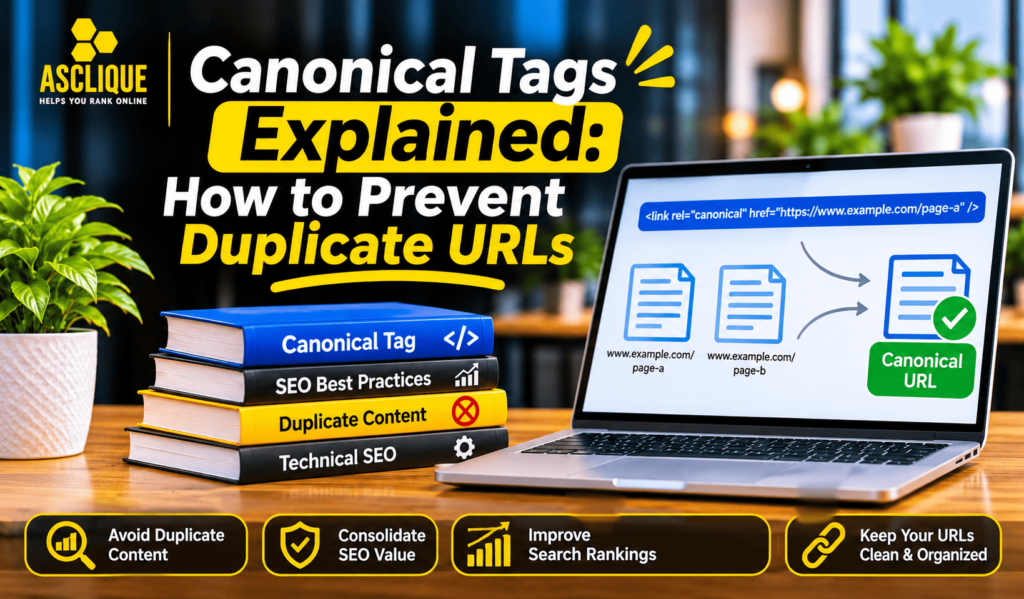
This is where canonical tags become important. Canonical tags SEO helps website owners communicate their preferred URLs, manage duplicate content variations, and maintain more consistent indexing signals. This guide explains how to identify duplicate URL groups, select the right canonical version, implement tags correctly, and verify how search engines interpret them.
Quick Answer
Canonical tags tell search engines which URL a website prefers to represent a page when duplicate or similar versions exist. They help consolidate indexing signals, but they do not guarantee that Google will select the declared URL. Review duplicate pages, choose an appropriate preferred version, implement consistent canonical signals, and verify the results after deployment.
Key Facts
- A canonical tag identifies a preferred URL among duplicate or substantially similar pages.
- Google treats canonical annotations as signals rather than absolute instructions.
- Internal links, redirects, sitemaps, and canonical tags should support the same preferred URL.
- A canonical tag does not replace a redirect when a URL should permanently move.
- Template-level canonical errors can affect large groups of pages.
- Search Console can help compare declared canonicals with Google’s selected versions.
Table of Contents
Identify duplicate sets
Before adding canonical tags, determine which URLs contain duplicate or substantially similar content. Common examples include tracking-parameter variations, print-friendly pages, trailing-slash differences, HTTP and HTTPS versions, and overlapping category or product URLs.
Do not assume that every URL variation needs a canonical tag. First, compare the page content, purpose, and user experience. A filtered category page may serve a different search intent from its main category, while a tracking-parameter URL may display exactly the same content as the clean version.
A detailed Technical SEO Audit Checklist can help identify duplicate URLs, conflicting canonical signals, and other technical issues that affect search performance.
The goal is to group URLs according to their content and purpose. Once you understand why multiple versions exist, you can decide whether they should remain separate, redirect to another URL, or use a canonical annotation.
How to check it
Choose representative URLs from different sections of the website. Compare their page content, HTTP status codes, canonical tags, indexability, and internal links. Review URL parameters and trailing-slash variations as well. Record which versions serve the same purpose and identify the URL that should represent each group.
Choose the preferred URL
Select the URL that best represents the original content and provides the most appropriate experience for users. The preferred version should be accessible, indexable, relevant, and consistent with the website’s URL structure.
For example, if these URLs display the same article:
https://example.com/seo-guidehttps://example.com/seo-guide?source=newsletterhttps://example.com/seo-guide/
You may choose one clean, preferred URL and use consistent canonical signals to identify it. The correct choice depends on the website’s existing URL policy and how its pages are structured.
Internal links, redirects, XML sitemaps, and canonical annotations should reinforce the same preferred version wherever possible. Consistent internal linking and a clear website structure also support a stronger linking strategy. Explore Link Building Services to strengthen your website’s authority through relevant link opportunities.
A well-planned SEO Site Architecture also helps maintain clear internal linking paths and makes it easier for search engines to understand relationships between important website pages.
How to check it
Select a preferred URL for each duplicate group. Confirm that it returns a successful response, contains the intended content, and does not have an unintended noindex directive. Check whether internal links and sitemap entries point to the same version. If an alternative URL should no longer exist, consider whether a redirect is more appropriate than a canonical tag.
Implement canonicals
A canonical tag is generally added to the <head> section of an HTML page. It uses the rel="canonical" attribute to identify the preferred URL.
For example:
<link rel="canonical" href="https://example.com/preferred-page/" />The canonical URL should use the correct protocol, hostname, and path. Absolute URLs are generally recommended because they clearly identify the preferred destination.
Most content management systems provide canonical settings through built-in features or SEO plugins. For custom websites, developers may need to configure canonical tags through page templates or application logic.
Canonical annotations can also be communicated through supported HTTP response headers, which may be useful for resources such as PDFs.
Along with correct canonical implementation, Technical SEO Services can help identify configuration issues and improve the technical structure of a website.
The priority is to ensure that each page sends clear and consistent signals. Review how the canonical tag is generated, check whether it points to the intended URL, and test representative pages before applying changes across an entire template.
How to check it
Open the page source or inspect the rendered HTML. Locate the canonical link element and verify its destination. Confirm that the canonical URL returns a successful response and does not redirect unexpectedly. For non-HTML resources, check whether the server sends the intended canonical HTTP header.
Avoid contradictions
Canonical tags work best when other website signals support the same preferred URL. Conflicting instructions can make it harder for search engines to interpret which version should represent a page.
Avoid situations such as:
- A canonical tag pointing to a URL that redirects elsewhere.
- A canonical URL returning a 404 or server error.
- Internal links consistently pointing to a different version.
- Sitemap entries containing alternative URLs instead of preferred versions.
- Multiple conflicting canonical tags on the same page.
- A canonical tag pointing to a page with substantially different content.
For example, if a product page declares one URL as canonical but the sitemap and internal links consistently reference another version, the website sends mixed signals.
Review the site’s URL configuration before making changes. Each signal should support the intended page version, and redirects should handle URLs that genuinely need to move to a different destination.
How to check it
Crawl a sample of important pages and export their canonical destinations, status codes, and indexability details. Compare those results with internal links and sitemap URLs. Investigate pages where these signals disagree, then correct the underlying template, linking, or redirect issue.
Understand selection
A canonical tag is a strong signal, but it does not force Google to select the URL specified by the website. Google may choose another version when its systems identify a different URL as a better representative of the content.
Search engines can consider several signals when selecting a canonical URL, including redirects, internal links, sitemap references, HTTPS availability, and page similarity. A declared canonical that conflicts with these signals may not be selected.
For example, a page may declare https://example.com/page-a/ as canonical while most internal links point to https://example.com/page-b/. If both pages contain similar content, Google may interpret the overall signals differently from the website owner’s intention.
The best approach is to make the preferred version clear throughout the website rather than relying on the canonical tag alone.
How to check it
Use Google Search Console’s URL Inspection tool for important pages. Compare the user-declared canonical with the Google-selected canonical. If they differ, review the page content, redirects, internal links, sitemap entries, and other URL signals to identify possible reasons.
Verify outcomes
Canonical implementation is not complete when the tag appears in the page source. You also need to confirm that the website publishes the correct destination and that search engines can access and interpret it.
Start by checking the live URL after deployment. Confirm that the canonical element contains the expected address and that the destination returns a successful response. Review representative pages across different templates because one configuration error can affect many URLs.
Google Search Console provides useful information about the user-declared canonical and the canonical selected by Google. However, these reports should be interpreted alongside live technical checks and the website’s intended URL structure.
How to check it
Choose a high-value URL and inspect its live canonical tag. Record its response code, indexability, and internal linking signals. Then use URL Inspection in Google Search Console to compare the declared and selected canonicals. Repeat the process for representative pages after significant deployments or template changes.
A Practical Workflow
Begin by identifying the URLs that matter to your business, including service pages, product pages, category pages, and evergreen resources. Export those URLs and record their intended canonical versions and index status.
Next, crawl the website to identify duplicate URL groups, response codes, canonical destinations, indexability directives, and internal linking patterns. Compare the crawl results with Google Search Console to identify differences between the website’s declared signals and Google’s reported selections.
Group problems according to their underlying causes instead of treating every URL as an individual issue. For example, an incorrect canonical template may affect hundreds of pages, while a single outdated internal link may require only a targeted correction.
Before deployment:
- Identify the affected URL groups.
- Select the appropriate preferred URL for each group.
- Review redirects, internal links, and sitemap references.
- Correct canonical tags at the relevant page or template level.
- Test representative URLs before expanding the changes.
- Record the previous configuration and prepare a rollback plan.
For businesses looking to improve their website’s technical foundation, Search Engine Optimization Services can support website audits, technical improvements, and organic search performance.
Finally, re-crawl the affected pages and monitor Search Console and analytics. A successful technical check confirms that the intended canonical signal is present. It does not prove that Google will select that URL or improve its ranking. Keep technical validation and organic performance reporting separate.
Weak vs. Better Approach
| Weak approach | Better approach |
|---|---|
| Add canonical tags without checking page content | Identify duplicate groups and select the most representative URL |
| Point every page to the homepage | Use a relevant canonical URL that represents the page’s content |
| Ignore redirects and internal links | Align canonical tags with redirects, internal links, and sitemap entries |
| Assume Google must follow the declared canonical | Compare user-declared and Google-selected canonicals |
| Change every template immediately | Test representative URLs before applying template-wide corrections |
| Measure only the number of canonical tags | Track consistency, selected URLs, indexability, and organic outcomes |
Common Mistakes
One common mistake is using canonical tags for pages that are not genuinely duplicate or substantially similar. Canonicalizing unrelated pages can send confusing signals and may cause search engines to ignore the annotation.
Another mistake is pointing canonical tags to broken, redirected, or non-indexable URLs. The preferred destination should be accessible and suitable for indexing.
Some websites also generate multiple canonical tags through their CMS, theme, and SEO plugin. These conflicting elements can make the intended preference unclear. Review the rendered HTML rather than relying only on plugin settings.
Finally, do not treat canonical tags, redirects, noindex directives, and robots.txt rules as interchangeable. Each mechanism serves a different purpose. A canonical tag suggests a preferred URL, a redirect sends users and crawlers to another URL, noindex requests that a page not appear in search results, and robots.txt controls crawler access.
What Is Not Proven
A canonical tag does not guarantee that Google will select the declared URL, index a page, or improve its ranking. Search engines evaluate canonical signals alongside other technical and content information.
Similarly, removing duplicate URLs from a crawl report does not automatically improve organic performance. A canonical implementation can be technically correct while a page still faces other indexing or ranking challenges.
No checklist can guarantee inclusion in Google or a particular AI-generated answer. Treat canonical tags as one part of a broader technical SEO strategy, and evaluate their impact through observed search behavior rather than assumptions.
What to Measure
Monitor technical consistency and search performance separately. Useful measurements include:
- Important URLs with valid canonical tags.
- Pages with missing or multiple canonical elements.
- Canonical destinations returning errors or redirects.
- Differences between user-declared and Google-selected canonicals.
- Duplicate URL groups with unresolved canonical signals.
- Important pages with unexpected indexability issues.
- Organic impressions, clicks, and landing-page traffic.
Use website crawlers to identify technical patterns, Google Search Console to review indexing information, and analytics tools to monitor organic landing-page performance. Record deployment dates so you can compare results against the previous baseline.
Action Checklist
- Identify important pages and their intended canonical URLs.
- Group duplicate and substantially similar URL variations.
- Choose a preferred version for each relevant group.
- Add valid canonical tags to the appropriate pages.
- Check for multiple or conflicting canonical elements.
- Align internal links, redirects, and sitemap references.
- Confirm that canonical destinations return successful responses.
- Compare declared and Google-selected canonicals in Search Console.
- Test template changes before applying them sitewide.
- Re-crawl affected URLs and monitor organic performance.
Frequently Asked Questions
What is a canonical tag in SEO?
A canonical tag is an HTML element that identifies the preferred URL for a page when duplicate or substantially similar versions exist. It helps search engines understand which version the website wants them to treat as the primary one.
How long does it take for Google to recognize a canonical tag?
There is no fixed timeline. Google must crawl and process the relevant pages before it can reconsider canonical selection. The timing depends on factors such as crawl frequency, website structure, and the consistency of other URL signals.
Does a canonical tag guarantee higher rankings?
No. Canonical tags help communicate URL preferences and consolidate signals among duplicate pages. They do not guarantee rankings, indexing, or improved organic traffic.
Should every page have a self-referencing canonical tag?
Self-referencing canonicals are a common SEO practice because they clearly identify the preferred URL for an individual page. However, implementation should reflect the website’s URL structure and the purpose of each page.
Can canonical tags prevent duplicate content issues?
Canonical tags can help search engines identify the preferred version among duplicate or substantially similar pages. They do not remove duplicate pages from the website or guarantee that search engines will ignore every alternative URL.
Can I use a canonical tag and a redirect together?
Yes, when they serve a consistent purpose. For example, a redirected URL should generally point users and crawlers to the destination, and the destination should identify itself as canonical when appropriate. Avoid conflicting destinations.
How do I check whether Google selected my canonical URL?
Open the relevant URL in Google Search Console and use the URL Inspection tool. Review the user-declared canonical and the Google-selected canonical to see whether they match.
Do canonical tags replace XML sitemaps?
No. Canonical tags and XML sitemaps communicate different information. Canonical tags identify preferred URL versions, while sitemaps help search engines discover URLs that website owners consider important. Both should reference consistent preferred URLs.
Can canonical tags be used for PDFs?
Yes. Websites can communicate canonical information for supported non-HTML resources, such as PDFs, through an appropriate HTTP response header.
How often should I audit canonical tags?
Review canonical signals after website migrations, URL structure changes, CMS updates, and major template deployments. Regular monthly or quarterly checks can also help identify problems on websites with frequently changing content.
Conclusion
Canonical tags help websites communicate their preferred URL versions and maintain consistent indexing signals across duplicate or similar pages. Their effectiveness depends on more than adding a tag: internal links, redirects, sitemap entries, page content, and technical accessibility should all support the same URL strategy.
Start by identifying duplicate URL groups, selecting appropriate preferred versions, and correcting conflicting signals. Test changes carefully, compare declared canonicals with Google’s selections, and monitor the results over time.
Alongside technical improvements, a consistent content strategy helps businesses maintain useful, relevant website resources. Explore Content Marketing Services to support your broader organic growth strategy. A structured approach to canonical management is more valuable than adding tags without understanding how the website uses its URLs.