
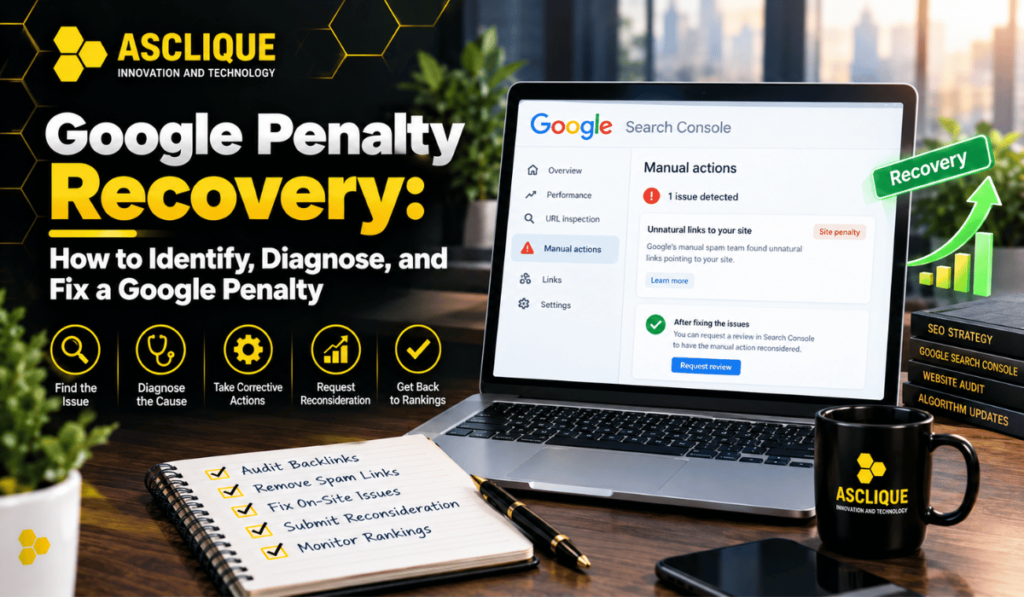
A sudden, unexplained drop in organic traffic is one of the most alarming events for a website owner or SEO professional. In some cases, that drop is the result of a Google penalty — either a manual action applied by a Google reviewer or an algorithmic change that has targeted your site’s specific practices.
This guide explains the difference between manual and algorithmic penalties, how to diagnose which one you are dealing with, and the steps required to recover.
What Is a Google Penalty?
A Google penalty refers to a negative impact on a website’s search rankings caused by a violation of Google’s guidelines or an algorithmic signal that identifies the site as low-quality, manipulative, or spammy.
There are two distinct types:
Manual actions are applied by a human reviewer at Google when they determine a site is violating Google’s spam policies. Manual actions are visible in Google Search Console under the Security & Manual Actions section.
Algorithmic penalties are not applied by a person but result from algorithm updates — Google Panda (thin content), Google Penguin (spammy links), core algorithm updates, and the Helpful Content System, among others. There is no notification in Search Console for algorithmic impacts, and diagnosing them requires correlating traffic drops with update timelines.
How to Tell If You Have a Manual Action
Check Google Search Console:
- Log into Search Console
- Navigate to Security & Manual Actions > Manual Actions
- If a manual action has been applied, it will appear here with a description of what was found
Manual actions are applied for specific violations including:
- Unnatural links to your site
- Unnatural links from your site
- Thin content with little or no added value
- Cloaking (showing different content to Google than to users)
- Pure spam
- User-generated spam (comments, forum posts)
- Structured data issues (misrepresentation)
If Search Console shows no manual action, the traffic drop is likely algorithmic.
How to Identify an Algorithmic Impact
If there is no manual action, compare your traffic drop date against Google’s publicly confirmed algorithm update schedule. Google publishes confirmed core updates, spam updates, and product reviews updates on its Search Status Dashboard at status.search.google.com.
If your traffic dropped on or within a few days of a confirmed update, the update is likely the cause.
Common algorithmic signals that cause traffic drops:
Core algorithm updates are broad quality assessments. A site that loses rankings after a core update is typically assessed as lower quality than competing pages, not necessarily as violating a specific policy.
Helpful Content System downgrades content created primarily for search engine rankings rather than genuine user value.
Link spam updates target sites receiving or sending manipulative link signals.
Product reviews updates (for sites reviewing products) target thin, affiliate-heavy reviews lacking genuine expertise.
Manual Action Recovery: Step-by-Step
Step 1: Understand the Specific Violation
Read the manual action description in Search Console carefully. Google provides enough detail to understand what was found.
Step 2: Fix the Problem
For unnatural inbound links:
- Use Ahrefs, Google Search Console’s link report, or Semrush to audit your backlink profile
- Identify links that appear paid, manipulative, or part of link networks
- Contact the webmasters of those sites and request link removal
- Document all removal attempts
For thin content:
- Identify all thin, low-quality, or duplicate pages on your site
- Either substantially improve them or redirect/remove them
For cloaking or sneaky redirects:
- Audit your site for any pages or redirects that show different content to Google versus users
- Remove all such redirects and ensure consistency
Step 3: Submit a Reconsideration Request
After fixing the issues:
- In Search Console, go to Security & Manual Actions > Manual Actions
- Click Request Review
- Provide a detailed, honest explanation of what you found, what you changed, and the steps you have taken to prevent recurrence
- Include documentation: link removal emails, content changes made, any disavow file submitted
Be thorough and specific. Vague requests are rejected. Google’s reviewers need to see that you genuinely understand and have resolved the issue.
Step 4: Wait
Manual action reviews typically take several weeks. If rejected, the reconsideration request will explain why, and you can address the remaining issues and request again.
Algorithmic Recovery: Step-by-Step
Algorithmic recovery is more complex because there is no formal review process. Google does not accept reconsideration requests for algorithmic impacts.
Step 1: Identify What Changed
If the impact correlates with a core update, the likely causes are:
- Content quality issues (thin, unhelpful, or unoriginal content)
- Poor E-E-A-T signals (lack of authorship, expertise, or trust indicators)
- Technical issues (page speed, Core Web Vitals, mobile usability)
- An over-reliance on exact-match anchor text in your backlink profile
Step 2: Audit Your Content
Review all pages that lost rankings:
- Does each page fully and accurately answer the search query?
- Is the content written by someone with genuine knowledge or experience?
- Does it offer something beyond what already ranks?
- Are statistics current and sourced?
- Is there excessive advertising or affiliate links?
Pages that fail this test should be substantially improved or removed/redirected.
Step 3: Audit Your Backlink Profile
If the impact follows a link-related update:
- Use Ahrefs to identify links from irrelevant, low-quality, or spammy sites
- If there are a significant number of problematic links that cannot be removed, submit a disavow file to Google via the Disavow Links Tool in Search Console
- Use this tool cautiously — disavowing good links can cause additional harm
Step 4: Wait for the Next Update
Algorithmic recoveries typically do not happen in real time. Google reassesses sites during subsequent algorithm updates. If you have made genuine, substantive improvements, a recovery may appear in the next core update cycle — which can be months away.
Using the Disavow File Tool
The disavow file tells Google to ignore specific links when evaluating your site. It is a last resort for sites that cannot remove spammy links through outreach.
Google’s own guidance on the disavow tool: it should only be used if you have a significant number of spammy, artificial, or low-quality links pointing to your site and cannot have them removed. Using it incorrectly can hurt rankings.
Format: a plain text file submitted through Google Search Console, listing domains or URLs to disavow.
Common Mistakes During Penalty Recovery
Submitting a reconsideration request before fully fixing the issue. Each rejected request wastes weeks. Fix everything before requesting review.
Removing too much content at once. Bulk-removing pages as part of a thin content fix can trigger further ranking drops if the removed pages had any ranking value.
Assuming all traffic drops are penalties. Many traffic drops are caused by seasonality, competitor improvements, or technical issues unrelated to penalties. Diagnose before treating.
Not documenting changes. When submitting a reconsideration request, documentation of every action taken significantly improves the success rate.
Frequently Asked Questions
How long does Google penalty recovery take?
Manual action recovery varies from weeks to months, depending on how quickly you fix the issues and how many review cycles you need. Algorithmic recovery can take 3–12 months, as it depends on the next major algorithm update.
Can a penalty permanently affect a website?
Severe violations, particularly pure spam or persistent link schemes, can result in deindexation. In most cases, genuine remediation followed by a reconsideration request (for manual actions) or content improvements (for algorithmic impacts) results in at least partial recovery.
What is the disavow tool, and should I use it?
The disavow tool lets you tell Google to ignore specific backlinks. Use it only if you have many spammy inbound links that you can’t remove and you believe they’re causing harm. Using it preemptively or incorrectly can remove the value of legitimate links.
Does every traffic drop mean a penalty?
No. Algorithm updates that assess content quality, rather than formal penalties, cause most traffic drops. Seasonality, competitor improvements, and technical issues also cause drops. Diagnose carefully before concluding a penalty is the cause.
Asclique’s SEO services include penalty audits, link profile analysis, and recovery strategies for sites experiencing unexplained traffic drops. Our link building services use only white-hat methods that align with Google’s guidelines from the start.