
Remote work isn’t a trend—it’s now the default for thousands of fast-growing companies. Every hire triggers a global ballet of shipping, configuring, and eventually retrieving laptops and monitors. The moment onboarding happens in Tokyo and off-boarding in Toronto, a spreadsheet falls apart.
That gap sparked a new wave of IT asset management (ITAM) platforms built for distributed teams. Done right, they slash lost-device risk, tighten security, and free your lean IT crew for higher-value projects.
We scored leading platforms against eight non-negotiable criteria—global coverage, lifecycle depth, integration power, security rigor, transparent pricing, customer satisfaction, sustainability, and scalability—to surface the four solutions that matter most. By the end, you’ll know which one fits your team, geography, and budget.
How we judged the field
We started with a simple question: what keeps an IT lead awake at 2 a.m. when half the company works outside headquarters? The answers include missed laptop deliveries, shadow assets, and surprise subscription bills; together they shaped eight non-negotiable criteria for our scoring.
First, a platform must prove it can move hardware across borders and back again. Countries covered, on-time delivery promises, and real retrieval success rates all feed this global logistics pillar. If your new hire in Nairobi still waits for a device three weeks later, nothing else matters.
Next comes lifecycle depth. The best tools handle every chapter, including procurement, zero-touch setup, live tracking, repairs, secure wipe, and eco-friendly retirement, with no need to bounce between vendors.
Integration power ranks close behind. A modern stack already includes HRIS, MDM, SSO, and ITSM systems. We rewarded platforms that plug in natively or via open APIs so onboarding and off-boarding fire automatically instead of spawning manual tickets.
Security and compliance earn the same weight. SOC 2 badges, encryption enforcement, chain-of-custody logs, and certified data destruction protect your audit trail and your brand.
Cost transparency matters, too. One vendor posts its seat price right on the website: an $8 per user fee plus a $540 platform charge. Others hide numbers behind endless demos. We scored clearer, flexible models higher because surprises blow budgets.
Customer satisfaction, measured through verified review sites and support SLAs, rounded out the core. Sustainability initiatives such as refurb and recycle programs, and the ability to scale from 50 to 5,000 employees, added extra polish but broke no ties.
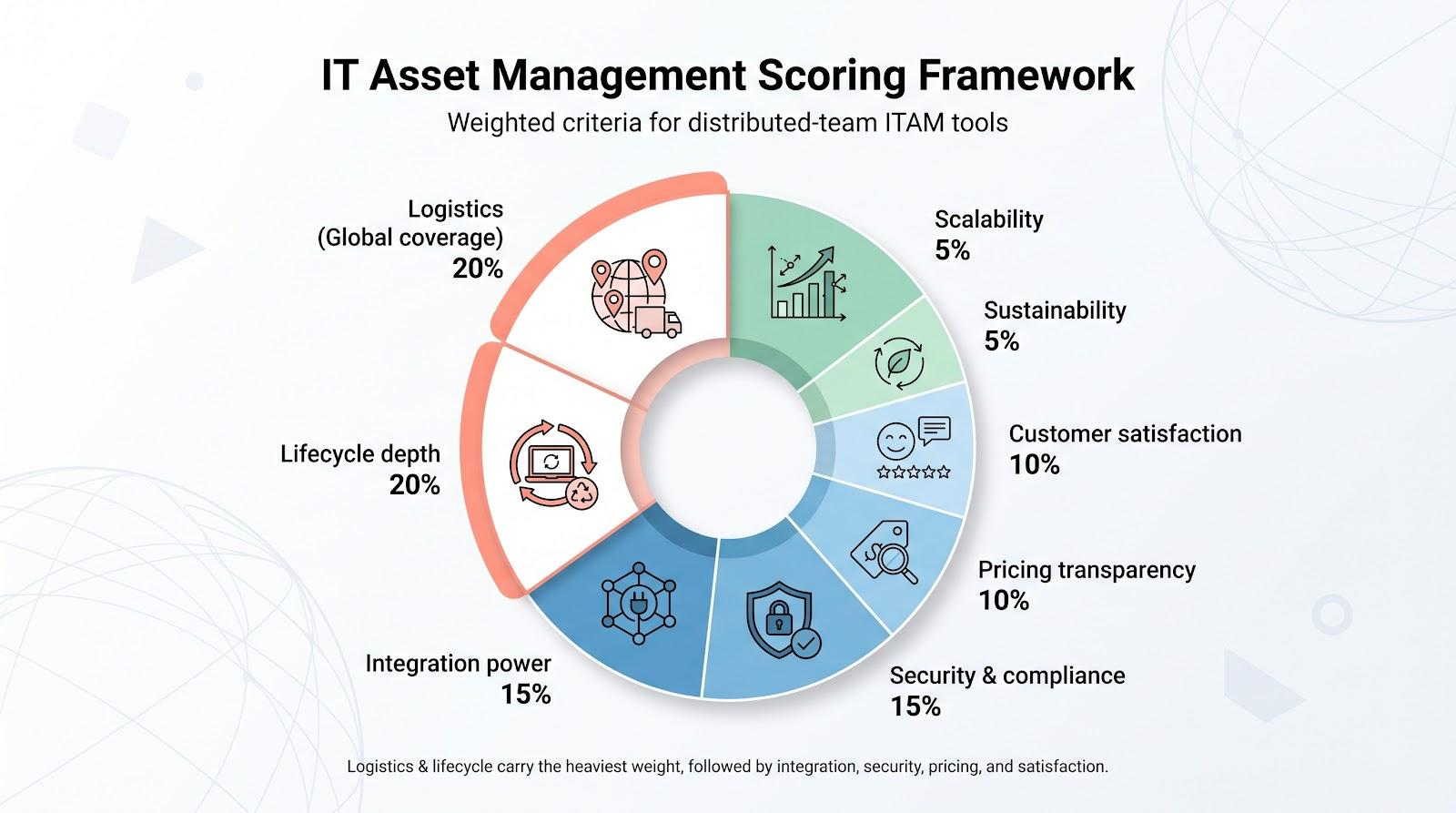
Finally, we weighted each factor: logistics and lifecycle carry the heaviest load at 20 percent each; integration and security follow at 15 percent; pricing and user happiness sit at 10 percent; and sustainability and scalability share the remaining 10 percent.
This framework let us compare options fairly and surface the four platforms you’ll meet next. Short version: if a tool can’t ship fast, retrieve reliably, plug into your stack, and tell you upfront what it costs, it never made the shortlist.
Workwize: the full lifecycle, run from local warehouses in 120 countries
Workwize reads less like a hardware vendor and more like a logistics network that happens to live inside an IT dashboard.
According to Workwize, retrieval rates reach up to 98 percent across its 120,000-plus managed devices, a number that holds up because the lifecycle never breaks into separate vendors. A confirmed hire in the HRIS triggers a device order automatically, and the laptop arrives pre-configured and already enrolled in Jamf, Kandji, Intune, or Apple Business Manager, ready to open on day one. When that same employee leaves, offboarding triggers a courier pickup in their own region, with prepaid labels and customs paperwork already handled, so nothing gets written off as lost.
Workwize owns every physical stage in between, including local procurement, kitting, shipping, storage, certified wipe, and resale, while staying mostly invisible to the employee. What they see is a branded box and a tracking email; what IT sees is a single registry that logs every assignment, transfer, and repair automatically, with the company citing 100 percent chain-of-custody coverage and records that don’t need reconciling before an audit.
Under the hood, Workwize connects to HRIS tools like BambooHR and ADP and MDM platforms like Jamf and Intune, so onboarding and offboarding run on events rather than tickets. Pricing is quote-based across three tiers rather than billed per shipment, so the cost doesn’t quietly climb with every new hire. That predictability, paired with ISO 27001 certification and SOC 2 Type II compliance, is what pulls in distributed mid-market and enterprise teams rather than a single-country team ordering one laptop.
If you’re weighing vendors on how completely they close the loop, buy to deploy to retrieve to resell. Workwize is built to own the whole arc, not just a slice of it.
Snapshot: how the finalists stack up
Before we zoom in on each platform, here’s the quick-reference table you can scan during budget meetings:
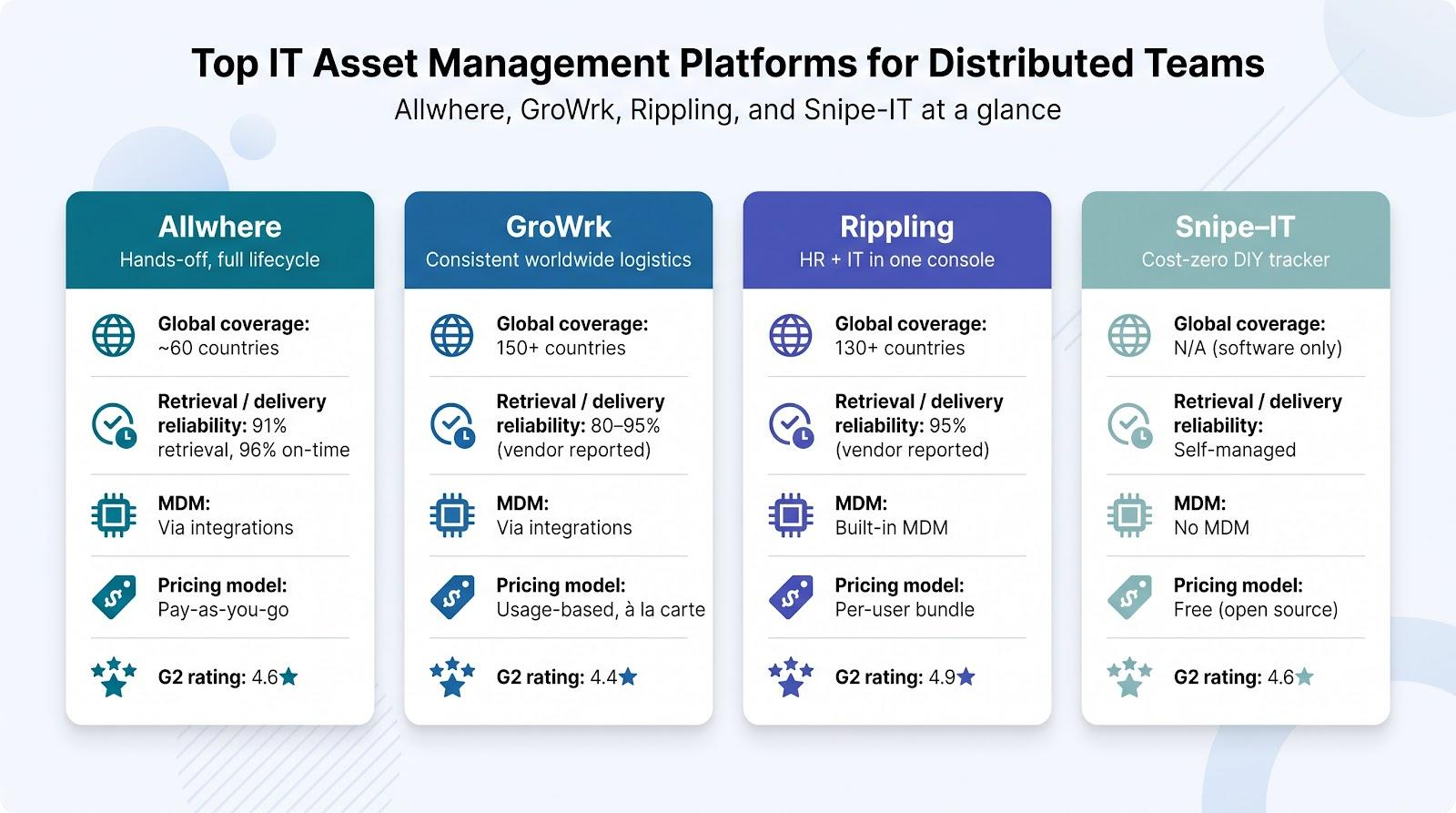
| Platform | Countries covered | On-time retrieval rate | Built-in MDM? | Pricing model | G2 rating | Headline strength |
| Allwhere | ~60 (focus on North America & Europe) | 91 % success, 96 % on-time delivery | Via integrations | Pay-as-you-go, no subscription | 4.6★ | Hands-off, full lifecycle |
| GroWrk | 150 + global reach | 80–95 % (vendor reported) | Via integrations | Usage-based, a-la-carte | 4.4★ | Consistent worldwide logistics |
| Rippling | 130 + (partner warehousing) | 95 % (vendor reported) | Yes, Rippling MDM | Per-user bundle | 4.9★ | HR + IT in one console |
| Snipe-IT | N/A (software only) | N/A (self-managed) | No | Free (open source) | 4.6★ | Cost-zero DIY tracker |
A few highlights stand out. Allwhere and GroWrk lead the logistics columns. Allwhere shows higher success rates, while GroWrk’s map covers nearly the entire globe. Rippling trades some geographic breadth for seamless HR automation. Snipe-IT skips shipping entirely, focusing on a clean, free database when budgets are tight.
Notice the pricing column: only one mainstream vendor publishes a hard number on its site—$8 per seat plus a $540 platform fee. That transparency influenced our scoring. Platforms that hide costs behind opaque demo calls lost points.
With the lay of the land clear, we can dive into why each contender earned its spot, starting with the top scorer: Allwhere.
Allwhere: end-to-end lifecycle without the lock-in
Allwhere feels less like a vendor and more like an outsourced logistics team that lives inside a clean dashboard.
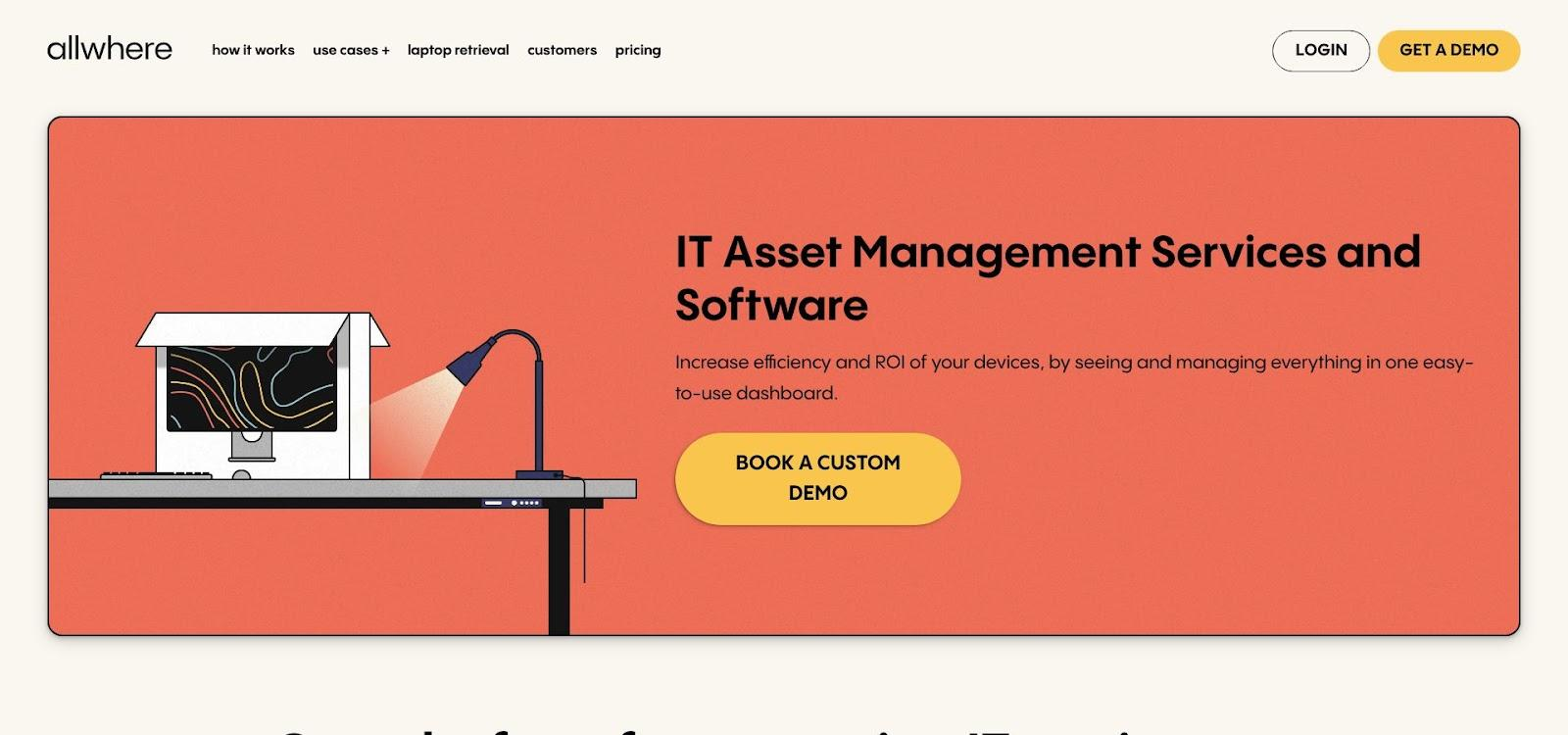
According to Allwhere, its on-time delivery rate hits 96 percent and retrieval success reaches 91 percent—numbers that place it above the industry average for remote hardware moves. That reliability shows up on day one, when a new hire’s laptop lands on the doorstep, and again on the last day, when a prepaid return kit arrives before the exit survey.
Allwhere manages every physical step, including procurement, kitting, global shipping, storage, certified wipe, and sustainable disposal, yet stays invisible to your employees. They see branded boxes and timely status emails; you see a single pane of glass for IT asset management that tracks each asset in real time.
Under the hood, Allwhere connects to HRIS and MDM platforms, so device orders trigger automatically and security policies apply the moment the lid opens. No subscriptions hide in the fine print; you pay per deployment or retrieval and pause spending when hiring slows. That flexibility appeals to fast-growing startups that dislike idle seat fees.
If you measure value in headaches removed rather than flashy add-ons, Allwhere leads the scorecard.
GroWrk: global reach without a weak spot
Where Allwhere wins on simplicity, GroWrk wins on geography. The platform claims coverage in more than 150 countries and backs it up with depot maps, region-specific SLAs, and 24/7 multilingual support.
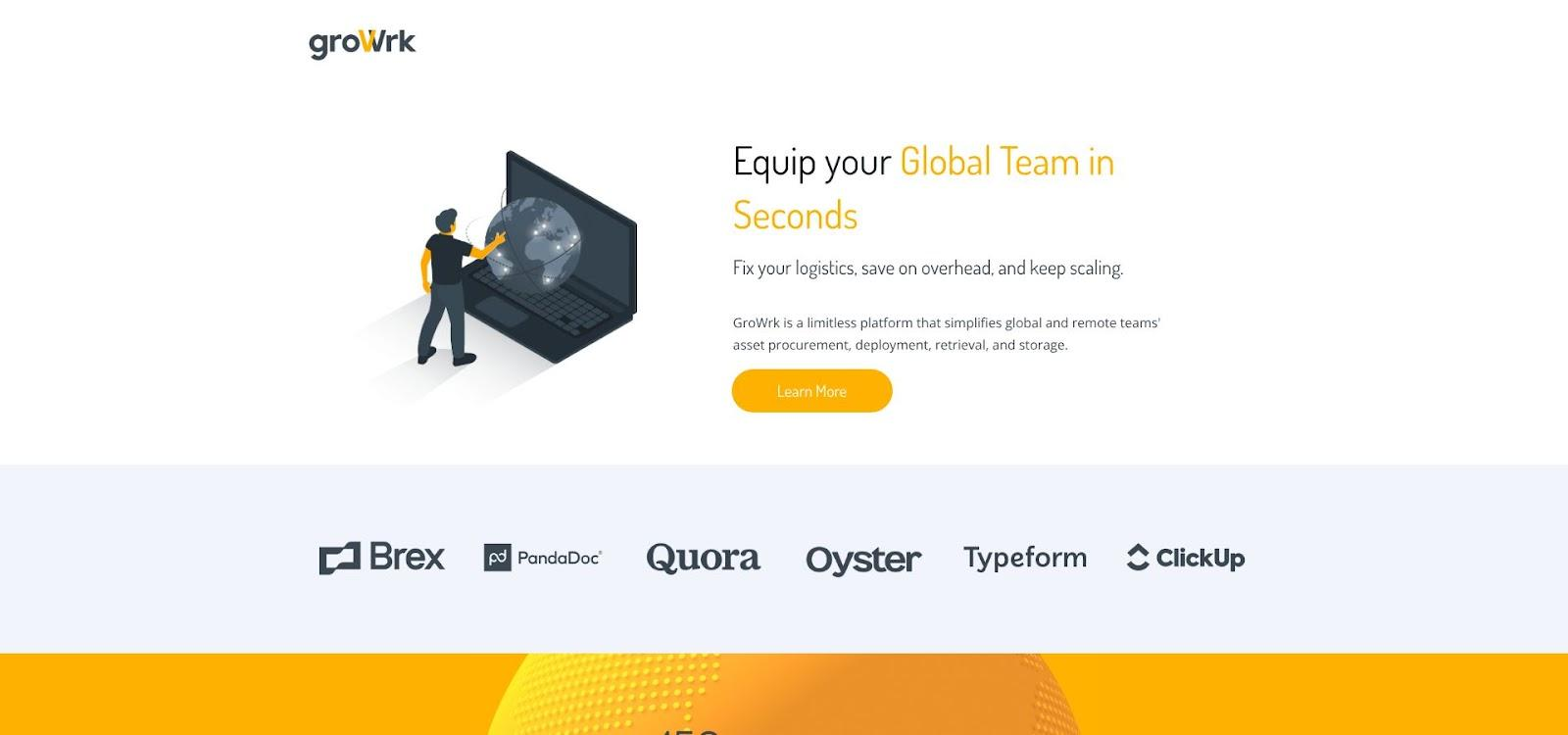
That reach matters when legal holds, customs delays, or voltage mismatches derail lesser rollouts. GroWrk stages inventory in regional warehouses, then ships locally so devices clear customs as domestic freight. The same network works in reverse during off-boarding: a courier scans the serial and returns the laptop to a nearby hub for wipe, refurb, or certified destruction.
GroWrk’s software matches its physical network. More than forty native integrations connect to Okta, Jira, and Intune, and a public API lets you script custom workflows. You can trigger a retrieval the moment HR marks an employee inactive or set up zero-touch provisioning so a MacBook enrolls in Apple Business Manager before it leaves the box.
Pricing follows a “use what you need” model. Dormant seats cost nothing. You pay per device shipped, stored, or retrieved, plus an optional enterprise fee that adds guided onboarding and advanced analytics. For firms with fluctuating headcount, that flexibility can erase six-figure waste tied to traditional subscriptions.
If your team spans five continents and you cannot accept regional blind spots, GroWrk keeps every location on the same playbook without forcing you into a rigid contract.
Rippling: one click from HR form to FedEx label
Rippling’s key move is simple. Add a new hire to HR, and almost instantly a laptop order, MDM enrollment, and user-account provisioning fire in the background. By the time the employee opens their inbox, a tracking link is waiting.
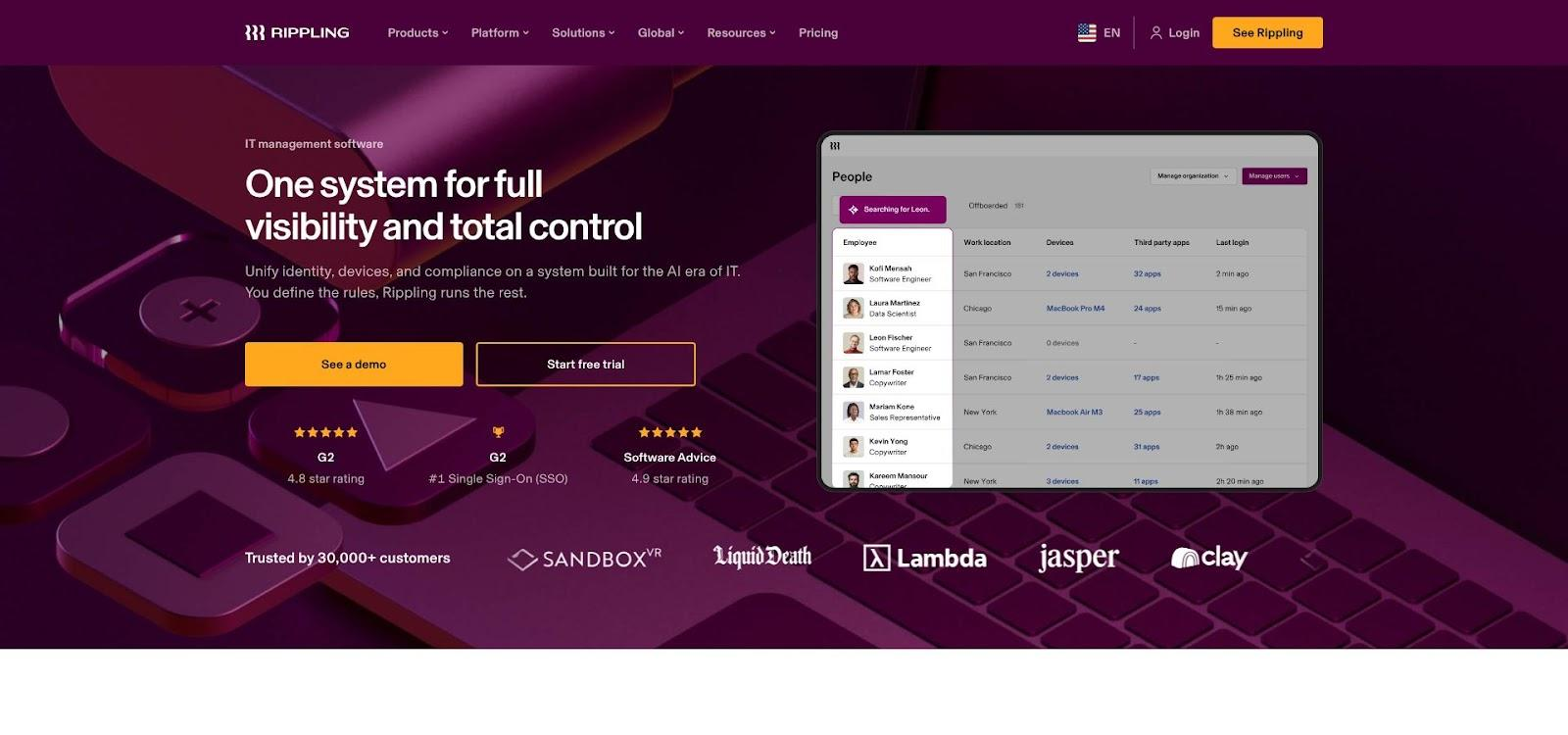
That single-system approach rewires the HR-IT handoff that causes onboarding delays. Because Rippling treats people, apps, and devices as records in the same database, access rights, payroll status, and asset assignments move in lockstep. No swivel-chair work, no missed tickets.
Device security stays close. Rippling’s built-in MDM enforces disk encryption, OS patch levels, and remote lock or wipe without relying on a third-party tool. During off-boarding, the same workflow that pulls SaaS access also dispatches a return box and, if deadlines slip, locks the machine.
Global coverage is good, though not as deep as GroWrk’s. Rippling relies on partner warehouses in more than 130 countries, enough for most distributed start-ups but a stretch if you run deep in emerging markets. The upside is speed: domestic stock plus automation often puts gear on a doorstep within three business days.
Pricing follows Rippling’s bundle logic. You pay per employee for the HR cloud, then add the IT module. That can feel costly if you ignore the payroll and benefits you gain, but many teams find the consolidation offsets paying for separate tools.
Rippling shines when you want the fewest moving parts. If you already use the platform for HR or plan to, it is the shortest path from offer letter to first commit.
Snipe-IT: the zero-dollar upgrade from spreadsheets
Sometimes the smartest spend is no spend at all. Snipe-IT gives lean IT teams a free, open-source database that ends the “who has that MacBook?” scavenger hunt without any subscription.
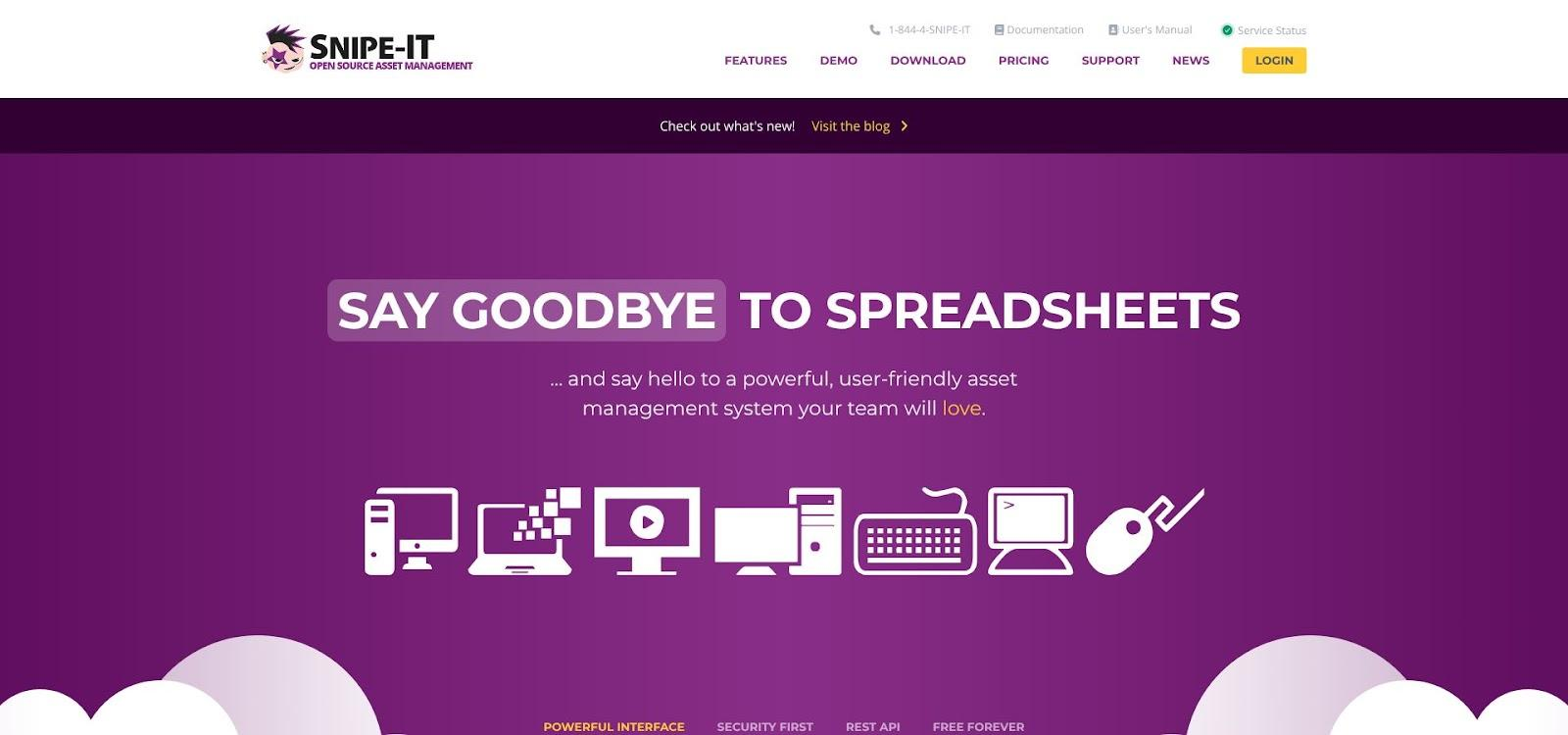
Installation is straightforward, using a small LAMP or Docker instance, and the interface feels familiar within minutes. You assign assets, scan barcodes, set warranty reminders, and pull one-click audit reports. Two-factor login and role-based permissions keep curious eyes out of admin panels.
Because you own the code, you can shape it to your workflow. Need a custom field for headset serials or a webhook to Slack when a laptop changes hands? Open the repository and script it. A lively GitHub community pushes updates weekly, so bugs disappear quickly and new features land long before closed-source rivals ship them.
The trade-offs are clear. Snipe-IT ships no boxes, retrieves no hardware, and will not natively sync with your HRIS. You handle shipping labels, customs forms, and MDM enrollment yourself. For a 30-person startup in one region, that is fine; for a 500-seat, five-continent company, the manual work scales poorly.
If budget is tight, headcount is small, and control matters more than concierge service, Snipe-IT offers a disciplined entry to asset tracking at a price no CFO will reject.
How to choose the right fit
Start with geography. If more than a quarter of your staff sits outside the United States and Western Europe, pick a platform with proven global reach. GroWrk leads there; Allwhere and Rippling cover the common corridors, while Snipe-IT leaves shipping to you.
Next, audit your workflows. Does HR already own onboarding checklists? Rippling slides in without adding logins. Do you rely on Intune or Jamf for security? Allwhere and GroWrk integrate cleanly. If you prefer to script your own automations, Snipe-IT’s API keeps the code in your hands.
Budget often breaks the tie. Pay-as-you-go models like Allwhere or GroWrk avoid paying for seats that sit idle between hiring waves. Rippling’s bundle makes sense only if you also switch payroll or benefits. Snipe-IT is effectively free, but remember to price the person-hours you will spend boxing laptops and chasing FedEx receipts.
Finally, match risk tolerance to feature depth. If an unreturned device creates audit headaches, choose a vendor with chain-of-custody logs and remote lock. If sustainability goals matter, look for refurb and recycle options built into the lifecycle.
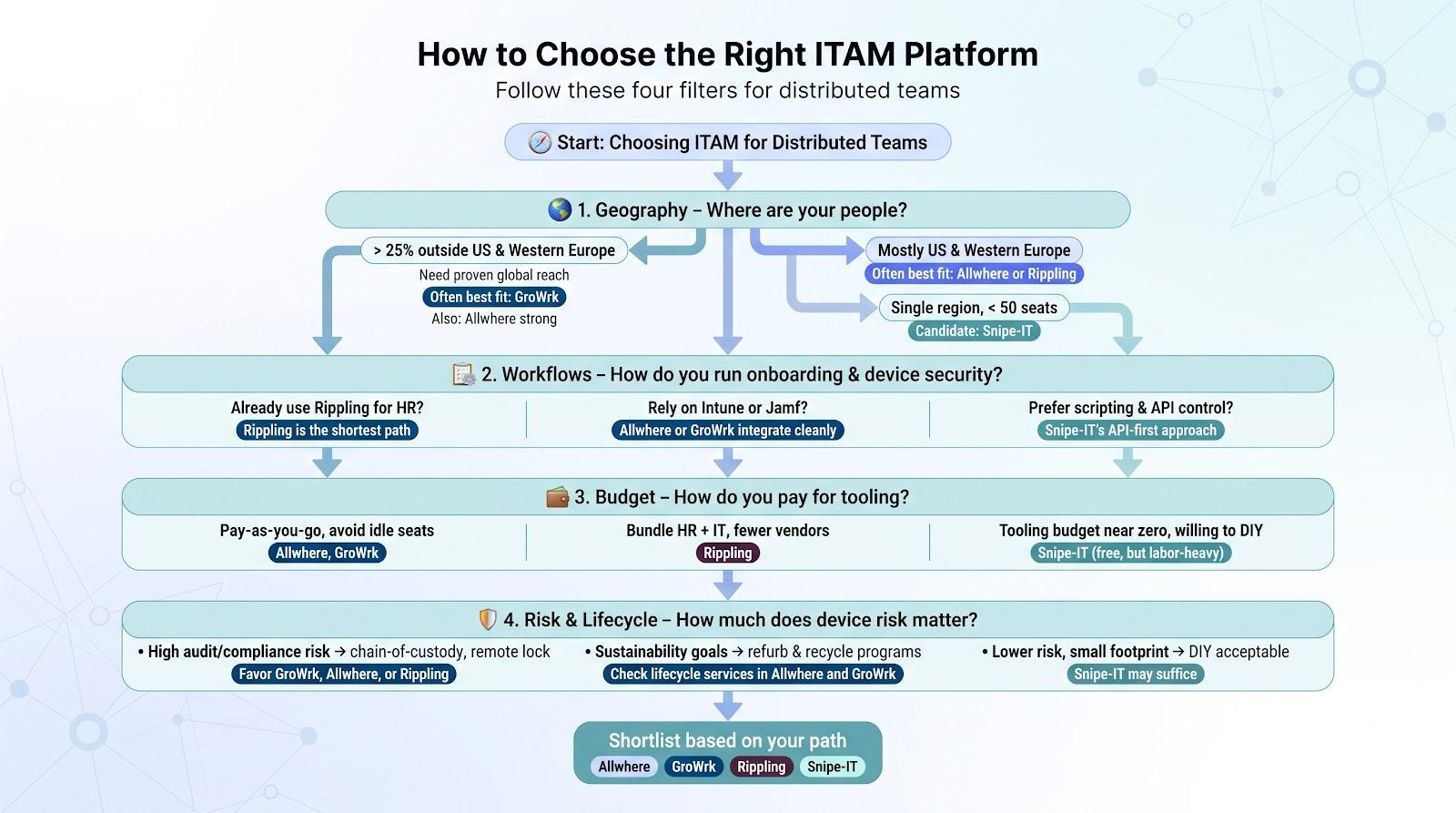
Apply those four filters—geography, workflow fit, budget profile, and risk level—and the best choice will come into view.
Conclusion
Distributed teams thrive when hardware logistics and asset data stay in sync with hiring realities. The four platforms above tackle that challenge from different angles: Allwhere delivers white-glove lifecycle services, GroWrk offers unmatched geographic reach, Rippling unifies HR and IT automations, and Snipe-IT provides a cost-free, code-friendly tracker. Map their strengths to your headcount, regions, and risk profile, and you’ll land on an ITAM foundation built for 2026 and beyond.
FAQ’s
What is IT asset management software?
IT asset management software helps businesses track and manage technology assets throughout their lifecycle. This can include laptops, monitors, mobile devices, software licenses, and other company-owned technology. More advanced ITAM platforms can also support procurement, deployment, repairs, retrieval, secure data wiping, storage, and equipment retirement.
Why is IT asset management important for distributed teams?
Distributed teams may have company equipment spread across different cities and countries, making manual tracking increasingly difficult. IT asset management gives businesses centralized visibility into who has each device, where it is located, its current status, and what should happen to it when an employee changes roles or leaves the company.
What is the best IT asset management software for remote teams?
The best platform depends on the company’s size, geographic reach, budget, and existing technology stack. Allwhere is particularly suited to end-to-end hardware lifecycle management, GroWrk focuses heavily on global logistics, Rippling combines HR and IT workflows, while Snipe-IT provides an open-source option for businesses primarily needing asset tracking.
Can IT asset management software track remote employees’ laptops?
Yes. ITAM software can associate individual laptops and other devices with employees while recording details such as serial numbers, models, locations, warranty information, assignment dates, and device status. Some platforms also integrate with MDM systems to provide additional security and device-management capabilities.
What is the difference between ITAM and MDM?
ITAM focuses on the ownership, location, financial information, assignment, and overall lifecycle of technology assets. Mobile device management, or MDM, focuses primarily on configuring and securing devices through capabilities such as encryption enforcement, software policies, remote locking, and remote wiping. Distributed businesses often use ITAM and MDM together.
Is there free IT asset management software?
Yes. Snipe-IT is an open-source IT asset management platform that businesses can self-host. While this can eliminate or reduce software licensing costs, companies still need to consider hosting, maintenance, administration, security, and the employee time required to handle physical hardware logistics.
How do I choose IT asset management software for my business?
Start by looking at your employee count, countries of operation, onboarding and offboarding frequency, existing HR and MDM platforms, security requirements, and available IT resources. Small businesses may only need centralized asset tracking, while larger distributed companies may benefit from a platform that also manages procurement, deployment, international shipping, retrieval, storage, and device retirement.