
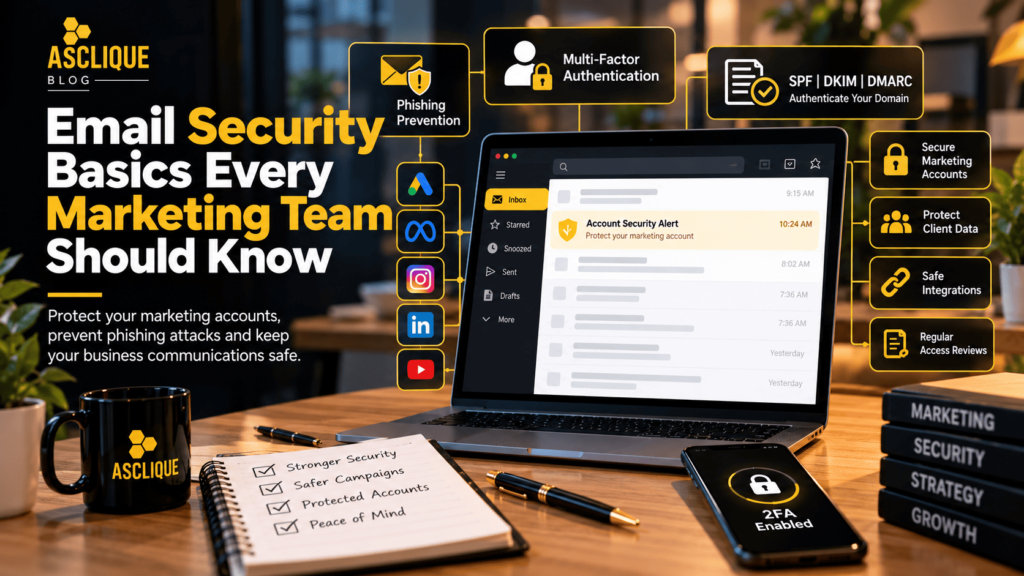
Marketing teams sit on more access than almost anyone else in a business. Ad accounts with live budgets, social profiles with hundreds of thousands of followers, CMS logins, analytics properties, email platforms and, for agencies, the same set of keys for every client on the books. Most of those accounts are tied to one thing: an email address that can reset the password.
That makes the marketing inbox one of the most attractive targets an attacker can find, and often one of the least protected, but getting a few email security basics right closes most of the gaps.
Quick Answer
Marketing teams can improve email security by protecting business inboxes with unique passwords and phishing-resistant multi-factor authentication, configuring SPF, DKIM, and DMARC, restricting account permissions, securing API credentials, and establishing clear phishing reporting procedures. Regular access reviews and immediate employee offboarding also help prevent unauthorized access to advertising accounts, social media profiles, customer data, and marketing platforms.
Key Facts
- Marketing email accounts frequently provide password recovery access to advertising, social media, analytics, and content management platforms.
- Multi-factor authentication adds protection beyond a password, with security keys and passkeys offering stronger phishing resistance than SMS codes.
- SPF, DKIM, and DMARC help receiving email systems authenticate messages and reduce certain forms of domain spoofing.
- Email authentication does not prevent every phishing attack, including messages sent from compromised legitimate accounts or lookalike domains.
- Individual user permissions are generally safer than sharing one administrator login across a marketing team.
- API keys, access tokens, and connected applications can provide sensitive access to marketing systems.
- Suspicious emails and account activity should be reported promptly through a documented process.
- Former employees, freelancers, and agencies should have unnecessary access revoked during offboarding.
Official Reference Points:
Table of Contents
- What Is Email Security for Marketing Teams?
- Why Marketing Email Inboxes Are Easy Targets
- Lock Down the Email Account First
- Authenticate Your Domain
- Watch the Integrations
- Build a Quick Reporting Habit
- How to Improve Marketing Email Security: Step by Step
- Tools You Should Use
- Common Errors and How to Fix Them
- Weak Approach vs. Better Approach
- Common Mistakes to Avoid
- What Is Not Proven
- How to Measure Success
- Email Security Checklist
- Frequently Asked Questions
- Asclique Recommendation
- Related Asclique Resources
- Need Help With This?
What Is Email Security for Marketing Teams?
Email security for marketing teams involves protecting the inboxes, accounts, credentials, and connected platforms used to manage digital marketing activities.
Unlike a personal email account, a marketing inbox may provide access to advertising budgets, customer databases, social media profiles, email campaigns, and website administration.
For agencies, one compromised account may also affect multiple clients if the same employee has access to several business platforms.
A practical security strategy should therefore address email authentication, user permissions, credential management, connected applications, and incident response.
Why Marketing Email Inboxes Are Easy Targets
Attackers know that a hijacked business page or ad account can be resold, used to run scam ads or held to ransom. Fake policy-violation notices, collaboration requests and invoice queries are common lures, and they’re often written well enough to fool experienced staff.
Marketing professionals regularly receive external communications from advertisers, clients, freelancers, influencers, publishers, and software providers.
This creates opportunities for attackers to disguise malicious messages as ordinary business correspondence.
Common examples include:
- Fake advertising account suspension notices.
- Fraudulent influencer collaboration requests.
- Impersonated invoices and payment reminders.
- False copyright infringement complaints.
- Malicious document-sharing invitations.
- Fake password reset and account verification messages.
These attacks can create financial losses, expose customer information, and interrupt active marketing campaigns.
Lock Down the Email Account First
Every platform login is only as safe as the inbox behind it. Use a business email account for platform access rather than someone’s personal address, protect it with a long, unique password and turn on multi-factor authentication. An authenticator app or a security key is much harder to bypass than a text message code.
Avoid shared logins wherever you can. Most ad and social platforms support individual user roles, which means you can remove one freelancer’s access without changing the password for the whole team.
Use Unique Passwords and Strong Authentication
Each marketing platform should have its own credentials. Reusing passwords across email, social media, and advertising accounts increases the impact of a compromised password.
Where supported, phishing-resistant authentication methods such as security keys and passkeys provide stronger protection against credential phishing.
Assign Individual User Roles
Marketing platforms should provide employees and contractors with the minimum permissions necessary to perform their responsibilities.
For example, a content writer may need permission to create draft articles but not access to website billing, domain registration, or administrator settings.
Restricting permissions helps limit the potential impact of compromised accounts.
Protect Your Marketing InfrastructureBuild a more reliable digital marketing foundation with secure account access, clear ownership, and properly managed website integrations. | Talk to Asclique |
Authenticate Your Domain
SPF, DKIM and DMARC stop criminals from sending email that appears to come from your domain. They also protect deliverability for your campaigns, which gives marketing teams a second good reason to set them up properly. The UK’s National Cyber Security Centre recommends these controls as part of a layered approach to defending against phishing, alongside easy reporting and fast incident response, and it’s frank that no amount of training will help people spot every phishing email.
More precisely, these technologies help receiving mail systems authenticate messages and apply domain-owner policies. Their effectiveness depends on correct configuration and enforcement, and they do not stop every form of impersonation.
What Is SPF?
Sender Policy Framework (SPF) identifies which mail servers are authorized to send email on behalf of a domain.
It helps receiving systems determine whether a sending server is permitted to use a particular envelope sender domain.
What Is DKIM?
DomainKeys Identified Mail (DKIM) uses cryptographic signatures to help verify that a message was authorized by the signing domain and that signed content has not been modified in transit.
DKIM is particularly important for businesses using multiple email marketing platforms.
What Is DMARC?
Domain-based Message Authentication, Reporting and Conformance (DMARC) allows domain owners to publish policies for handling messages that fail aligned authentication checks.
DMARC reports can also help administrators identify unauthorized sending activity and legitimate email services that require configuration changes.
| Protocol | Primary Purpose | Marketing Benefit |
|---|---|---|
| SPF | Identifies authorized sending servers. | Supports authentication of legitimate campaign email. |
| DKIM | Adds a cryptographic signature to messages. | Helps verify messages sent through approved email platforms. |
| DMARC | Defines policies and reporting for aligned authentication failures. | Helps reduce direct domain spoofing and identify configuration problems. |
Marketing teams should coordinate authentication changes with their email administrators or technical service providers. Incorrect DNS records can interfere with legitimate business communications.
Watch the Integrations
Modern marketing stacks connect CRMs, email platforms, ad tools and analytics through API keys and tokens, and those keys are often shared over email or chat. Treat them like passwords. Store them in a secrets manager, rotate them when staff leave and remove integrations you no longer use. This API security checklist for backend and cloud teams explains the wider controls developers rely on, and it’s worth sharing with whoever manages your stack.
Marketing integrations can include:
- CRM and email marketing connections.
- Advertising platform integrations.
- Website plugins and third-party applications.
- Analytics and reporting tools.
- Social media scheduling platforms.
- Automation and workflow services.
Each connection should have a documented purpose, an accountable owner, and appropriately restricted permissions.
Credentials should not be stored in publicly accessible documents or shared through unsecured communication channels.
Teams responsible for technical integrations can also review Asclique’s API security checklist for additional guidance on protecting connected systems.
Build a Quick Reporting Habit
Make it easy for anyone on the team to flag a suspicious message, and make sure nobody gets told off for doing it. The faster a suspicious login or phishing click is reported, the faster access can be revoked and the damage contained.
Offboarding deserves the same attention. When a freelancer, client or staff member leaves, remove their platform roles the same day and check which recovery emails are attached to each account.
Create a Simple Phishing Reporting Process
Employees should know where to report suspicious emails, unexpected authentication requests, and unusual account activity.
The reporting process should identify who receives alerts and who has authority to revoke sessions, reset credentials, or suspend compromised integrations.
Review Access During Offboarding
When an employee or contractor leaves, administrators should review email access, recovery settings, platform permissions, API tokens, and connected applications.
Removing a user from one marketing platform may not automatically revoke every active integration or previously issued token.
Strong campaigns depend on accounts you can trust. Spending an afternoon tightening up email security now is far cheaper than rebuilding a client’s ad account, explaining a hijacked brand page or watching a domain’s sender reputation fall apart in the middle of a launch.
How to Improve Marketing Email Security: Step by Step
Step 1: Identify Critical Marketing Accounts
List the business email accounts used to administer advertising platforms, websites, social profiles, analytics properties, CRM systems, and email marketing services.
Identify the responsible owner and recovery methods for each account.
Step 2: Enable Strong Authentication
Use unique passwords and enable multi-factor authentication on all supported accounts.
Prioritize phishing-resistant authentication for administrator accounts and other high-risk access.
Step 3: Review User Permissions
Replace shared logins with individual accounts wherever possible.
Grant only the permissions required for each employee, contractor, or agency partner.
Step 4: Verify SPF, DKIM, and DMARC
Review domain authentication settings with the appropriate technical administrator.
Confirm that legitimate email platforms are configured correctly before applying stricter DMARC enforcement policies.
Step 5: Audit Connected Applications
Review API keys, integrations, OAuth permissions, and third-party applications.
Remove unused connections and rotate credentials when necessary.
Step 6: Establish Incident Reporting
Create a documented process for reporting phishing messages, suspicious logins, and unexpected changes to marketing accounts.
Assign responsibility for investigating alerts and responding to incidents.
Step 7: Schedule Access Reviews
Review administrator permissions, recovery information, connected applications, and former employee access periodically.
Repeat these checks after major staffing changes, agency transitions, or suspected security incidents.
Tools You Should Use
Business Email Administration Console
Use your email provider’s administrative tools to manage users, authentication settings, recovery options, and suspicious sign-in activity.
Password Manager
A reputable password manager can help teams create and store unique credentials without relying on shared spreadsheets or email messages.
Authenticator Apps and Security Keys
Use supported multi-factor authentication methods to reduce reliance on passwords alone.
Security keys and passkeys are particularly valuable for accounts with administrative access.
DNS and Email Authentication Tools
Use appropriate diagnostic tools to inspect SPF, DKIM, and DMARC configuration.
Authentication checks should include actual messages from authorized sending services, not just the presence of DNS records.
Secrets Manager
Store API keys, service credentials, and other sensitive integration information in an appropriately controlled secrets management system.
Access Inventory
Maintain a record of platform owners, authorized users, permission levels, recovery methods, and connected applications.
Common Errors and How to Fix Them
| Error | Cause | Fix |
|---|---|---|
| Shared administrator login | Multiple users rely on one account. | Create individual accounts with appropriate roles. |
| No multi-factor authentication | Accounts rely only on passwords. | Enable supported MFA, prioritizing phishing-resistant methods. |
| Email authentication failures | SPF, DKIM, or DMARC is misconfigured. | Review authorized senders, alignment, and authentication results. |
| Unused integrations remain active | No integration review process exists. | Remove unnecessary connections and revoke unused credentials. |
| Former contractor retains access | Offboarding does not include marketing platforms. | Revoke platform roles and review sessions, tokens, and recovery settings. |
Weak Approach vs. Better Approach
| Weak Approach | Better Approach |
|---|---|
| Share one login with the entire team. | Assign individual accounts and appropriate permissions. |
| Rely on passwords alone. | Use unique passwords and strong multi-factor authentication. |
| Assume DNS records guarantee security. | Validate authentication and maintain layered protections. |
| Store API keys in email threads. | Use controlled secrets management. |
| Remove access weeks after departure. | Revoke unnecessary access promptly during offboarding. |
Common Mistakes to Avoid
1. Using Personal Email Accounts for Business Platforms
Personal accounts can complicate ownership, recovery, and offboarding. Use organization-managed identities wherever possible.
2. Sharing Passwords Across Teams
Shared credentials make it difficult to identify who accessed an account and to revoke one person’s permissions without affecting everyone else.
3. Assuming Employees Can Recognize Every Phishing Email
Phishing messages can imitate legitimate business communications. Training should be combined with technical protections and simple reporting procedures.
4. Ignoring Domain Authentication
Missing or incorrectly configured SPF, DKIM, and DMARC records can create authentication problems and leave certain spoofing risks insufficiently addressed.
5. Leaving Old Integrations Connected
Unused applications may retain access to sensitive marketing data or account functionality. Review and remove connections that are no longer required.
6. Delaying Access Removal
Former employees and contractors should not retain unnecessary access after their responsibilities end.
Review Your Marketing Technology SetupIdentify unnecessary integrations, unclear account ownership, and technical issues that could affect your digital marketing operations. | Request a Review |
What Is Not Proven
No single email security setting eliminates every phishing, account takeover, or impersonation risk.
SPF, DKIM, and DMARC do not prevent attackers from registering lookalike domains, compromising legitimate accounts, or using other deceptive communication methods.
Similarly, enabling multi-factor authentication does not make every account immune to compromise. Protection depends on the authentication method, platform implementation, recovery settings, and user behavior.
Security training alone also cannot guarantee that every malicious message will be identified.
A practical approach combines technical safeguards, access controls, monitoring, employee reporting, and incident response.
How to Measure Success
Email security improvements should be evaluated through documented configuration checks, access reviews, and incident response readiness rather than assumptions about complete protection.
| Metric | Source | Purpose |
|---|---|---|
| MFA coverage | Identity administration reports | Identify accounts without required authentication controls. |
| Email authentication status | DNS records and message authentication results | Verify authorized sending services and alignment. |
| Inactive users removed | Platform access inventory | Confirm that unnecessary permissions have been revoked. |
| Unused integrations removed | Integration audit | Reduce unnecessary application access. |
| Incident response readiness | Security procedures and response exercises | Check whether suspicious activity can be reported and addressed promptly. |
Email Security Checklist for Marketing Teams
- Identify all business email accounts used for marketing platforms.
- Confirm that each critical account has an accountable owner.
- Use unique passwords for email and marketing platforms.
- Enable multi-factor authentication wherever supported.
- Prioritize phishing-resistant authentication for administrator accounts.
- Replace shared logins with individual user accounts where possible.
- Review administrator permissions and access levels.
- Verify SPF configuration for authorized email services.
- Verify DKIM signing for legitimate sending platforms.
- Review DMARC policies and available reports.
- Confirm that legitimate marketing emails authenticate correctly.
- Inventory API keys, tokens, and connected applications.
- Store sensitive credentials in an appropriate secrets manager.
- Remove unused integrations and unnecessary permissions.
- Create a clear phishing reporting procedure.
- Document who responds to suspicious account activity.
- Review recovery email addresses and authentication methods.
- Revoke unnecessary access during employee and contractor offboarding.
- Save evidence of completed security checks.
- Schedule periodic access and configuration reviews.
FAQ’s
Why is email security important for marketing teams?
Marketing teams often control advertising accounts, social media profiles, websites, analytics platforms, and customer communication systems. Many of these services use email for account recovery. A compromised inbox can therefore expose multiple business platforms and interrupt active campaigns.
What is the most important email security measure?
Protecting the primary business email account with a unique password and strong multi-factor authentication is a critical starting point. Organizations should also manage recovery settings, restrict permissions, and review suspicious account activity.
What are SPF, DKIM, and DMARC?
SPF identifies authorized sending servers, DKIM provides cryptographic message authentication, and DMARC defines policies and reporting for messages that fail aligned authentication checks. Together, they help receiving systems assess whether email claiming to represent a domain is legitimate.
Does DMARC stop all phishing emails?
No. DMARC can help reduce direct spoofing of a protected domain when properly configured and enforced, but it does not prevent every phishing technique. Attackers may use lookalike domains, compromised legitimate accounts, or other deceptive methods.
Should marketing teams share platform passwords?
Shared passwords should be avoided wherever platforms support individual accounts. Role-based access allows administrators to assign appropriate permissions, review user activity, and revoke access without disrupting the entire team.
How should marketing teams protect API keys?
API keys and access tokens should be treated as sensitive credentials. Store them securely, limit their permissions, avoid sharing them through email or public documents, and revoke or rotate them when necessary. Remove integrations that are no longer required.
What should employees do after receiving a suspicious email?
Employees should avoid opening unexpected attachments, entering credentials through suspicious links, or approving unrecognized authentication requests. They should report the message through the organization’s established security process. If they have already interacted with the message, prompt reporting is especially important.
How often should marketing account access be reviewed?
Access should be reviewed periodically and whenever employees, freelancers, or agencies change responsibilities or leave the organization. Critical administrator accounts and sensitive integrations may require more frequent checks based on their risk and business importance.
Asclique Recommendation
Marketing email security should be treated as an operational requirement, not an optional technical task.
Start by identifying the inboxes that control advertising budgets, customer data, social media accounts, and website administration.
Protect those accounts with strong authentication, review individual permissions, and verify that domain email authentication is correctly configured.
Next, audit connected applications and establish a reporting process that allows employees to raise concerns quickly.
For agencies managing multiple clients, maintain separate access inventories and clear ownership records for each account.
Security controls also support reliable content marketing operations by reducing the risk of unauthorized access to publishing and campaign systems.
The objective is to reduce preventable risks while maintaining a marketing environment that employees and clients can trust.
Related Asclique Resources
Explore Our Services
Recommended Asclique Articles
Need Help With This?
Reliable digital marketing depends on properly managed accounts, accurate website information, and dependable integrations.
Asclique can help businesses review their marketing technology setup, website operations, and digital marketing workflows to identify practical areas for improvement.
Specialized security assessments, incident response, and email authentication changes should be handled by appropriately qualified technical or security professionals.
Build a More Reliable Marketing FoundationReview your marketing platforms, website integrations, and account management processes to support dependable digital marketing operations. | Talk to Asclique |