
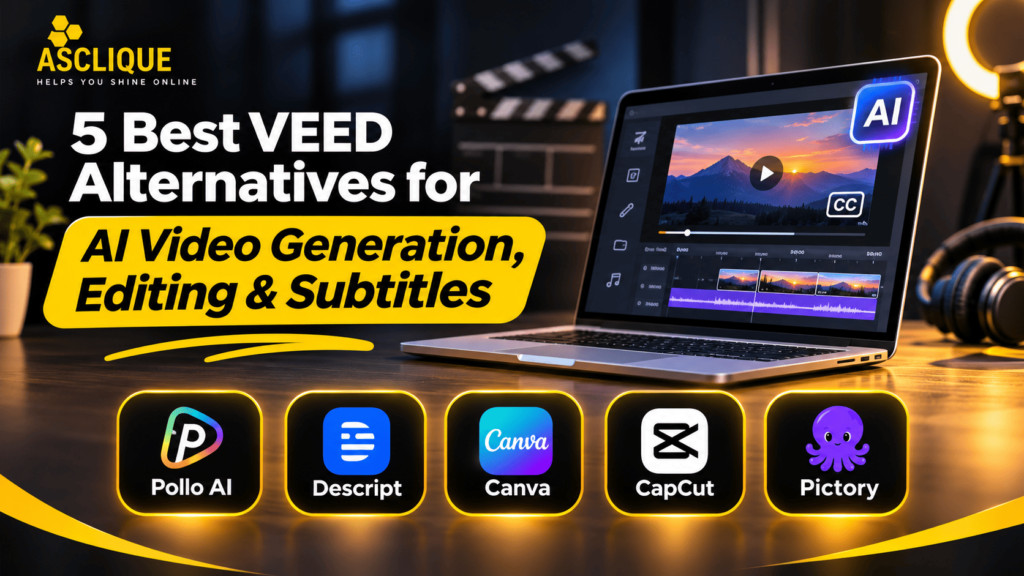
A marketing team looking beyond VEED may be trying to solve several different problems: create missing footage, edit a recorded explanation, or produce readable social captions. Those jobs do not always need the same software. This shortlist covers five alternatives with different strengths, so you can choose around the work that slows your team down. The aim is a dependable campaign workflow, including revisions and delivery, rather than another collection of attractive previews.
With the growing use of AI video generation in digital marketing, businesses can explore different tools for producing campaign visuals, repurposing existing recordings, and creating platform-specific video content.
Quick Answer
The five VEED alternatives worth evaluating are Pollo AI for AI video generation and visual refinement, Descript for transcript-based editing, Canva for branded video layouts, CapCut for short-form social media editing, and Pictory for script-to-video production. The right choice depends on your editing requirements, caption workflow, budget, and campaign objectives.
Key Facts
- AI video generation: Pollo AI is worth evaluating for generating and refining visual content.
- Transcript-based editing: Descript is suitable for interviews, webinars, and speech-led videos.
- Branded content: Canva supports coordinated designs and campaign assets.
- Short-form videos: CapCut is useful for social media editing and captions.
- Script-to-video production: Pictory helps repurpose written content into videos.
- Pricing and features: Availability may vary by subscription plan, platform, and region.
- Selection criteria: Compare tools using the same campaign sample and revision requirements.
5 Best VEED Alternatives at a Glance
Each VEED alternative addresses different video production requirements. The following comparison highlights the primary workflows and practical considerations for marketing teams.
| Tool | Best For | Primary Workflow | What to Evaluate |
|---|---|---|---|
| Pollo AI | AI-generated visual content | Video generation and prompt-led visual refinement | Brand consistency and final editing requirements |
| Descript | Interviews and explainers | Transcript-based video editing | Transcription accuracy and audio continuity |
| Canva | Branded marketing content | Template-based video design | Asset availability and export options |
| CapCut | Short-form social videos | Clip editing, effects, pacing, and captions | Feature availability and mobile readability |
| Pictory | Script-led video production | Text-to-video content repurposing | Scene relevance and caption timing |
This comparison is based on workflow suitability rather than independent performance testing or a comprehensive feature-by-feature ranking.
What should you replace when comparing VEED alternatives?
Identify the part of VEED you actually need to replace. VEED can clarify the breadth of the platform, but your shortlist should be built around a real deliverable. A generation tool, transcript editor, and template-based workspace are not interchangeable simply because all produce video.
Use one campaign sample to compare the options below. Include a product name, a narration change, and captions that need proofreading. These five recommendations are organized by workflow, not by a measured quality score or a claim that each tool matches every VEED feature.
1. Pollo AI for generating and refining visual content
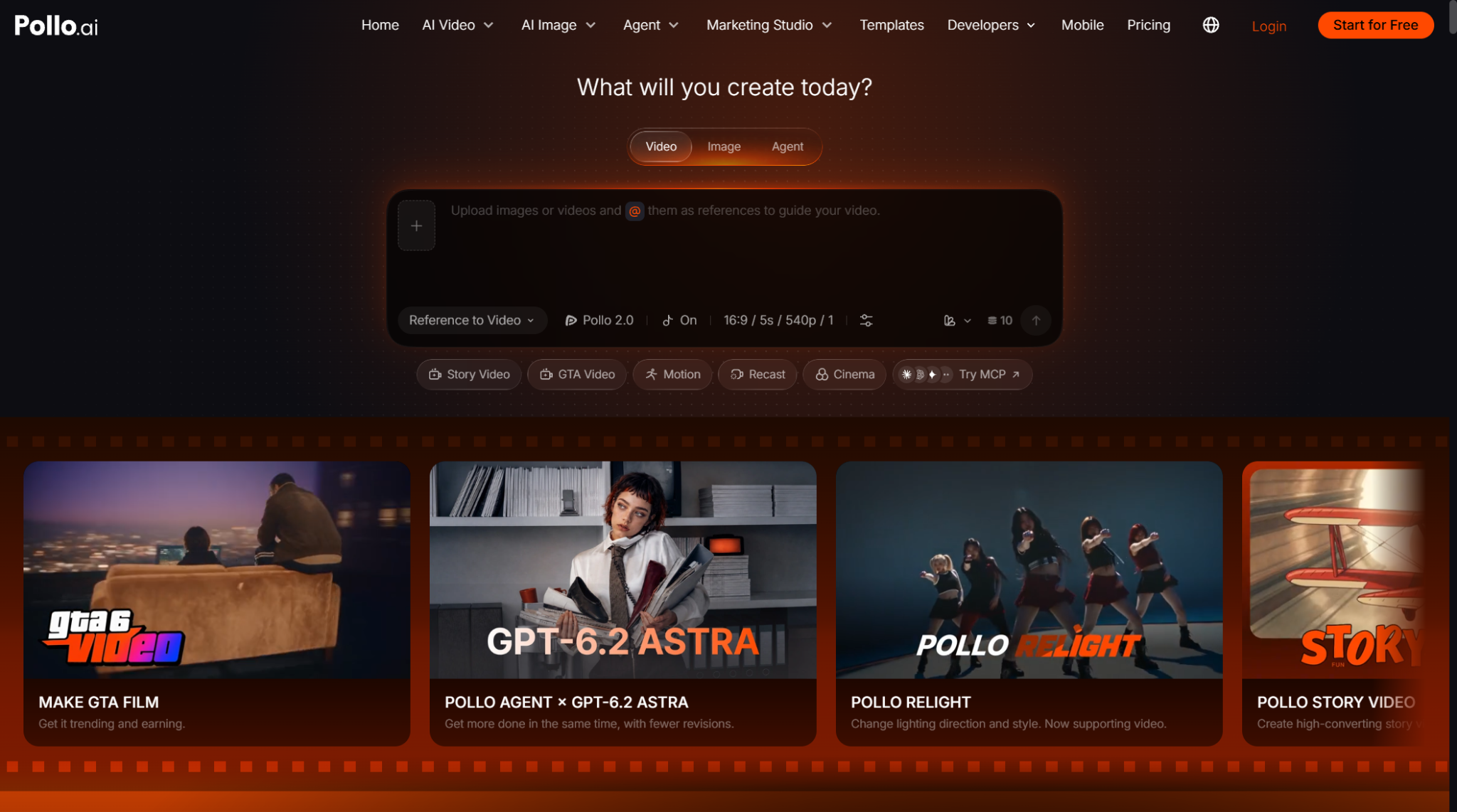
Pollo AI is worth considering when the team needs original visual material rather than only an edit of existing footage. Its AI video editor supports prompt-led visual changes such as changing a background or removing a distracting object. That is a different task from managing every subtitle and cut on a conventional timeline.
Plan the workflow accordingly. Use generation and visual refinement for a specific scene, then confirm how final assembly and captions will be completed. Test brand fidelity, not only whether the scene looks polished. A clean effect is useful only when it preserves the product and message you intend to advertise.
Best Use Cases for Pollo AI
- Generating visual concepts for marketing campaigns.
- Creating supporting scenes when suitable footage is unavailable.
- Exploring alternative backgrounds for promotional videos.
- Testing visual variations before final production.
- Refining specific scenes without reshooting an entire video.
What to check: Review product accuracy, visual continuity, commercial usage rights, and the editing requirements of the finished video.
2. Descript for editing speech-led videos
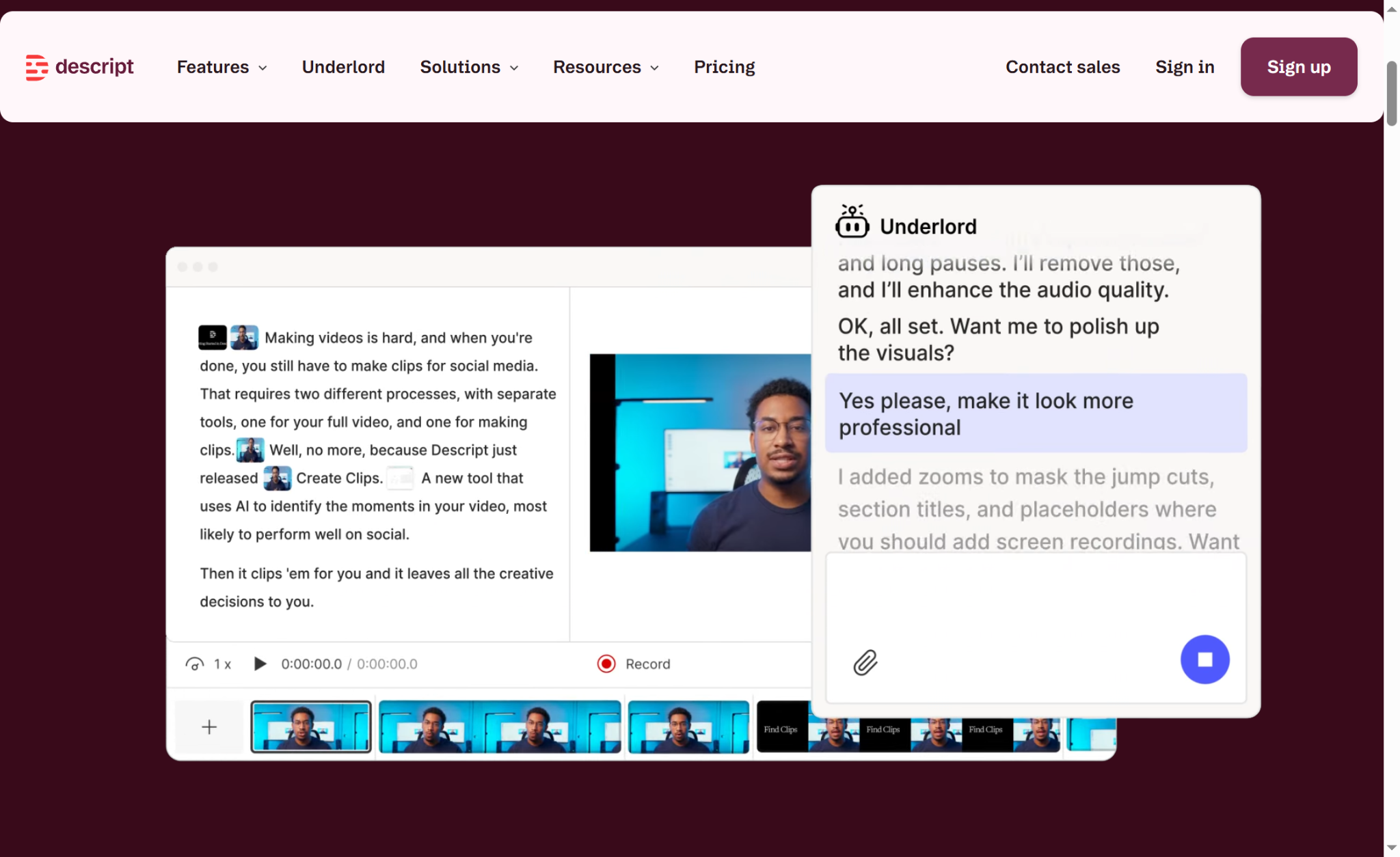
Descript lets you edit recorded video through its transcript. It is a practical option for interviews, explainers, webinars, and other content where the spoken message determines the structure.
Try shortening a recording and correcting its transcript before judging the fit. Listen for abrupt joins and changes in meaning after edits. Automatic transcription saves preparation work, but the team still needs to check names, technical language, and statements that require context.
For agencies, establish whether the person reviewing copy can work with the same transcript as the editor. Reducing that handoff can matter as much as adding another generation feature.
Best Use Cases for Descript
- Editing recorded interviews and customer testimonials.
- Repurposing webinars into shorter videos.
- Producing educational and instructional content.
- Reviewing spoken content through written transcripts.
- Creating speech-led videos that require frequent revisions.
What to check: Test transcription accuracy, speaker identification, editing continuity, and collaboration requirements.
3. Canva for branded layouts and coordinated assets
Canva is relevant when video belongs to a wider campaign of presentations, posts, and designed graphics. Its video editor and caption tools can support the assembly of a short branded message.
Use a representative set of assets rather than a blank template when testing. Check whether the headline, logo, and supporting visuals stay readable in the intended aspect ratio. A layout that works for a presentation may become crowded in a vertical feed.
Confirm what your team can export and edit under the selected plan. Do not assume every template, stock asset, or AI capability is included in free access.
Best Use Cases for Canva
- Designing branded promotional videos.
- Creating coordinated social media campaign assets.
- Producing animated presentations.
- Developing short announcement and event videos.
- Maintaining consistent visual branding across content formats.
What to check: Review template licensing, brand asset access, caption options, and export quality under the selected subscription.
4. CapCut for short social edits
CapCut is a useful candidate when the main job is shaping clips for social viewing. Consider it for a workflow built around cuts, pacing, visual presentation, and captions rather than generating a complete campaign from nothing.
Test the edit on a phone with the platform interface in mind. Place essential text away from areas occupied by buttons and overlays. Review transitions and effects for whether they help viewers follow the message.
Also check which features depend on a paid tier or particular app version. Team members should be able to reproduce the approved style without relying on a setting unavailable in their own environment.
Best Use Cases for CapCut
- Editing Instagram Reels and YouTube Shorts.
- Creating short promotional clips.
- Adding readable captions to social videos.
- Combining multiple clips into a product demonstration.
- Preparing platform-specific video variations.
What to check: Confirm platform availability, commercial asset licensing, caption controls, and whether required effects are available under your plan.
For additional editing techniques, explore our step-by-step guide to editing social media videos.
5. Pictory for turning written content into a video
Pictory is worth evaluating for script-led explainers and repurposing written material. It combines text-to-video workflows with tools for on-screen text and captions.
Use a short article or approved script and inspect how scenes support each sentence. Replace visuals that are merely associated with a keyword but do not explain the idea. For product marketing, broad stock imagery should not stand in for a specific feature demonstration.
Check caption timing and line breaks before publishing. A narrated explanation is only useful if viewers can comfortably connect the words with the relevant scene.
Best Use Cases for Pictory
- Repurposing blog articles into video content.
- Creating script-led educational videos.
- Producing narrated marketing explainers.
- Turning written resources into visual summaries.
- Developing supporting videos for content marketing campaigns.
What to check: Evaluate scene relevance, narration quality, stock media licensing, and the accuracy of on-screen text.
Factors to Consider When Choosing a VEED Alternative
Before investing in AI video editing software, marketing teams should evaluate how well each platform supports their production process. A tool with more features is not necessarily the one that will reduce production time or improve the finished result.
1. AI Video Generation Capabilities
Determine whether your team needs to create new footage, modify existing scenes, or assemble previously recorded material. These workflows require different capabilities.
2. Video Editing Flexibility
Check how easily editors can rearrange clips, adjust timing, modify narration, and update individual scenes after receiving client feedback.
3. Subtitle and Caption Accuracy
Evaluate automatic transcription using actual recordings. Pay particular attention to product names, industry terminology, accents, punctuation, and caption timing.
4. Brand Consistency
Review whether the software allows your team to maintain approved colors, fonts, logos, visual layouts, and product representations across multiple campaigns.
5. Pricing and Subscription Limits
Compare the total cost of your expected production workload, including generation credits, premium templates, stock footage, export quality, and collaboration features.
6. Commercial Usage Rights
Check the licensing terms for generated visuals, stock footage, music, voiceovers, fonts, and templates before using them in client projects or paid advertisements.
7. Team Collaboration
Consider how writers, designers, editors, and clients review and approve content. A straightforward revision process can reduce unnecessary communication and production delays.
How should a marketing team choose its alternative?
Choose Pollo AI for a generation and visual-refinement trial, Descript for transcript-led editing, Canva for coordinated designs, CapCut for social assembly, or Pictory for script-led production. Compare the full revision and export process on one campaign sample. Start with Pollo AI if missing visuals are the bottleneck, and keep the simplest combination that gets the message approved and published accurately.
How to Build an AI Video Marketing Workflow
Marketing teams can combine AI video generation, editing, and caption tools within a single production workflow. The objective is to use the smallest number of tools necessary to complete the campaign without sacrificing accuracy or visual consistency.
| Step | Action | Expected Deliverable |
|---|---|---|
| 1. Planning | Identify the audience, message, and campaign objective. | Approved creative brief |
| 2. Script | Prepare and review the spoken or written message. | Approved video script |
| 3. Visual Production | Record, generate, or select relevant footage. | Usable video assets |
| 4. Editing | Assemble scenes, refine pacing, and add captions. | First video draft |
| 5. Review | Check facts, branding, narration, and licensing. | Approved final video |
| 6. Distribution | Export and publish according to platform requirements. | Published campaign assets |
| 7. Measurement | Evaluate retention, clicks, engagement, and relevant conversions. | Performance report |
Learn how to align video production with audience engagement and business objectives in our guide to video marketing strategies.
Common Mistakes to Avoid When Using AI Video Editors
| Common Mistake | Better Approach |
|---|---|
| Choosing a tool based only on its AI features. | Evaluate the actual campaign requirements and complete workflow. |
| Publishing automatically generated subtitles without review. | Proofread captions and verify timing against the narration. |
| Using visually attractive but inaccurate product footage. | Verify that generated visuals accurately represent the product. |
| Assuming all subscription plans include the same features. | Confirm pricing, usage limits, and export restrictions. |
| Ignoring commercial licensing requirements. | Review permissions for generated assets, music, templates, and footage. |
| Using the same video format across every platform. | Review aspect ratios, text placement, and platform-specific requirements. |
| Measuring success only by production speed. | Track content quality, revision time, audience engagement, and relevant business outcomes. |
VEED Alternatives Evaluation Checklist
Before choosing an alternative to VEED, confirm the following:
- ☐ Identify the video production task you need to replace.
- ☐ Compare alternatives using the same campaign sample.
- ☐ Evaluate AI-generated footage for accuracy and relevance.
- ☐ Test editing flexibility and revision requirements.
- ☐ Review automatic subtitles and caption timing.
- ☐ Check brand consistency across different video formats.
- ☐ Compare subscription costs and usage limits.
- ☐ Verify commercial usage rights.
- ☐ Confirm team collaboration and export options.
- ☐ Test the finished video on its intended publishing platform.
- ☐ Record the time and effort required to complete revisions.
- ☐ Select a workflow that supports consistent production quality.
How AI Video Tools Support Digital Marketing
AI video generation and editing tools can help marketing teams explore creative ideas, repurpose existing resources, and produce content for different audiences. Their effectiveness depends on how well the finished videos support the wider marketing strategy.
Businesses can use video content for:
- Product demonstrations and promotional campaigns.
- Educational videos and customer tutorials.
- Social media advertisements and organic posts.
- Brand awareness campaigns.
- Customer testimonials and interviews.
- Website explainers and landing page content.
Combining video production with professional social media marketing services can help businesses plan content distribution, maintain consistent branding, and evaluate audience engagement.
Similarly, a structured approach to content marketing services can help teams align video scripts, educational resources, website content, and promotional messages with customer needs.
Key takeaway: AI video tools should support your marketing strategy rather than determine it. Define the message, audience, and desired outcome before choosing the production software.
FAQ’s
What are the best alternatives to VEED?
Pollo AI, Descript, Canva, CapCut, and Pictory are five alternatives worth evaluating. Each supports different production requirements, including AI video generation, transcript-based editing, branded layouts, short-form video creation, and script-led content production. The best choice depends on your specific workflow and required features.
Which VEED alternative is best for AI video generation?
Pollo AI is worth considering when AI video generation and visual refinement are the primary requirements. Marketing teams can evaluate it for creating supporting footage, exploring visual concepts, and modifying specific scenes. Final editing, subtitles, and commercial usage requirements should also be checked before choosing a production workflow.
Are there free alternatives to VEED?
Some VEED alternatives offer free access or limited free features. However, generation credits, premium assets, video exports, caption functionality, and collaboration features may require a paid subscription. Check the current pricing and feature limitations of each platform before making a decision.
Which VEED alternative is best for subtitles?
Descript and CapCut are worth evaluating for different subtitle workflows. Descript is particularly relevant for transcript-based editing, while CapCut supports caption-focused short-form video production. Compare transcription accuracy, caption customization, and timing using the same recording before choosing a tool.
Which VEED alternative is suitable for social media videos?
CapCut is a practical option for editing short-form social media clips, while Canva is useful for creating videos that need to match other branded campaign assets. Pollo AI may also be considered when additional visual material is required. The right combination depends on the campaign’s creative and editing requirements.
Can AI video editors replace traditional video editing software?
AI video editors can reduce the manual effort involved in selected production tasks, such as generating footage, transcribing recordings, and assembling content. However, traditional editing software may still be necessary for complex timelines, precise visual adjustments, advanced audio editing, and detailed post-production work.
What is the difference between AI video generation and AI video editing?
AI video generation focuses on creating new visual material from inputs such as text or images. AI video editing focuses on modifying, organizing, or improving existing video material. Some platforms support both workflows, while others specialize in specific production tasks.
Can I use AI-generated videos for commercial purposes?
Commercial usage depends on the platform’s licensing terms, subscription plan, and the assets used in the production process. Review permissions for generated footage, music, voiceovers, stock images, and templates before publishing videos for advertising campaigns or client projects.
Should marketing teams use multiple AI video tools?
Marketing teams may benefit from using different tools for generation, editing, subtitles, and branded layouts. However, adding software can also increase costs and complicate revisions. Choose the simplest workflow that produces accurate, approved content and meets the campaign’s publishing requirements.
Conclusion
Finding the best VEED alternatives requires understanding what your marketing team needs from video production software. AI video generation, transcript-based editing, branded layouts, short-form content, and script-to-video production address different creative and operational challenges.
Pollo AI, Descript, Canva, CapCut, and Pictory provide five different starting points for evaluating those requirements. Rather than selecting software solely based on features or attractive demonstrations, compare how each tool supports your actual campaign, including revisions, subtitle accuracy, branding, and final delivery.
A well-planned AI video workflow combines creative efficiency with human review, accurate messaging, and consistent brand presentation. Start with a representative campaign sample, evaluate the complete production process, and invest in tools that help your team produce reliable content aligned with its marketing objectives.