
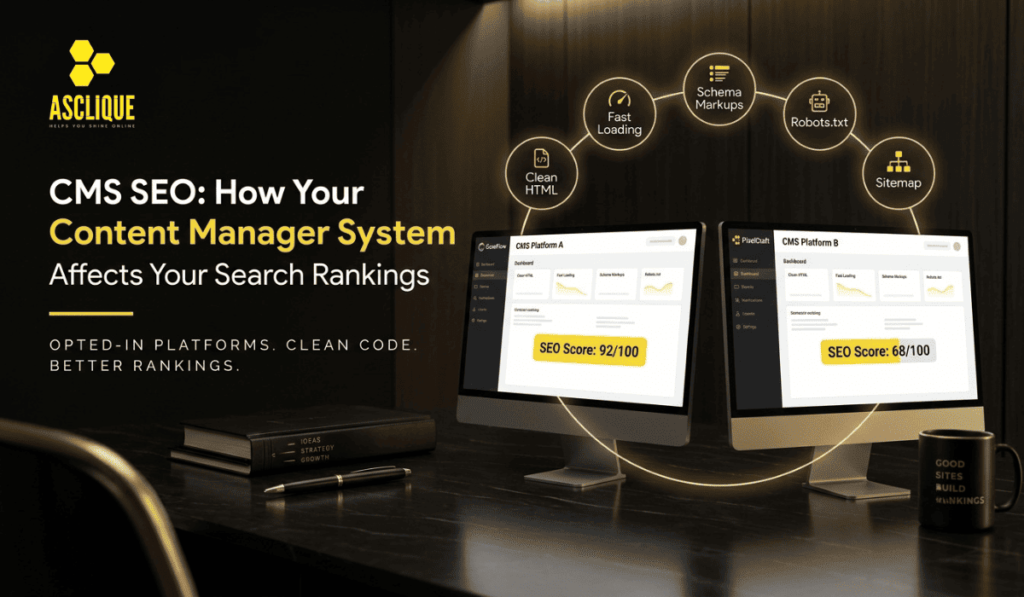
The content management system you build your website on has a direct influence on how well it can rank in search. Not because Google prefers one platform over another, but because different CMS platforms make it easier or harder to implement the technical and on-page SEO elements that rankings require.
This guide covers what to look for in a CMS from an SEO standpoint, how the major platforms compare, and what to do when your CMS is working against your SEO efforts.
What Makes a CMS SEO-Friendly?
A CMS is SEO-friendly when it allows you to control the technical and on-page elements that affect search visibility without requiring developer work for every change.
The key SEO capabilities a CMS should provide:
Page title and meta description control. Every page should have an individual, editable title tag and meta description. Some CMS platforms set these automatically from page names or content — that is not enough.
URL structure control. URLs should be clean, descriptive, and editable. A CMS that generates URLs like /page?id=342 rather than /services/seo-consulting/ creates SEO problems.
Heading hierarchy. The CMS should let editors apply H1, H2, and H3 tags properly without auto-generating heading structure from templates.
Image optimization. Editable alt text for every image. Ideally, image compression and WebP support either built in or via plugin.
Canonical tag control. For sites with duplicate or similar content across multiple URLs, canonical tags tell Google which version to index. The CMS should allow these to be set per page.
Schema markup support. Structured data (Article, FAQ, LocalBusiness, Product, etc.) can be added via plugin or direct template access. At minimum, the CMS should not block schema implementation.
Site speed. The CMS should not generate excessive render-blocking code, bloated JavaScript, or slow database queries that inflate page load times and hurt Core Web Vitals.
XML sitemap generation. The sitemap should be automatically generated and updated when content is added or changed.
Robots.txt access. The ability to control which pages are crawlable and indexable.
How the Major CMS Platforms Perform on SEO
WordPress
WordPress powers the majority of websites on the internet and has the strongest SEO plugin ecosystem. With a plugin like Yoast SEO, Rank Math, or All in One SEO, virtually all on-page and technical SEO controls become accessible without touching code.
WordPress SEO strengths:
- Full control over title tags, meta descriptions, canonical URLs
- Yoast/Rank Math add schema markup, sitemaps, and readability guidance
- Extensive plugin ecosystem for image optimization (Imagify, ShortPixel), caching (WP Rocket, W3 Total Cache), and Core Web Vitals improvement
- Widely supported by SEO agencies and developers
WordPress SEO weaknesses:
- Slow by default without performance plugins and a good host
- Theme quality varies dramatically; many themes generate poor HTML structure
- Plugin conflicts can create technical SEO problems
- Security vulnerabilities if not maintained
Verdict: The most SEO-flexible CMS if set up correctly. Also the most common, which means there are more tools, more expertise, and more resources for troubleshooting.
Shopify
Shopify is the leading ecommerce CMS and has improved its SEO capabilities significantly in recent years. It handles many technical SEO basics automatically (sitemaps, canonical tags, structured data for products).
Shopify SEO strengths:
- Automatic sitemap generation and robots.txt
- Product structured data out of the box
- Fast hosting included
- Reasonable SEO apps available (Plug In SEO, SEO Manager)
Shopify SEO weaknesses:
- URL structure for collections and products is fixed — /collections/ and /products/ prefixes cannot be removed
- Duplicate content from pagination and variant pages requires careful canonical tag management
- Blog functionality is limited compared to WordPress
- Less granular technical SEO control without custom Liquid theme development
Verdict: Good for e-commerce SEO with the right setup. The URL structure limitation is notable but rarely a decisive ranking factor.
Squarespace
Squarespace has improved its SEO features in recent versions and is adequate for small business sites that do not require advanced SEO control.
Squarespace SEO strengths:
- Clean, mobile-responsive templates
- Automatic sitemaps
- Editable title tags and meta descriptions
- SSL included
Squarespace SEO weaknesses:
- Limited control over URL structure
- No access to robots.txt in standard plans
- Schema markup requires workarounds
- No plugin ecosystem for advanced SEO customization
- JavaScript-heavy rendering can cause crawling issues for complex sites
Verdict: Acceptable for simple small business sites. Not recommended for sites with significant SEO ambitions.
Wix
Wix has made major SEO improvements and now supports most standard SEO requirements for smaller sites.
Wix SEO strengths:
- SEO Wiz setup tool for basic technical SEO
- Editable title tags, meta descriptions, and URL slugs
- Automatic sitemaps
Wix SEO weaknesses:
- Historically problematic JavaScript rendering, though Wix has invested in server-side rendering
- Limited flexibility for complex technical SEO implementations
- URL structure limitations compared to WordPress
Verdict: Acceptable for small businesses with modest SEO goals. Not the right choice for aggressive SEO campaigns.
Webflow
Webflow is increasingly popular with designers and development teams and has solid SEO capabilities.
Webflow SEO strengths:
- Full control over HTML structure, meta tags, and URL slugs
- Clean code output without plugin dependencies
- Good page speed performance
- CMS collections allow structured content with proper meta control
Webflow SEO weaknesses:
- Steeper learning curve; typically requires a developer or designer
- No plugin ecosystem comparable to WordPress
- Schema markup requires custom code embeds
Verdict: Strong SEO platform for teams with design/dev capability. An underrated option for performance-conscious sites.
Common CMS-Related SEO Problems
Duplicate content from pagination. Category and tag pages that paginate (/blog/page/2/, /blog/page/3/) can create duplicate content issues. Canonical tags and proper pagination handling (rel=next/prev was deprecated by Google, but internal structure still matters) address this.
Auto-generated title tags. Many CMS templates default to using the page name as the title tag, producing bland or unoptimized titles. Every page needs a manually reviewed title tag.
Images without alt text. CMS platforms that allow bulk image uploads often result in images with no alt text. Audit and address this systematically.
JavaScript-rendered content. Some CMS platforms or themes load content via JavaScript that Googlebot may not render efficiently. Use Google Search Console’s URL Inspection tool to verify what Googlebot actually sees on key pages.
Plugin conflicts (WordPress). Multiple active SEO plugins or conflicting cache and optimization plugins can produce malformed canonical tags, duplicate schema markup, or broken sitemaps. Run one SEO plugin; audit others for conflicts.
Frequently Asked Questions
Does Google rank WordPress sites higher than other CMS platforms?
No. Google does not prefer any specific CMS. WordPress sites rank well because WordPress makes it easy to implement the SEO elements that matter. A well-optimized Webflow or Shopify site can rank just as well.
Should I change my CMS to improve SEO?
Switching CMS platforms is a major undertaking with significant migration risk. In most cases, SEO problems can be resolved within the existing CMS rather than through platform migration. Migrate only if the current CMS cannot support the technical SEO requirements of the site.
What is the fastest CMS for SEO?
Out of the box, static site generators (Hugo, Jekyll, Next.js with static export) produce the fastest sites. Among mainstream CMS platforms, Webflow and Squarespace tend to be faster than default WordPress. WordPress with a good caching plugin and performance optimization can match them.
Can a poorly chosen CMS cost you Google rankings?
Yes, indirectly. A CMS that produces slow page loads, poor HTML structure, JavaScript rendering issues, or duplicate content problems can directly harm Core Web Vitals scores and crawl efficiency. These are confirmed or strongly associated ranking factors.
Is Yoast SEO necessary for WordPress?
Not strictly, but it provides a significant amount of SEO functionality (sitemaps, schema markup, canonical tags, breadcrumbs, and meta control) in a single, well-maintained plugin. Most WordPress sites benefit from using it or an equivalent like Rank Math.
Asclique’s SEO services include technical SEO audits that identify CMS-level issues affecting your rankings. If your site is underperforming despite good content, platform-level technical issues may be a contributing factor. Get in touch to discuss what a technical audit would find.