
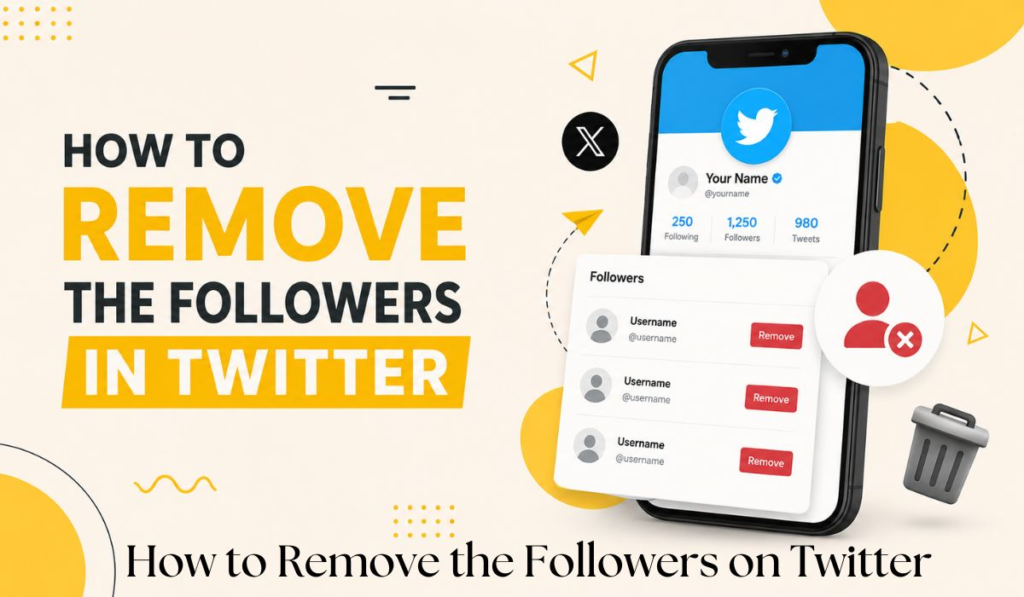
Want to remove a follower on Twitter but do not know how?
Here is the direct answer:
Go to the follower’s profile → Click the three-dot menu (⋯) → Select “Remove this follower” → Done. They will not be notified.
That is it. Simple, quick, and completely private.
But there is a lot more you need to know — like when to remove followers, what happens after you remove them, and how to remove multiple followers at once.
This complete guide covers everything step by step in plain, simple language.
What Does Removing a Follower on Twitter Mean?
When you remove a follower on Twitter, you are quietly kicking them out of your followers list. They can no longer see your tweets in their home feed — unless your account is public, in which case they can still visit your profile manually.
The best part? Twitter does not send them any notification. They will never know you removed them unless they check your followers list themselves.
This is different from blocking someone. Here is the key difference:
| Action | They Get Notified | They Can Still See Your Profile | They Can Follow Again |
| Remove Follower | ❌ No | ✅ Yes (if public) | ✅ Yes |
| Block | ❌ No | ❌ No | ❌ No |
Removing a follower is the softer, quieter option. Blocking is more permanent and strict.
How to Remove a Follower on Twitter — Step by Step
Method 1 — Remove From Their Profile (Mobile App)
This is the easiest and fastest method.
Step 1 — Open the Twitter app on your phone
Step 2 — Go to the profile of the follower you want to remove
Step 3 — Tap the three-dot icon (⋯) in the top right corner of their profile
Step 4 — Tap “Remove this follower”
Step 5 — Confirm by tapping “Remove”
✅ Done — they are removed from your followers instantly.
Method 2 — Remove From Your Followers List (Mobile)
Step 1 — Tap your profile picture to open the side menu
Step 2 — Tap “Profile”
Step 3 — Tap “Followers” to open your full followers list
Step 4 — Find the person you want to remove
Step 5 — Tap the three-dot icon (⋯) next to their name
Step 6 — Tap “Remove this follower”
✅ Done — clean and simple.
Method 3 — Remove a Follower on Twitter Web (Desktop)
Step 1 — Open twitter.com in your browser and log in
Step 2 — Click on your Profile from the left side menu
Step 3 — Click on “Followers”
Step 4 — Find the follower you want to remove
Step 5 — Click the three-dot icon (⋯) next to their name
Step 6 — Click “Remove this follower”
Step 7 — Click “Remove” to confirm
✅ Done — works perfectly on any desktop browser.
How to Remove Multiple Followers on Twitter
Twitter does not currently offer a built-in tool to remove followers in bulk. You have to remove them one by one manually.
However here are two practical options:
Option 1 — Do It Manually in Batches
Set aside 10 to 15 minutes. Go through your followers list and remove unwanted followers one at a time. It is slow but free and completely safe.
Option 2 — Use a Third Party Tool
Some third party tools like Circleboom or ManageFlitter allow bulk follower management. These tools connect to your Twitter account and let you filter and remove multiple followers faster.
⚠️ Warning: Always use trusted tools only. Never give your Twitter password to unknown apps. Stick to tools that use official Twitter API login.
Why Would You Want to Remove Twitter Followers?
Good question. Here are the most common reasons people remove followers:
- Spam accounts — Bots and fake accounts inflate your follower count but add zero value
- Inactive accounts — Dead profiles that have not been active in years
- Privacy reasons — You do not want certain people seeing your tweets
- Cleaner audience — Better engagement rate with a smaller but genuine audience
- Ex partners or colleagues — Sometimes you just want a fresh start
- Improving analytics — Real followers give more accurate data about your content performance
A clean, genuine followers list is always more valuable than a large fake one.
What Happens After You Remove a Follower on Twitter?
Here is exactly what happens — and what does not happen — when you remove someone:
✅ They are immediately removed from your followers list
✅ Your tweets will no longer appear in their home feed
✅ They receive zero notification about being removed
✅ Your follower count goes down by one
✅ If your account is public — they can still visit your profile and see your tweets manually
✅ They can follow you again anytime — removing is not permanent like blocking
❌ They cannot see your tweets in their feed anymore
❌ They will not get any alert or message from Twitter
Can Someone Know If You Removed Them as a Follower?
Technically yes — but only if they check manually.
Twitter does not send any notification when you remove a follower. The only way they would find out is if they:
- Visit your profile and notice the “Follow” button is back
- Check their own “Following” list and see your account is missing
Most people never notice. So removing a follower is essentially a completely silent action.
How to Stop Someone From Following You Again After Removing
If you remove someone and want to make sure they cannot follow you back, you have two options:
Option 1 — Block and Unblock Block the person first, then unblock them. This removes them as a follower AND prevents them from following you again immediately. After you unblock, they would have to manually choose to follow you again.
Option 2 — Switch to a Private Account Go to Settings → Privacy and Safety → Protect your Tweets. With a private account, new followers need your approval before they can follow you. This gives you full control over who sees your content.
Pro Tips for Managing Your Twitter Followers
- Audit your followers every 3 months — Remove bots and inactive accounts regularly
- Check for fake followers — Tools like Twitter Audit show how many of your followers are real
- Do not stress over follower count — 500 real engaged followers beat 5000 fake ones every time
- Go private if needed — Private accounts give maximum control over your audience
- Remove quietly — You never need to announce when you remove someone
Final Answer — How to Remove Followers on Twitter
Removing a follower on Twitter is fast, private, and simple:
- Go to their profile
- Tap the three-dot menu (⋯)
- Select “Remove this follower”
- Confirm
They get no notification. Your account stays clean. You stay in full control.
Whether you are clearing out bots, old contacts, or just curating a better audience — removing followers is one of the smartest things you can do for your Twitter presence.