
Running a service business means you’re rarely sitting behind a desk. You’re meeting clients, managing jobs, sending invoices, tracking expenses, and following up on payments while moving from one location to another.
Handling all these tasks manually can slow you down and leave room for mistakes. That’s where mobile apps make a real difference. They help you stay organized, save time, and keep your business running smoothly no matter where you are.
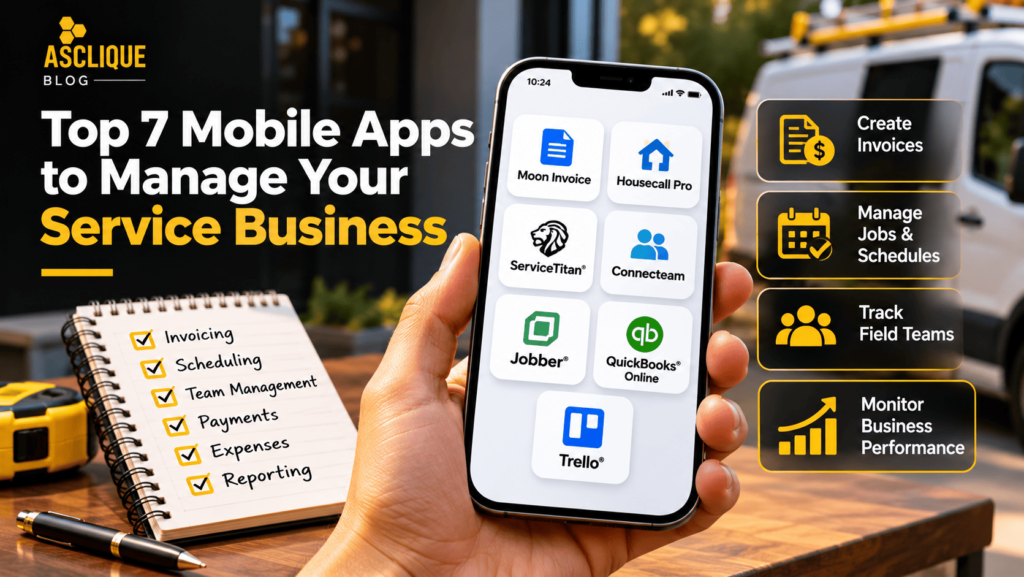
In this guide, we’ve rounded up the top 7 mobile apps to manage your service business. Whether you’re a plumber, electrician, landscaper, cleaner, contractor, or consultant, these apps can simplify your daily work.
From invoicing and scheduling to team management and accounting, you’ll find the right solution to help your business grow.
Quick Answer
The best mobile app for a service business depends on its primary operational needs. Moon Invoice focuses on invoicing and expenses, Housecall Pro and Jobber support field service workflows, ServiceTitan serves complex service operations, Connecteam helps manage mobile employees, QuickBooks Online supports accounting, and Trello organizes tasks and projects. Compare features, integrations, mobile usability, and total costs before selecting a platform.
Key Facts
- Mobile service business apps can support invoicing, scheduling, customer management, employee coordination, and financial reporting.
- Different platforms specialize in different workflows, so no single app is necessarily best for every business.
- Field service management platforms commonly combine job scheduling, customer records, estimates, and invoicing.
- Accounting apps and workforce management apps serve different operational purposes.
- Mobile access and desktop synchronization can help teams work across locations.
- Payment processing, integrations, user limits, and advanced features may affect total software costs.
- Businesses should review current product documentation, subscription terms, and regional availability before purchasing.
- Trials and demonstrations can help evaluate whether an app fits existing workflows.
Note: Features and availability can vary by plan, region, device, and product updates. Verify important capabilities directly with each provider.
Table of Contents
- What Are Service Business Management Apps?
- What Should You Look for in a Service Business Mobile App?
- Top 7 Mobile Apps: Quick Comparison
- 7 Best Mobile Apps to Manage Your Service Business
- How to Choose the Right App for Your Business
- Tools and Features You Should Evaluate
- Common Errors and How to Fix Them
- Weak Approach vs. Better Approach
- Common Mistakes to Avoid
- What Is Not Proven
- How to Measure Success
- Service Business App Selection Checklist
- Find the Right Mobile App for Long-Term Success
- Frequently Asked Questions
- Asclique Recommendation
- Related Asclique Resources
- Need Help With This?
What Are Service Business Management Apps?
Service business management apps are mobile software solutions that help businesses organize operational activities such as appointments, customer records, job assignments, estimates, invoicing, and payments.
They are particularly useful for businesses whose employees regularly work outside a traditional office.
For example, a plumbing company may need technicians to review job details while traveling between customer locations. A cleaning business may need employee scheduling and time tracking, while an independent consultant may prioritize invoicing and expense management.
Some platforms combine several functions into one system. Others specialize in a particular area, such as accounting, workforce management, or project coordination.
The right choice depends on the tasks your business performs most frequently and the information your employees need while working in the field.
What Should You Look for in a Service Business Mobile App?
The right mobile app should simplify your daily operations, reduce manual work, and help you manage customers, jobs, and payments efficiently, whether you’re in the office or on-site.
- Easy invoicing: Create and send professional invoices in minutes. Bonus if the app includes free invoice templates to speed up billing.
- Online payments: Let customers pay instantly through secure payment options to improve cash flow.
- Expense tracking: Record business expenses on the go and keep your finances organized.
- Scheduling tools: Manage appointments and job calendars without missing important tasks.
- Customer management: Store client details, job history, and communication in one place.
- Time tracking: Log billable hours accurately for service-based projects.
- Reporting: Monitor income, expenses, and overall business performance with real-time insights.
- Cross-device access: Sync your data across mobile and desktop, so your business stays connected wherever you work.
Additional Factors Worth Checking
Beyond the core features, review the software’s security controls, available integrations, customer support, data export options, and pricing structure.
For businesses managing multiple employees, role-based permissions are particularly important. Staff should only have access to the information and functions required for their responsibilities.
Also check whether the app supports your preferred operating systems and whether important functions require an active internet connection.
Build a Stronger Digital Foundation for Your Service BusinessConnect better business operations with an effective online presence, stronger search visibility, and a consistent customer experience. | Explore SEO Services |
Top 7 Mobile Apps for Service Businesses: Quick Comparison
Each platform addresses a different operational priority. Use this comparison to identify which products deserve a closer review.
| Mobile App | Best For | Primary Focus |
|---|---|---|
| Moon Invoice | Service professionals and independent contractors | Invoicing, estimates, expenses, and payments |
| Housecall Pro | Home service businesses | Scheduling, jobs, estimates, and invoicing |
| ServiceTitan | Growing field service operations | Dispatching, customer management, and reporting |
| Connecteam | Businesses managing mobile employees | Scheduling, time tracking, and communication |
| Jobber | Small and medium-sized service businesses | Client management, quotes, scheduling, and payments |
| QuickBooks Online | Business owners managing finances | Accounting, expenses, invoicing, and reporting |
| Trello | Teams managing projects and tasks | Task boards, assignments, and collaboration |
7 Best Mobile Apps to Manage Your Service Business
The right mobile app can save hours every week by simplifying invoicing, scheduling, payments, and team management. Here are seven reliable options for service businesses.
1. Moon Invoice
Best for: Invoicing, estimates, and expense management for service businesses
Moon Invoice is an all-in-one business management app designed for service professionals who need to handle invoicing, estimates, expenses, and payments from anywhere. Whether you’re a contractor, plumber, electrician, cleaner, or consultant, it streamlines your daily workflow with a mobile-first experience. It also works as reliable invoicing software for Android, making it easy to manage billing on the go.
Key Features
- Quick Scan and AI-powered Receipt Scan to digitize invoices and receipts.
- Expense management to monitor business spending.
- One-click estimate to invoice conversion.
- Secure cloud storage for easy document access.
- Online payments through multiple payment gateways.
Why Consider Moon Invoice?
Moon Invoice may be suitable for businesses that primarily need a mobile solution for creating invoices, managing estimates, tracking expenses, and collecting payments.
For example, an independent contractor could prepare an estimate after visiting a customer, convert the approved estimate into an invoice, and maintain a record of related expenses.
Before choosing the platform, verify current payment integrations, supported currencies, subscription limits, and whether the required features are available in your region.
2. Housecall Pro
Best for: Home service professionals
Housecall Pro is a popular choice for HVAC, plumbing, electrical, and cleaning businesses. It helps service teams manage jobs from booking to payment using a single mobile app. Technicians can access customer details, create estimates, send invoices, and collect payments while working in the field, reducing paperwork and improving customer experience.
Key Features
- Online booking and job scheduling.
- Digital estimates and invoicing.
- GPS employee tracking.
Why Consider Housecall Pro?
Housecall Pro is worth evaluating when a business needs to coordinate appointments, field technicians, customer communication, and billing.
A plumbing company, for example, may benefit from keeping appointment details, job information, and invoices within the same workflow.
Review current plan requirements and confirm which dispatching, tracking, and payment features are included before subscribing.
3. ServiceTitan
Best for: Large and growing field service businesses
ServiceTitan is built for businesses that handle a high volume of service calls. It combines dispatching, scheduling, customer management, invoicing, and reporting into one platform. The mobile app gives technicians access to job details, customer history, and estimates, helping teams stay productive while delivering better service.
Key Features
- Intelligent scheduling and dispatching.
- Customer management tools.
- Mobile estimates and invoicing.
Why Consider ServiceTitan?
ServiceTitan may be relevant for established service businesses that need to coordinate multiple technicians, appointments, customer records, and operational reports.
Businesses evaluating the platform should assess implementation requirements, employee training, integrations, and total subscription costs.
A feature-rich system is not necessarily the best choice for a smaller business with simple scheduling and invoicing needs.
4. Connecteam
Best for: Managing field employees and daily operations
Connecteam focuses on workforce management for businesses with mobile teams. It helps employers communicate with staff, assign tasks, track work hours, and manage daily operations without relying on multiple apps. Its simple interface makes it suitable for businesses with employees working across different job sites.
Key Features
- Employee scheduling and shift management.
- Time clock with GPS tracking.
Why Consider Connecteam?
Connecteam is worth considering when employee coordination is more challenging than invoicing or accounting.
For example, a cleaning company with employees working at multiple customer locations may need a centralized system for shifts, time records, and team communication.
Review employee privacy requirements, location tracking settings, and available integrations before implementation.
5. Jobber
Best for: Small and medium-sized service businesses
Jobber helps service businesses organize client information, schedule work, create quotes, and send invoices from one platform. Its mobile app enables field workers to update job progress, collect payments, and communicate with customers in real time. It is widely used by landscaping, cleaning, and repair businesses.
Key Features
- Client and job management.
- Quotes, invoicing, and online payments.
- Route optimization.
Why Consider Jobber?
Jobber may suit businesses that want to connect customer information with recurring jobs, scheduling, estimates, and billing.
For example, a landscaping company could use a field service platform to coordinate scheduled visits and maintain customer job records.
Check which route planning, automation, and payment capabilities are included in the current subscription plans.
6. QuickBooks Online
Best for: Accounting and financial management
QuickBooks Online is a cloud-based accounting solution that helps businesses manage bookkeeping, expenses, payroll, invoicing, and taxes. Its mobile app allows business owners to monitor finances, send invoices, capture receipts, and review reports from anywhere, making financial management more convenient for growing service businesses.
Key Features
- Invoice creation and expense tracking.
- Receipt capture with financial reporting.
Why Consider QuickBooks Online?
QuickBooks Online is worth evaluating when financial management is the main priority.
Businesses can use accounting software to organize transactions, review expenses, and prepare financial information for reporting.
However, accounting software may not replace specialized field service management tools for dispatching, technician scheduling, or detailed job workflows.
Confirm regional availability and the current scope of mobile features, payroll, and tax functionality before selecting a plan.
7. Trello
Best for: Project and task management
Trello is a visual project management app that helps service businesses organize daily work using boards, lists, and cards. Teams can assign tasks, monitor project progress, set deadlines, and collaborate from anywhere. It is especially useful for businesses managing multiple ongoing jobs and coordinating work between office staff and field employees.
Key Features
- Drag-and-drop task boards.
- Due dates and task assignments.
- Team collaboration.
Why Consider Trello?
Trello may be suitable for businesses that need a straightforward way to organize tasks, assign responsibilities, and monitor project progress.
For example, a consulting company could create boards for active client projects and track tasks through different stages of completion.
Businesses requiring advanced dispatching, accounting, or payment collection may need additional software alongside Trello.
How to Choose the Right App for Your Business
Choosing the right app depends on how your service business operates and the challenges you want to solve. Start by identifying your daily needs, whether it’s invoicing, scheduling, team management, accounting, or customer communication.
Next, look for an app that’s easy to use, works well on mobile devices, and fits your budget. If your business is growing, choose a solution that can scale with you and integrate with other tools you already use.
Finally, compare features, read user reviews, and take advantage of free trials to ensure the app supports your workflow before making a long-term commitment.
Step 1: Identify Your Biggest Operational Challenge
Determine whether your business primarily struggles with invoicing, appointment scheduling, employee coordination, customer records, or financial reporting.
Prioritize software that directly addresses the most important problem.
Step 2: Compare Essential Features
Create a shortlist of required capabilities and compare them against each platform’s current product documentation.
Separate essential functions from optional features to avoid paying for tools your team does not need.
Step 3: Review Pricing and Integrations
Consider subscription fees, employee limits, payment processing charges, onboarding costs, and additional modules.
Also confirm whether the app integrates with your existing accounting, customer management, and communication tools.
Step 4: Test Real Business Workflows
During a trial or demonstration, complete common tasks such as creating a customer record, scheduling an appointment, generating an invoice, or assigning work to an employee.
Ask employees who will use the software to participate in testing.
Step 5: Evaluate Long-Term Suitability
Consider whether the platform can support additional employees, customers, and operational requirements as your business grows.
Review data export options and account cancellation terms before making a long-term commitment.
Tools and Features You Should Evaluate
Invoicing and Payment Tools
Evaluate invoice creation, estimate conversion, payment collection, reminders, and supported payment gateways.
Scheduling and Dispatching
Check whether the software supports appointments, employee assignments, calendar updates, and job status tracking.
Customer Relationship Management
Review how customer contact information, service history, notes, and communication records are stored.
Employee and Time Management
For businesses with field teams, evaluate shift scheduling, time tracking, employee permissions, and location-related controls.
Accounting and Financial Reporting
Determine whether the platform supports the level of expense tracking, bookkeeping, and financial reporting your business requires.
Marketing and Customer Acquisition
Operational software can help manage customers after they contact your business, but attracting qualified customers requires a separate marketing strategy.
Businesses can connect their operational improvements with search engine optimization services to improve the discoverability of relevant service pages.
Publishing useful service information and educational resources through a content marketing strategy can also help answer customer questions before they make an inquiry.
Common Errors and How to Fix Them
| Error | Cause | Fix |
|---|---|---|
| Choosing software based only on popularity | Business requirements were not documented. | Create a list of essential workflows before comparing apps. |
| Unexpected subscription costs | Additional users, modules, or transaction fees were overlooked. | Calculate the total expected cost before purchasing. |
| Employees avoid using the app | The workflow is difficult or training is insufficient. | Test the mobile experience and provide practical onboarding. |
| Customer information becomes duplicated | Multiple systems are not properly connected. | Review integrations and establish clear data ownership. |
| Important features are unavailable | Plan limitations or regional restrictions were not checked. | Verify the exact features and availability before subscribing. |
Weak Approach vs. Better Approach
| Weak Approach | Better Approach |
|---|---|
| Choose the app with the longest feature list. | Choose software that solves your most important operational problems. |
| Compare only monthly subscription prices. | Compare total costs, including users, integrations, and payment fees. |
| Purchase without testing. | Complete real business tasks during a trial or demonstration. |
| Give every employee full account access. | Use appropriate roles and permissions. |
| Assume software automatically improves profitability. | Measure operational efficiency and relevant financial outcomes. |
Common Mistakes to Avoid
1. Buying More Software Than Your Business Needs
Advanced features may add complexity and costs without providing meaningful value to a small service business.
Start with the essential functions required for your current operations.
2. Ignoring Employee Training
Even a well-designed app can fail to deliver value if employees do not understand how to use it.
Provide practical training and clear instructions for common workflows.
3. Overlooking Data Security
Service management apps may contain customer contact information, payment-related data, employee details, and business records.
Review account security, permissions, authentication options, and the provider’s data handling practices.
4. Choosing Software Without Checking Integrations
Disconnected systems can create duplicate records and additional administrative work.
Check compatibility with the tools your business already uses.
5. Ignoring Regional and Industry Requirements
Payment methods, taxes, payroll, and other capabilities may vary depending on location and subscription plan.
Verify requirements that apply to your business before implementation.
6. Failing to Measure Results
Software adoption should be evaluated against specific operational objectives.
Track whether the app actually reduces administrative work, improves billing accuracy, or supports better customer service.
Improve Your Service Business’s Online VisibilityManaging operations is only part of business growth. Build a stronger online presence that helps potential customers discover your services. | Request an SEO Audit |
What Is Not Proven
No single mobile app is guaranteed to be the best choice for every service business.
Product features alone do not establish that a business will save a specific number of hours, increase revenue, or improve profitability.
Claims about productivity improvements should be evaluated using actual workflow measurements and appropriate comparisons.
Similarly, the availability of invoicing, scheduling, or automation features does not guarantee that employees will adopt the system successfully.
Businesses should evaluate current product capabilities, implementation requirements, and measurable operational outcomes before making long-term commitments.
How to Measure Success
Measure whether the selected app improves the specific processes it was intended to support.
For example, a business implementing invoicing software might track invoice preparation time and payment collection periods.
A company adopting field service software might review scheduling accuracy, job completion records, and administrative workload.
| Metric | Data Source | Purpose |
|---|---|---|
| Invoice preparation time | Workflow records | Evaluate administrative efficiency. |
| Payment collection period | Accounting records | Review payment timing and outstanding invoices. |
| Scheduling accuracy | Job management system | Identify missed or incorrectly assigned appointments. |
| Employee adoption | Usage records and staff feedback | Determine whether the team uses the system effectively. |
| Software cost | Invoices and subscription records | Compare ongoing costs with operational benefits. |
Service Business App Selection Checklist
- Identify the main operational problem you want to solve.
- List essential and optional software features.
- Determine how many employees need access.
- Confirm compatibility with required mobile devices.
- Review invoicing and payment capabilities.
- Evaluate scheduling and job management features.
- Check customer information management.
- Review time tracking and employee permissions.
- Confirm accounting and reporting requirements.
- Check integrations with existing software.
- Review current subscription plans and user limits.
- Calculate additional transaction and onboarding costs.
- Verify regional availability and relevant compliance requirements.
- Review security and authentication options.
- Check data export and cancellation terms.
- Test the software using real business tasks.
- Collect feedback from employees.
- Document baseline operational performance.
- Provide training before full implementation.
- Review results after adoption.
Find the Right Mobile App for Long-Term Success
The right mobile app can do more than simplify daily tasks. It can help you stay organized, improve customer service, reduce manual work, and give you more time to focus on growing your business.
Before making a decision, compare the features that matter most, such as invoicing, scheduling, team management, payments, and reporting. Many apps also offer free trials, making it easier to find the right fit without a long-term commitment.
If invoicing is a key part of your business, Moon Invoice is worth considering. Along with free invoice templates, it offers AI-powered automation, expense tracking, and smart invoice management to help service businesses create professional invoices without putting much effort.
However, the best choice depends on your operational requirements. Businesses that need field technician scheduling may prioritize different software from those that primarily need accounting or workforce management.
Choose a platform that supports your current needs while providing a practical path for future growth.
FAQ’s
What is the best mobile app for managing a service business?
The best mobile app depends on the business’s primary requirements.
Moon Invoice focuses on invoicing and expense management, while Housecall Pro and Jobber support common field service workflows.
ServiceTitan may be relevant for more complex service operations, Connecteam supports workforce management, QuickBooks Online focuses on accounting, and Trello organizes projects and tasks.
Compare current features, pricing, integrations, and mobile usability before making a decision.
Which mobile app is best for small service businesses?
Small service businesses should choose software based on their most frequent operational tasks.
An independent contractor who mainly needs invoicing may prefer a billing-focused platform, while a small cleaning or landscaping company may need scheduling, customer management, and job tracking.
Consider employee count, subscription costs, training requirements, and whether the platform supports future growth.
Can service business apps help with invoicing and payments?
Yes. Several service business apps provide invoicing, estimates, payment collection, or related financial tools.
These features can help businesses prepare invoices, maintain billing records, and provide convenient payment options.
However, payment gateways, transaction fees, supported currencies, and available features may differ by provider, plan, and region.
What is the difference between field service management and accounting software?
Field service management software focuses on operational activities such as scheduling appointments, assigning technicians, managing jobs, and communicating with customers.
Accounting software focuses on financial records, expenses, invoices, and reporting.
Some platforms include overlapping features, but businesses should evaluate whether each system provides the depth of functionality they require.
Are mobile service business apps suitable for plumbers and electricians?
Yes. Mobile service management apps can support plumbing, electrical, HVAC, cleaning, landscaping, and other field service businesses.
Useful features may include job scheduling, technician assignments, customer history, estimates, invoices, and payment collection.
The appropriate platform depends on business size, job complexity, and the number of employees working in the field.
How much do service business management apps cost?
Pricing varies depending on the provider, subscription plan, number of users, included features, and additional services.
Some platforms offer trials or entry-level options, while more advanced systems may require custom pricing or additional onboarding.
Businesses should compare total expected costs, including payment processing, integrations, training, and optional modules, rather than focusing only on the advertised subscription price.
Can mobile apps improve productivity for service businesses?
Mobile apps may improve productivity by reducing repetitive administrative work and making important business information easier to access.
For example, digital scheduling may reduce manual coordination, while mobile invoicing can simplify billing after a completed job.
However, productivity improvements depend on implementation quality, employee adoption, and how well the software matches existing workflows.
Measure results using relevant operational data rather than assuming that installing an app automatically improves efficiency.
What should I check before subscribing to a service business app?
Start by documenting the workflows your business needs to manage.
Then review mobile compatibility, essential features, subscription costs, employee limits, payment options, integrations, security controls, and customer support.
Where possible, use a trial or demonstration to test common tasks with the employees who will use the software.
Also review data export options and cancellation terms before committing to a long-term subscription.
Asclique Recommendation
Choose business management software based on the operational problems you need to solve rather than the number of available features.
For independent professionals, invoicing and expense management may be the highest priorities. Businesses managing field employees may benefit more from scheduling, job management, and customer communication tools.
Start with a documented list of requirements, compare suitable platforms, and test real workflows before purchasing.
While operational apps help businesses manage work efficiently, long-term growth also depends on attracting relevant customers.
Businesses can explore Asclique’s resources on improving online visibility and generating leads through SEO to connect their digital presence with customer acquisition.
Review the results of your software investment regularly and adjust your processes as business requirements change.
Related Asclique Resources
Explore Our Services
Recommended Asclique Articles
Need Help With This?
Choosing the right software can improve your service business operations, but your online marketing strategy also needs to support customer acquisition.
Asclique helps businesses improve search visibility, develop useful content, and connect their digital marketing efforts with measurable business objectives.
Grow Your Service Business With a Stronger Digital StrategyCombine efficient business operations with a practical SEO and content marketing strategy that helps potential customers discover your services. | Talk to Asclique |